 BreizhVoIP
Code Selection
The caller dials a numeric code to access a specific output. Perfect for secure access systems or PIN authentication.
How it works
The caller dials a numeric code, a PIN
The system checks what was entered
If the code is valid, the call leaves through the matching output
If it is not, the call can be rejected or sent to another output
This is how you put access to certain features behind a code
Use cases
- Put a feature behind a code
- Authenticate a caller by PIN
- Restricted-access systems
What you configure
- Valid codes
- The numeric codes (PINs) you accept, each with the output it leads to. The caller dials a code to reach a feature; a valid code sends the call to its matching output.
- Number of attempts
- How many tries the caller gets to enter a valid code. Once they run out, the call can be rejected or sent to a failure output.
Examples
- Example 1, Voicemail: the caller dials their PIN, 1234 say. Valid, they reach their own mailbox; invalid three times over, the call leaves through the 'access denied' output.
- Example 2, Tiered access: code 1000 for standard access ('standard' output), 2000 for premium ('premium'), 9999 for administrators ('admin').
- Example 3, Customer service by code: 1111 for sales ('sales' output), 2222 for technical support ('support'), 3333 for billing ('billing').
- Example 4: A call centre where every agent has their own code, which routes to their personal extension and opens their working session.
In the panel
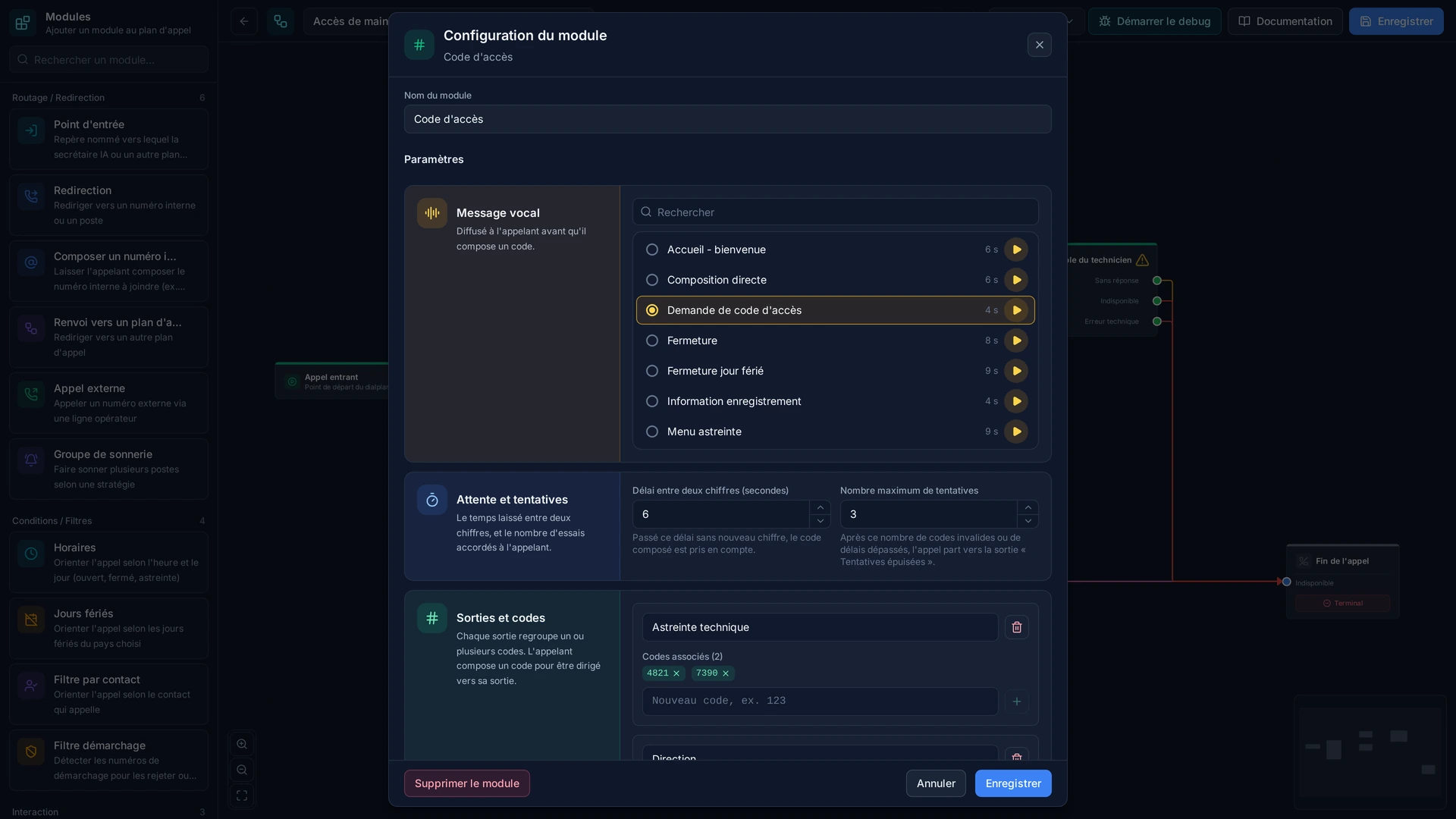
Read the guide: Réserver une entrée de votre standard à ceux qui ont le code
Modules in the same category
IVR (Interactive Voice Menu)
Interactive voice menu allowing the caller to choose an option by pressing keys. Ideal for creating navigation menus.
Callback
Offer a call back rather than more waiting. When nobody can take the call, the caller is offered a call back: they accept with one key, hang up, and you receive the request by email with their number and the time. It turns a lost call into a customer rung back, and it stops the queue growing while nothing can be done about it.