 BreizhVoIP
IPBX Features - Telephony Solutions
Every IPBX feature: WebRTC softphone, extensions, DID numbers, queues, dialplans, voicemail with email, CDR, multi-company and call pacing.
WebRTC softphone
Your desk phone fits in a browser tab. The softphone makes and takes calls on your work line from Chrome, Firefox, Safari or Edge, with nothing to install and no VPN to open. You can see at a glance who is free, transfer a call in two clicks, and find the call history, recordings and transcribed voicemail in one place. On a phone, the mobile app takes over: the call rings like any other, even on a locked screen.
Voicemail with transcription
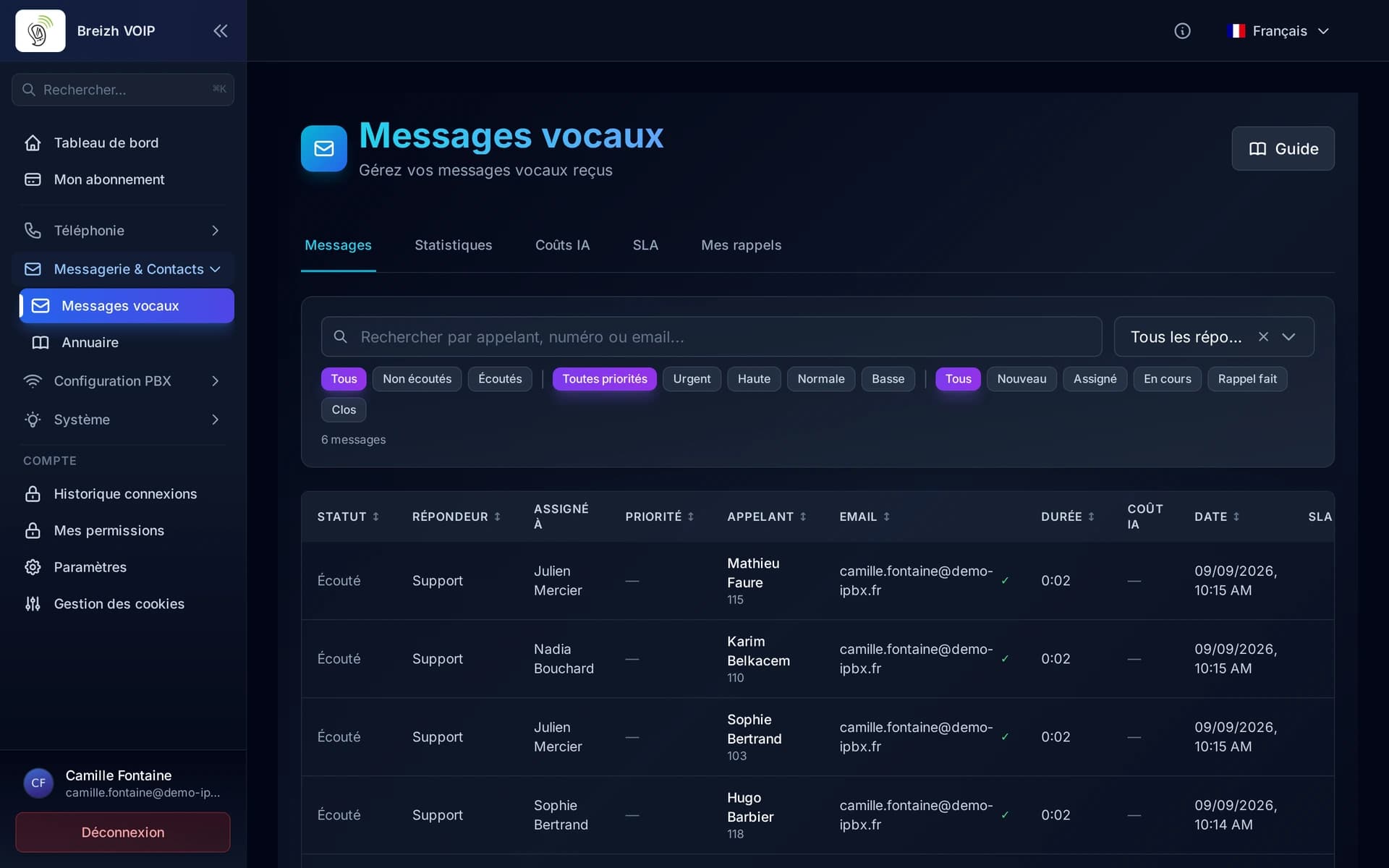
Voicemail with AI transcription: urgent message detection, summaries, team follow-up with assignment and status, configurable SLAs, callbacks, colour tags, callback attempt tracking and a statistics dashboard. Each message is converted to MP3, transcribed and emailed with the text and the audio.
AI receptionist
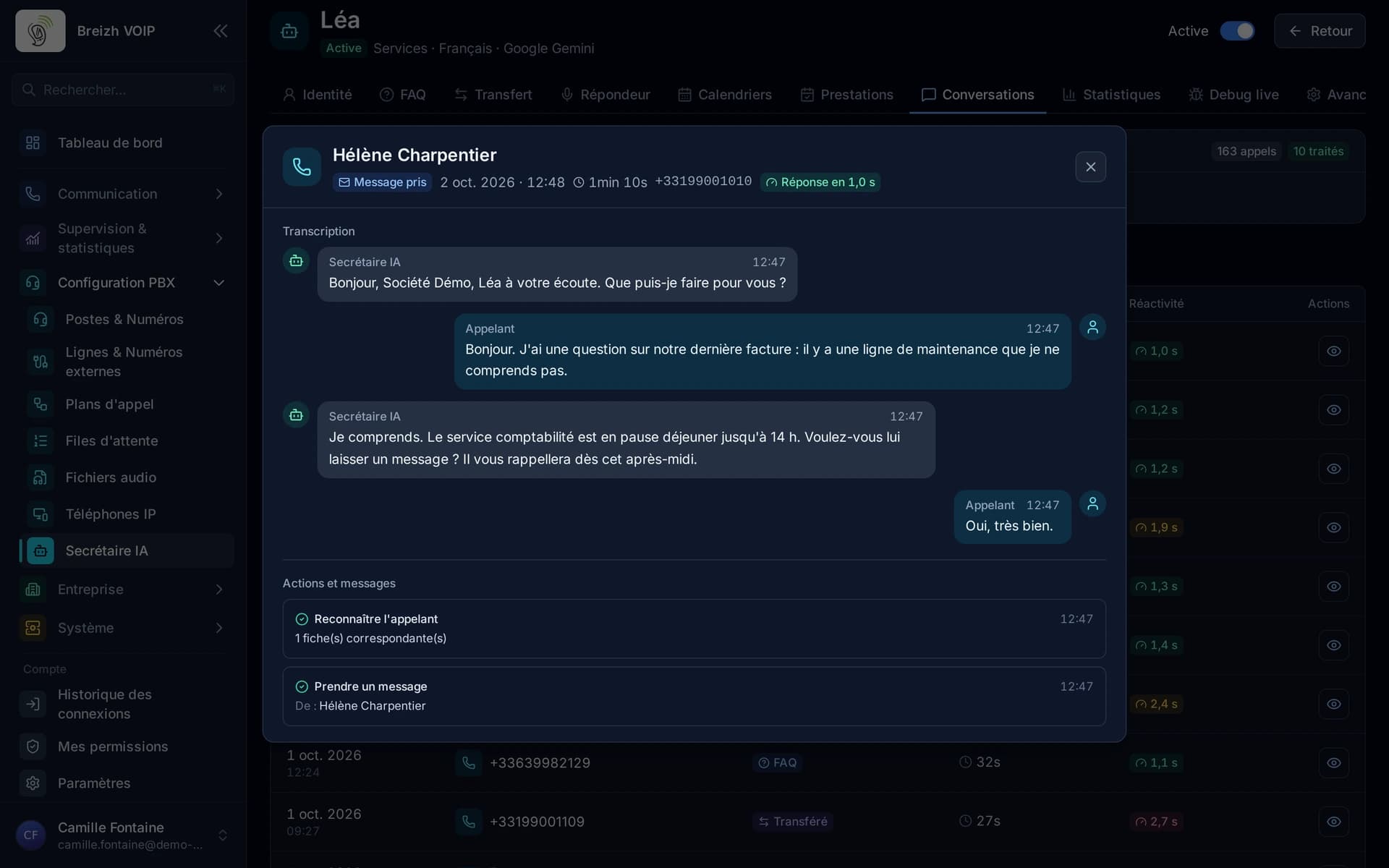
A receptionist that picks up for you and talks with callers the way a person would. She answers questions about your business, books appointments in your calendar, transfers to the right colleague or takes a message. She replies in about one and a half seconds, and callers can interrupt her: the conversation stays natural.
Visual dialplans with modules
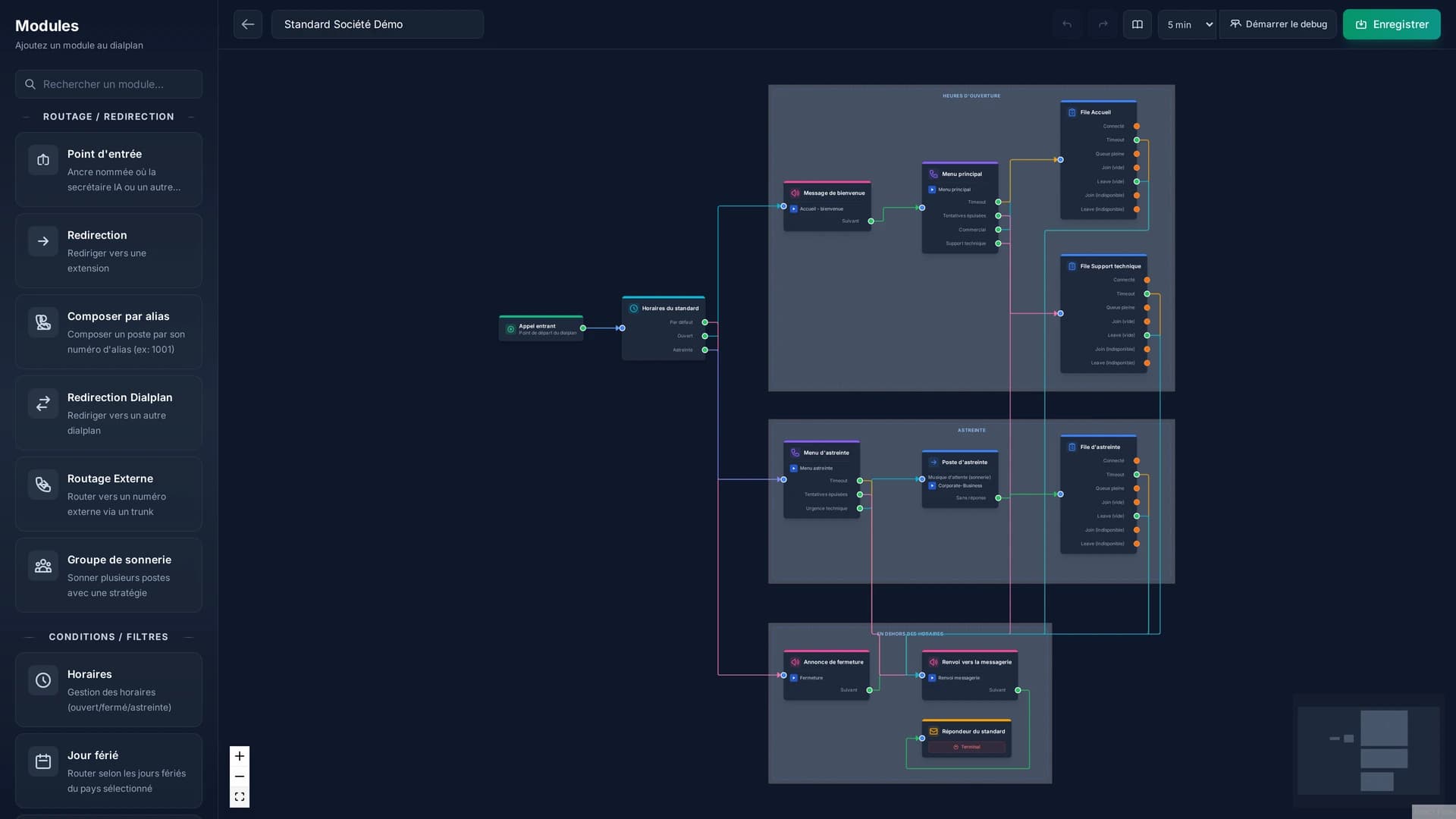
Drawing a call's path instead of describing it to an engineer. You lay out the steps one after another: the greeting, the opening hours, the menu, the queue, the diversion. Each step is a block joined to the next, and the result applies as soon as it is saved. Changing a bank holiday announcement or the ringing order becomes a two-minute job, with no appointment and no quote.
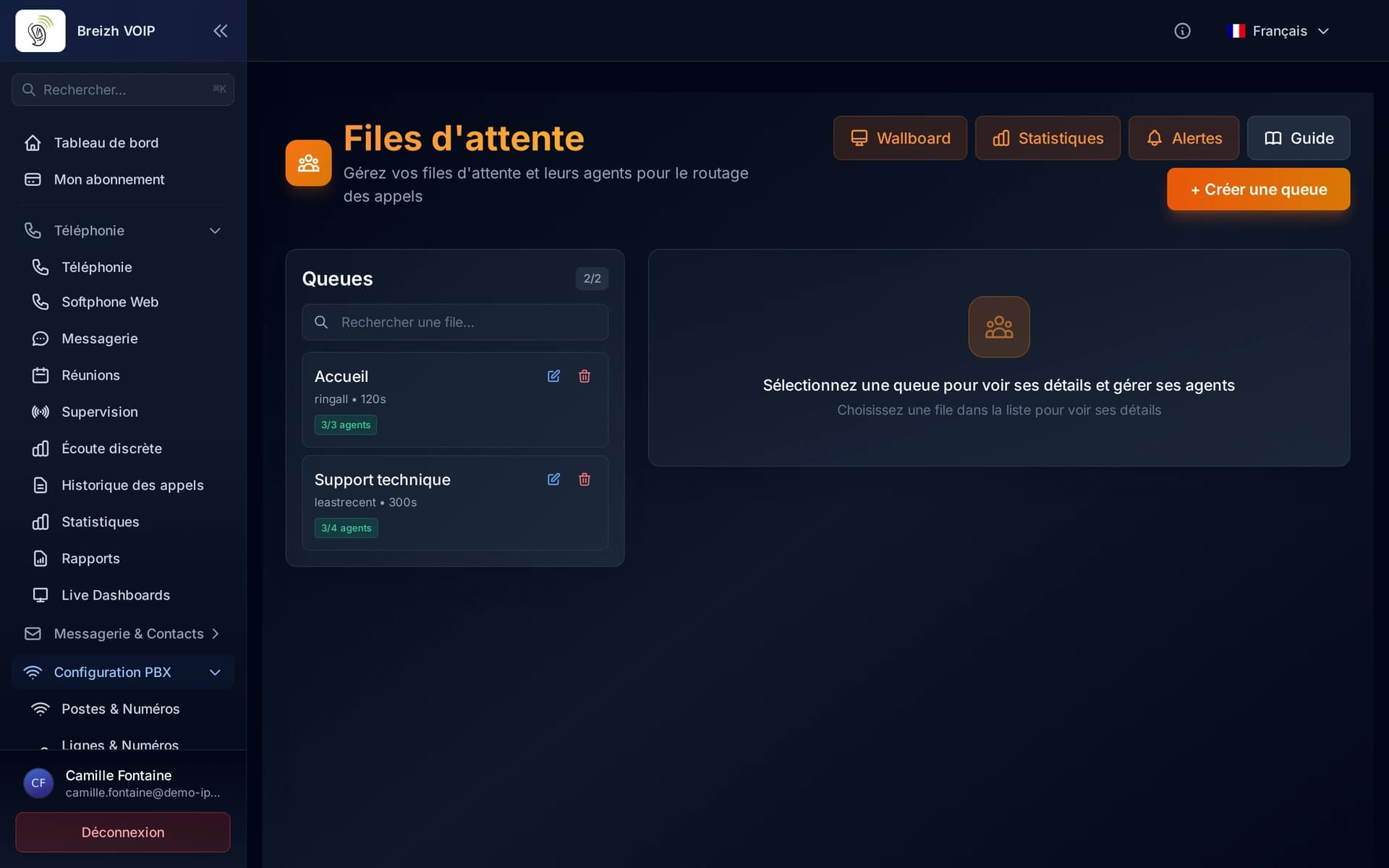
Call queues
Enterprise-grade call queuing with 7 distribution strategies, real-time agent management (login/logout, pause, skills), live supervision dashboard, SLA metrics, position announcements, callback options and comprehensive historical statistics.
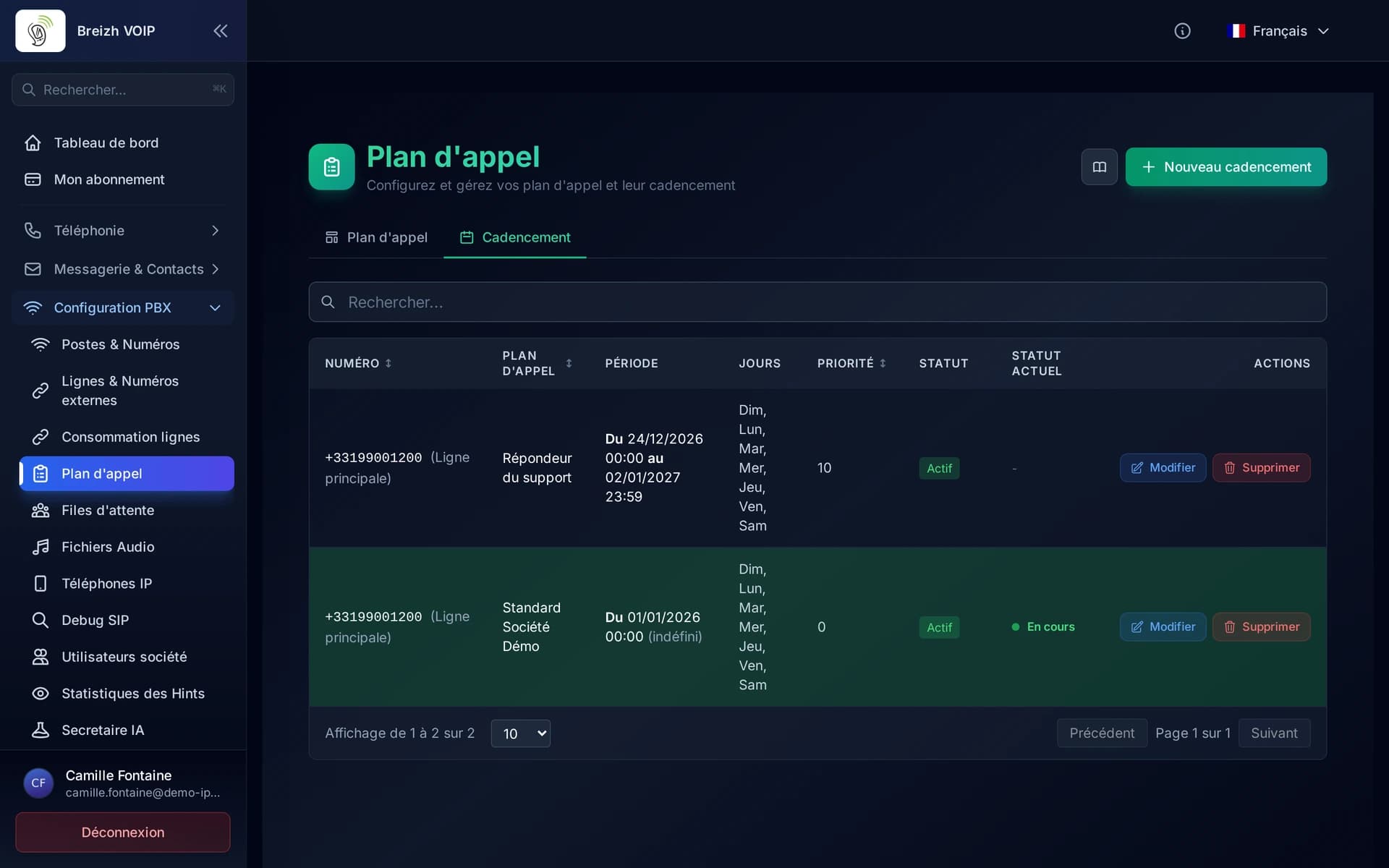
Number scheduling
Scheduling system to associate an external phone number with a dialplan with temporal constraints (dates, hours, days of the week). Allows routing incoming calls to different dialplans according to periods.
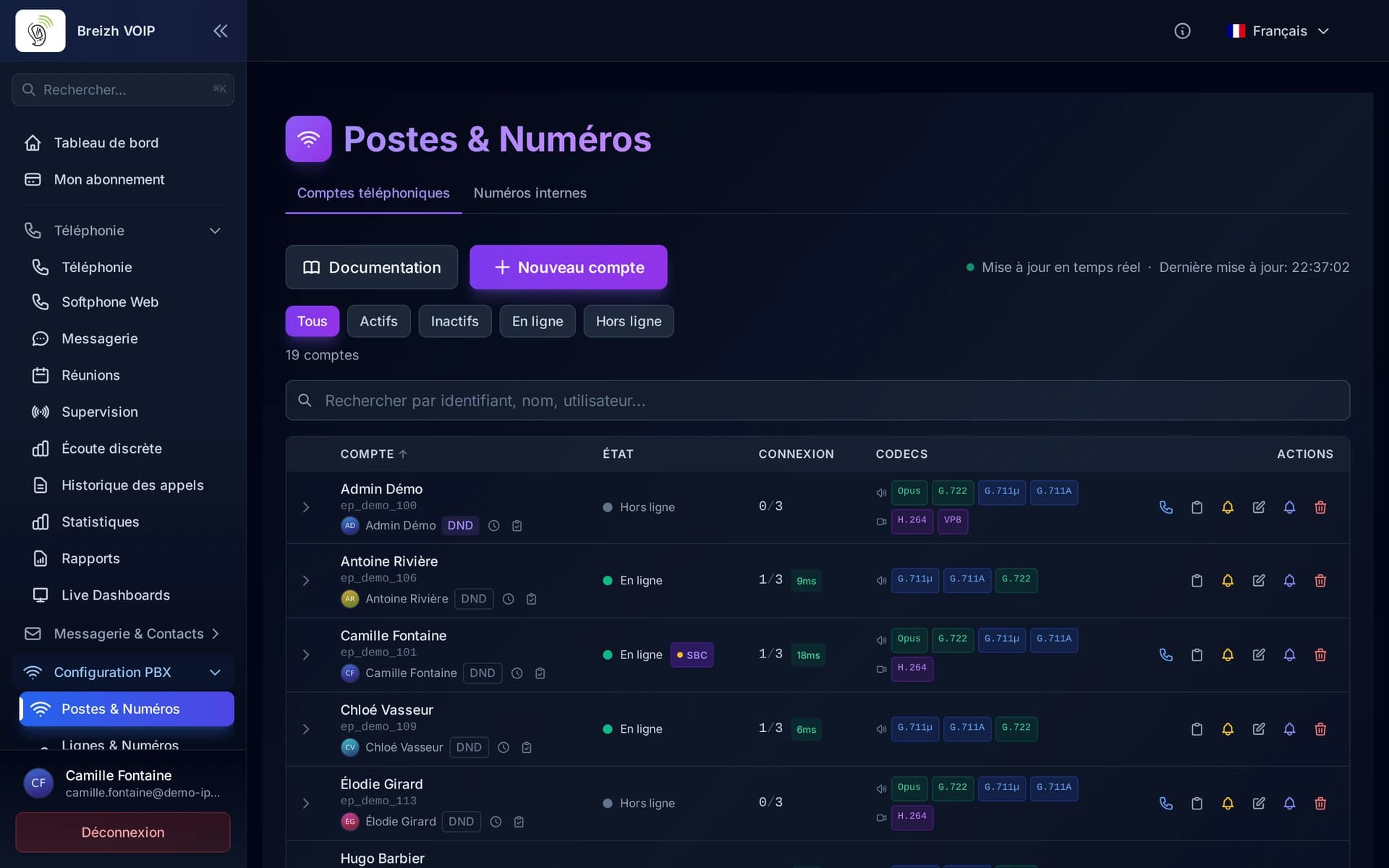
Extension management
Everyone gets their own line, short number and voicemail. A line can ring on several devices at once, the desk phone as much as the mobile, and follow its user from one desk to another. The company directory identifies callers as the phone rings, the presence board shows who is free, and diversions are set line by line: to a colleague, to a mobile or to voicemail. Desk phones configure themselves at power-on, with no need to touch each one.
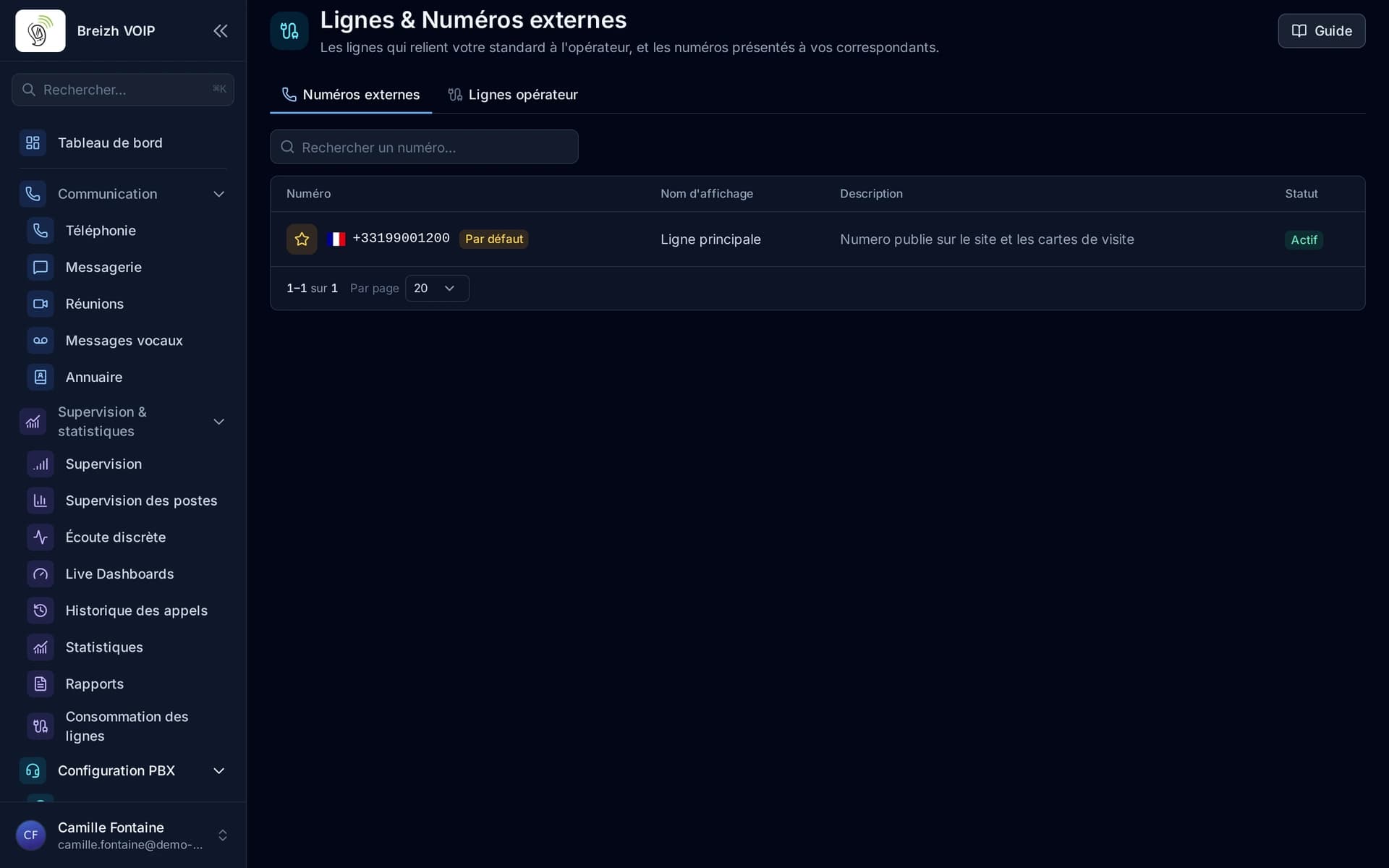
Your phone numbers
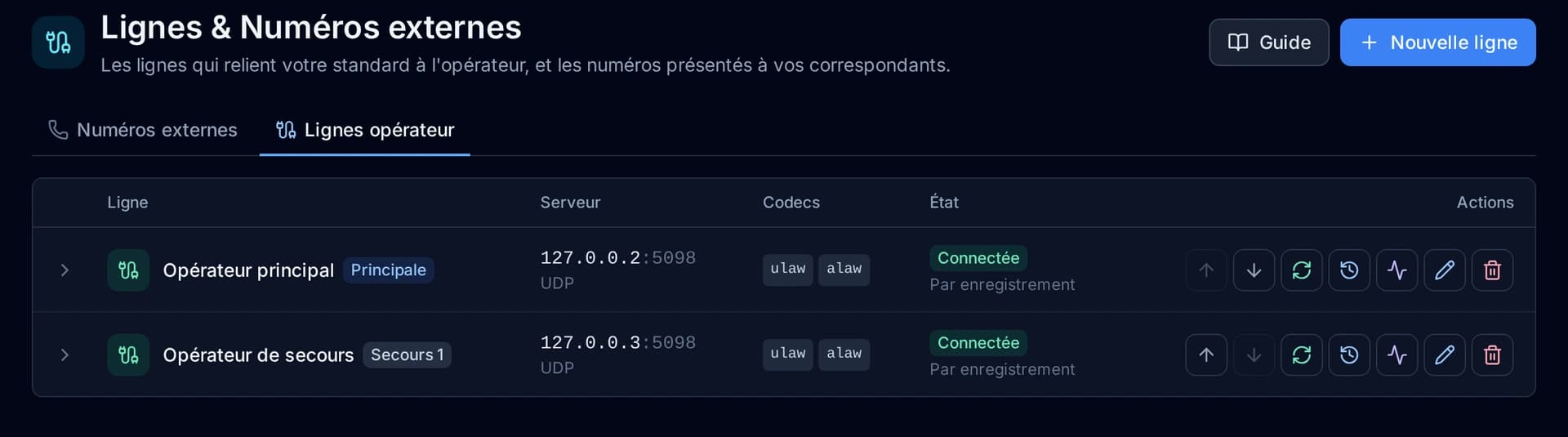
Keep your numbers, or take new ones. Keeping your existing numbers is free with your RIO code: we prepare the file, you sign the mandate online, and the transfer happens on an agreed date without a break in service. Each number then goes wherever you want: reception, a department, a person, a diversion. One number per department, one per site, a main line and a direct line for the manager. You decide.
Hosting and infrastructure
There is no phone system in your building. No cabinet to ventilate, no card to replace, no licence to renew every three years. Your setup lives on our servers, in France, and we keep it running: monitoring, backups, updates and fixes are part of the subscription. Add an extension in the morning and it works that afternoon, with no quote and no visit. And the day you move, your numbers and settings come with you: there is nothing to unplug.
Security
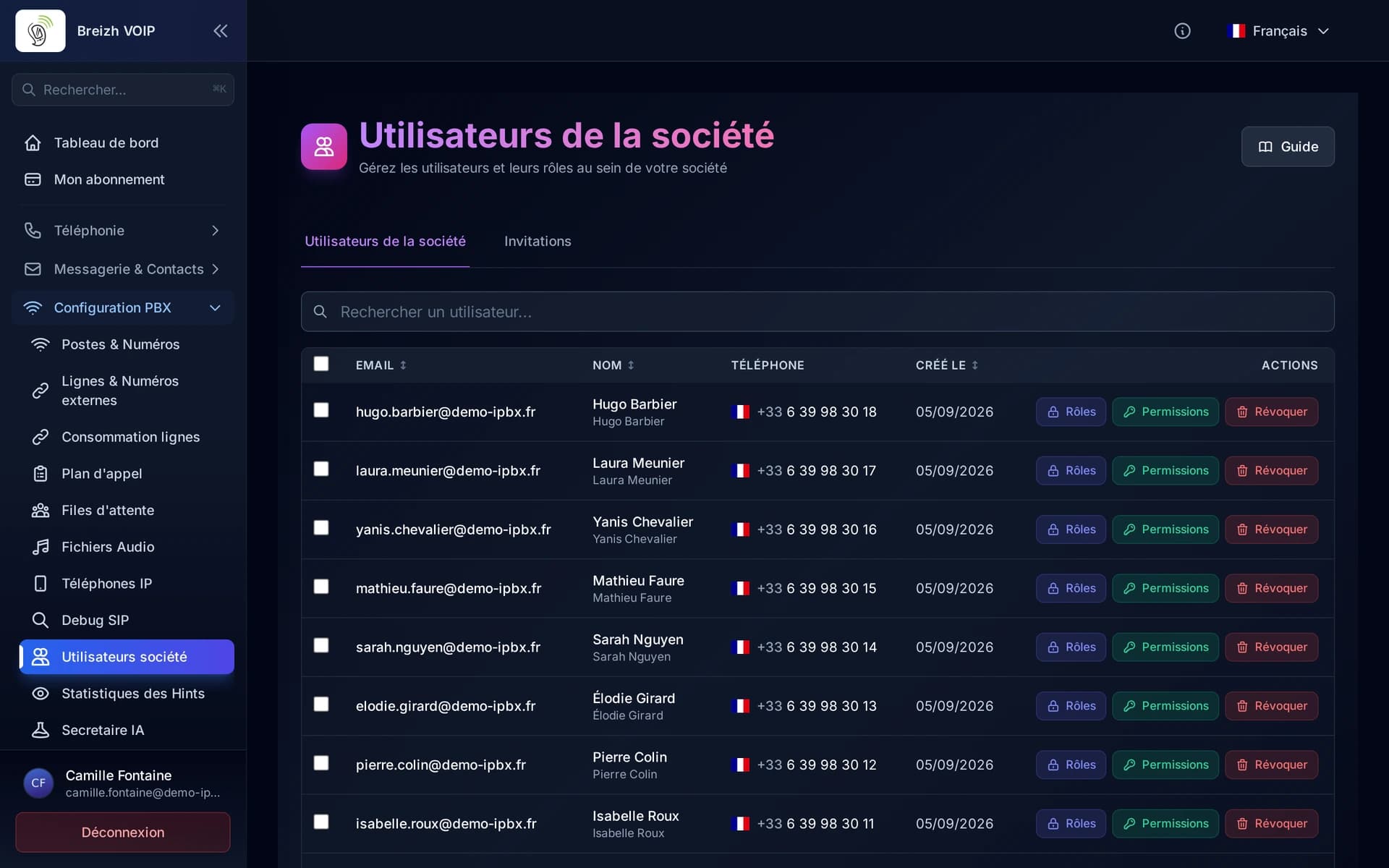
A phone system is a target: a stolen login is used to place expensive calls abroad, usually at night and at weekends. Protection is therefore on by default. Communications are encrypted between your devices and our servers, repeated sign-in attempts are blocked automatically, and admin access can require two-factor authentication on top of the password.
Outgoing call restrictions
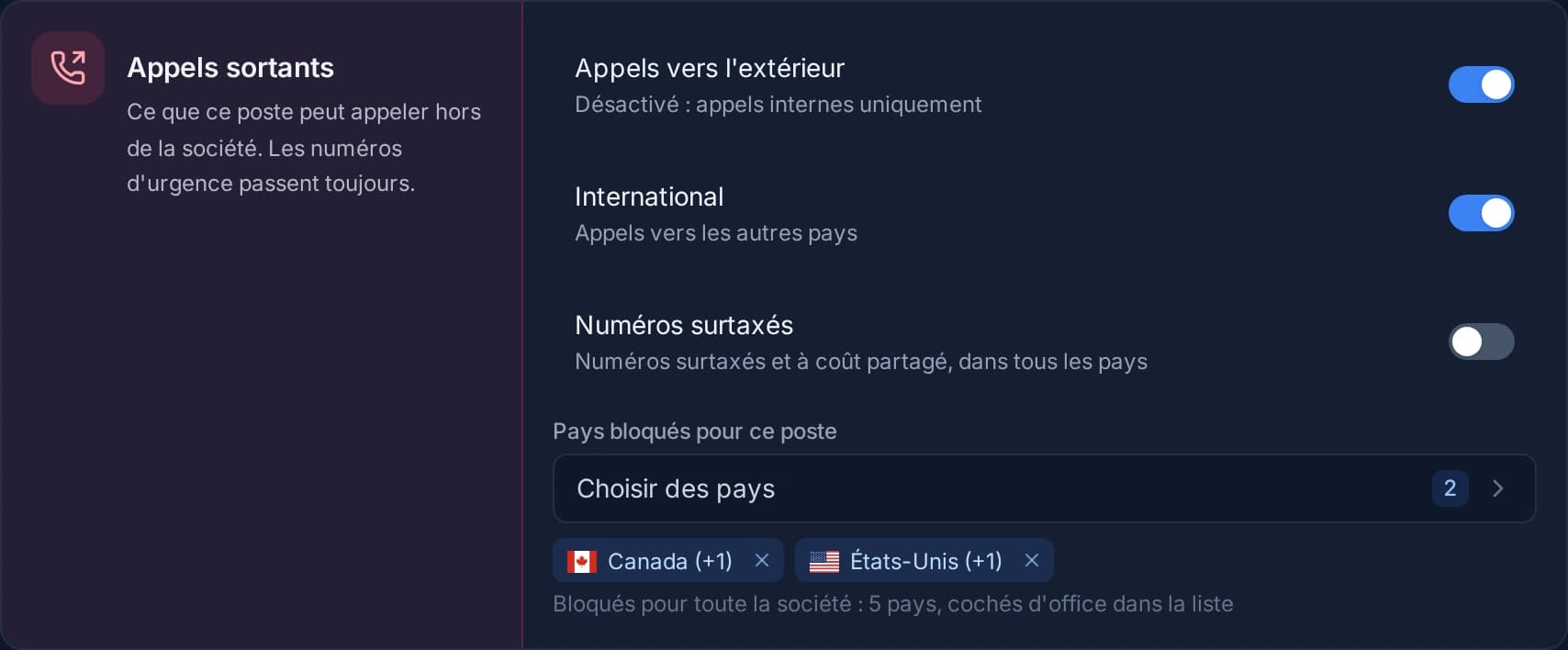
Decide, extension by extension, what can be called outside the company: colleagues only, the home country only, no premium-rate numbers, or everything except certain countries. A list of blocked countries applies to the whole company. It prevents the surprise bill from a shared phone, and fraudulent international calls when a phone is hacked.
Call parking
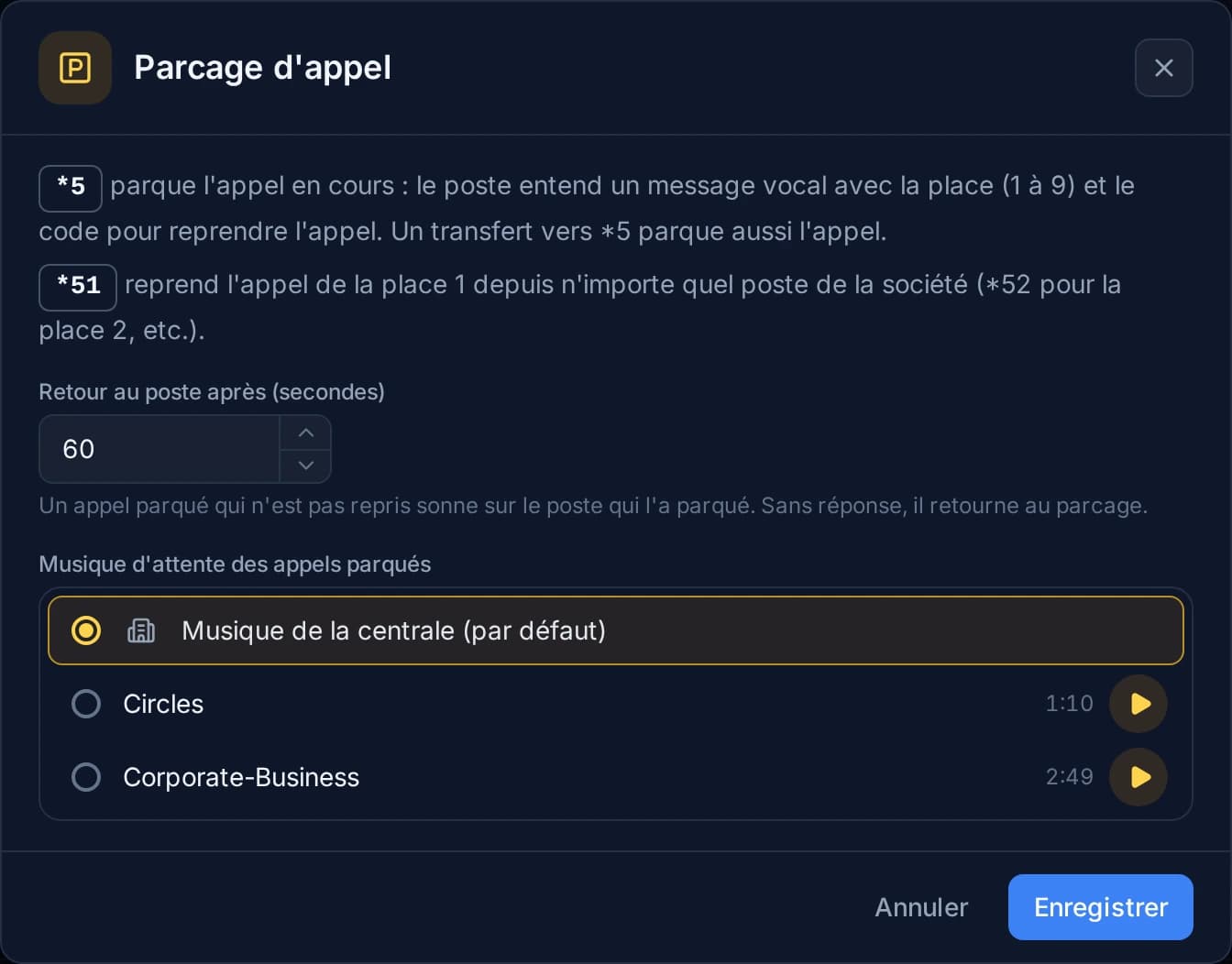
Put a call aside so a colleague can pick it up on another phone. During a call, *5 parks the conversation on a free slot: a voice message gives the slot, and the caller waits with music. From any extension in the company, *5 followed by the slot number picks the call up. If nobody does, it rings back on the extension that parked it.
Call forwarding
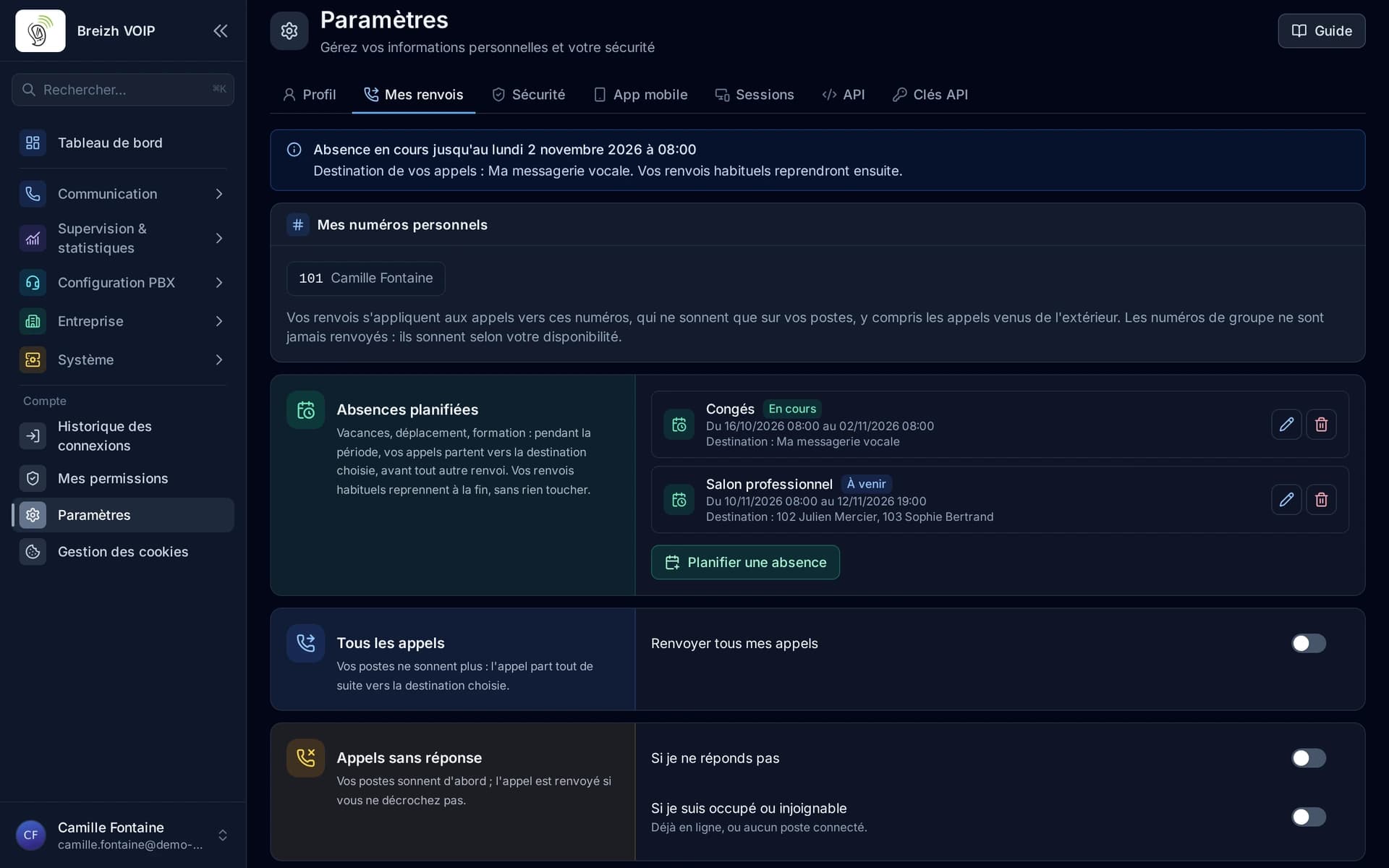
Everyone decides where their calls go when they cannot answer: all calls, the ones they miss, depending on their status, or during an absence scheduled in advance. To their voicemail, colleagues, an external number or a call plan. Forwarding is set in “My forwarding”, without going through the administrator, and only applies to personal numbers: group numbers ring as planned.
Queue callback
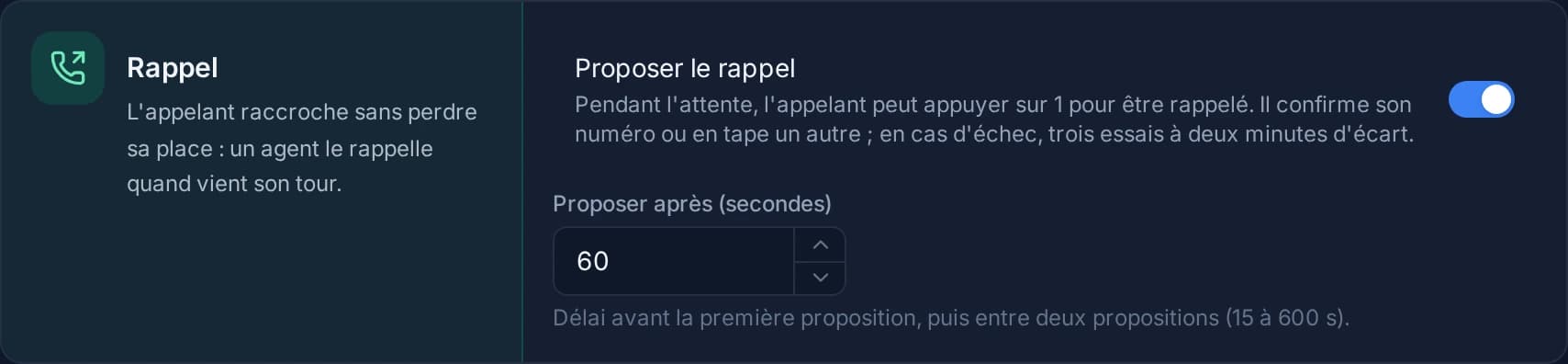
Callers hang up without losing their place. After the delay you choose, the queue offers them to press 1: they confirm their number or enter another one, then hang up. Their place is kept in the queue; when their turn comes, the agent who takes it hears that it is a callback, then the phone system calls the customer. If they do not answer, three attempts two minutes apart. Voice prompts are currently in French.
Intercom and paging
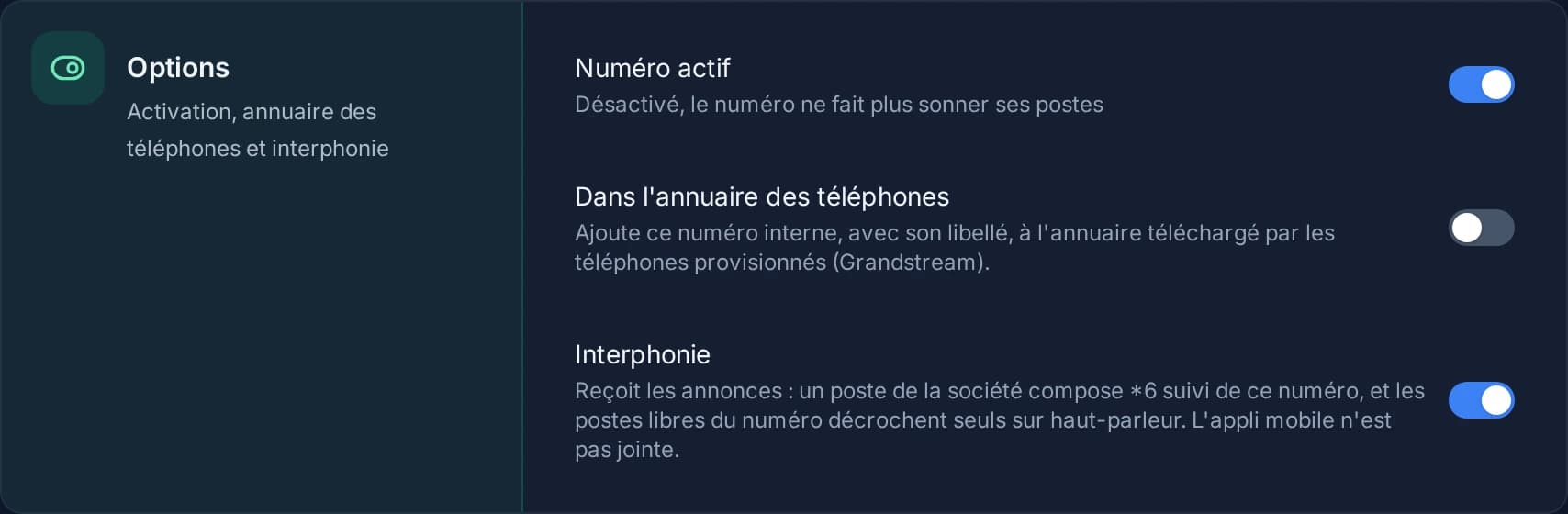
Speak to a whole team without anyone picking up, or call a colleague who answers right away, hands-free. *6 followed by an internal number makes an announcement on that number's extensions: they answer by themselves on speaker and listen. *9 followed by a person's number calls them on intercom: their extension answers by itself and you talk both ways. A busy extension or one in Do not disturb is never interrupted. Voice prompts are currently in French.
Hot desking
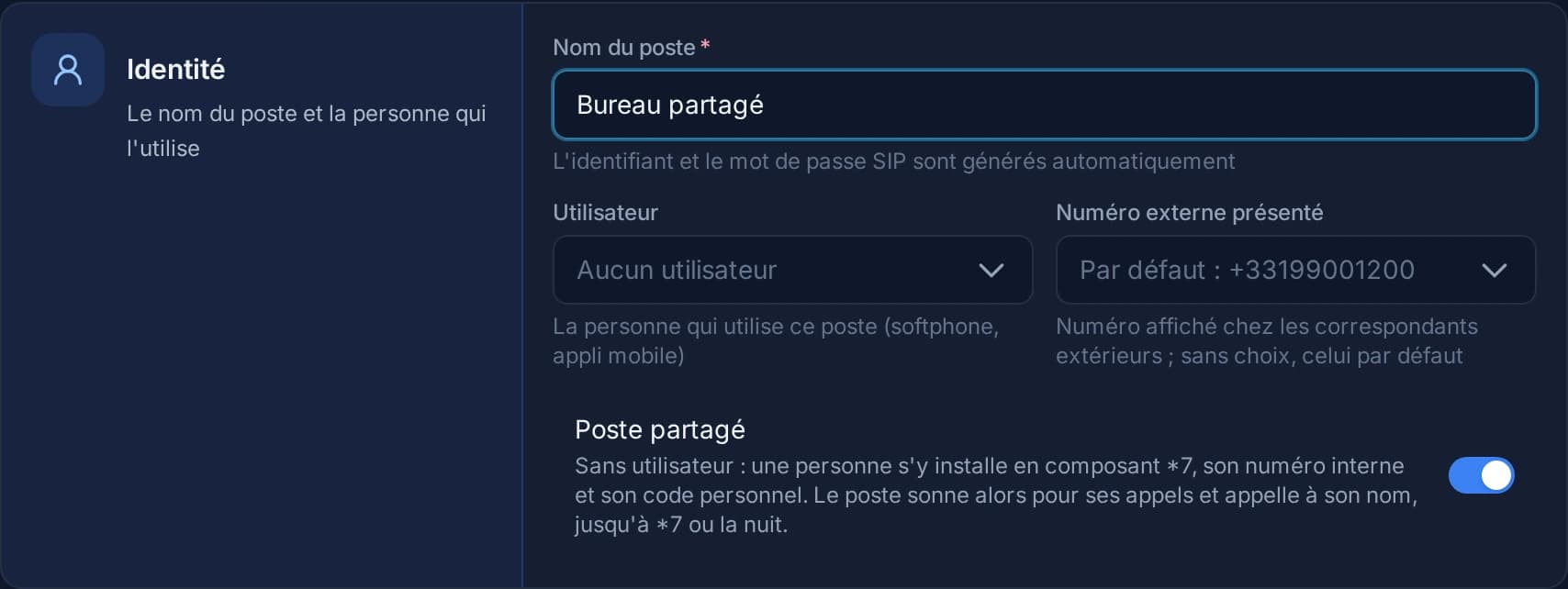
A desk phone that several people use in turn. Each one signs in by dialing *7, their internal number and their personal code: the phone then rings for their calls, together with their usual extension, and their calls go out under their name and number. They sign out by dialing *7; otherwise the phone frees itself during the night. Voice prompts are currently in French.
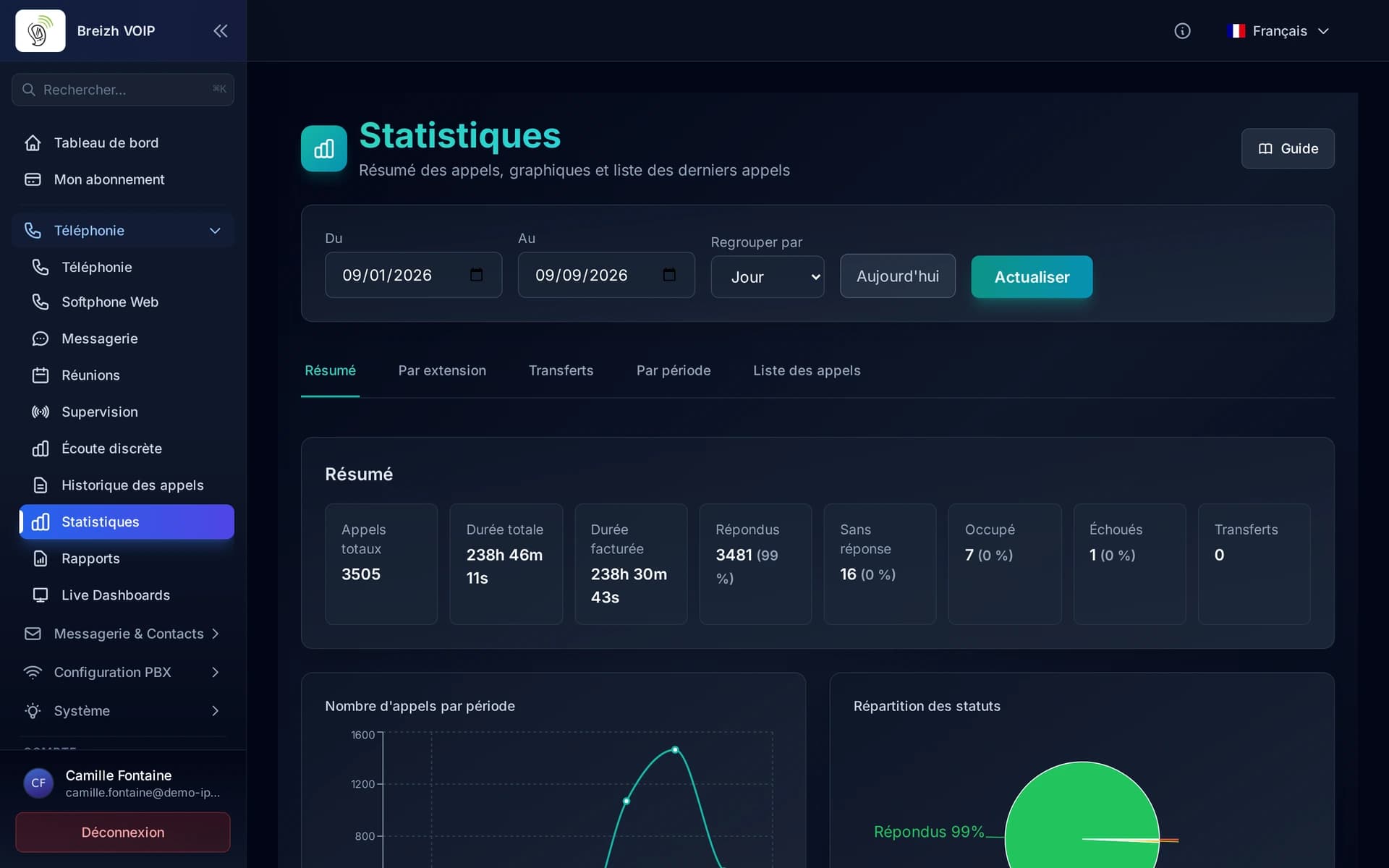
Statistics and dashboards
Knowing what happens on the phone, without keeping a notebook. How many calls came in, how many were missed and at what time, how long a caller waited before someone answered, which extensions carry the load and which never ring. The figures read live during the day and can be reviewed afterwards by period, by person or by queue. You see what you suspected, and often what you did not: the lunchtime peak, the Tuesday that overflows, the calls lost after three rings.
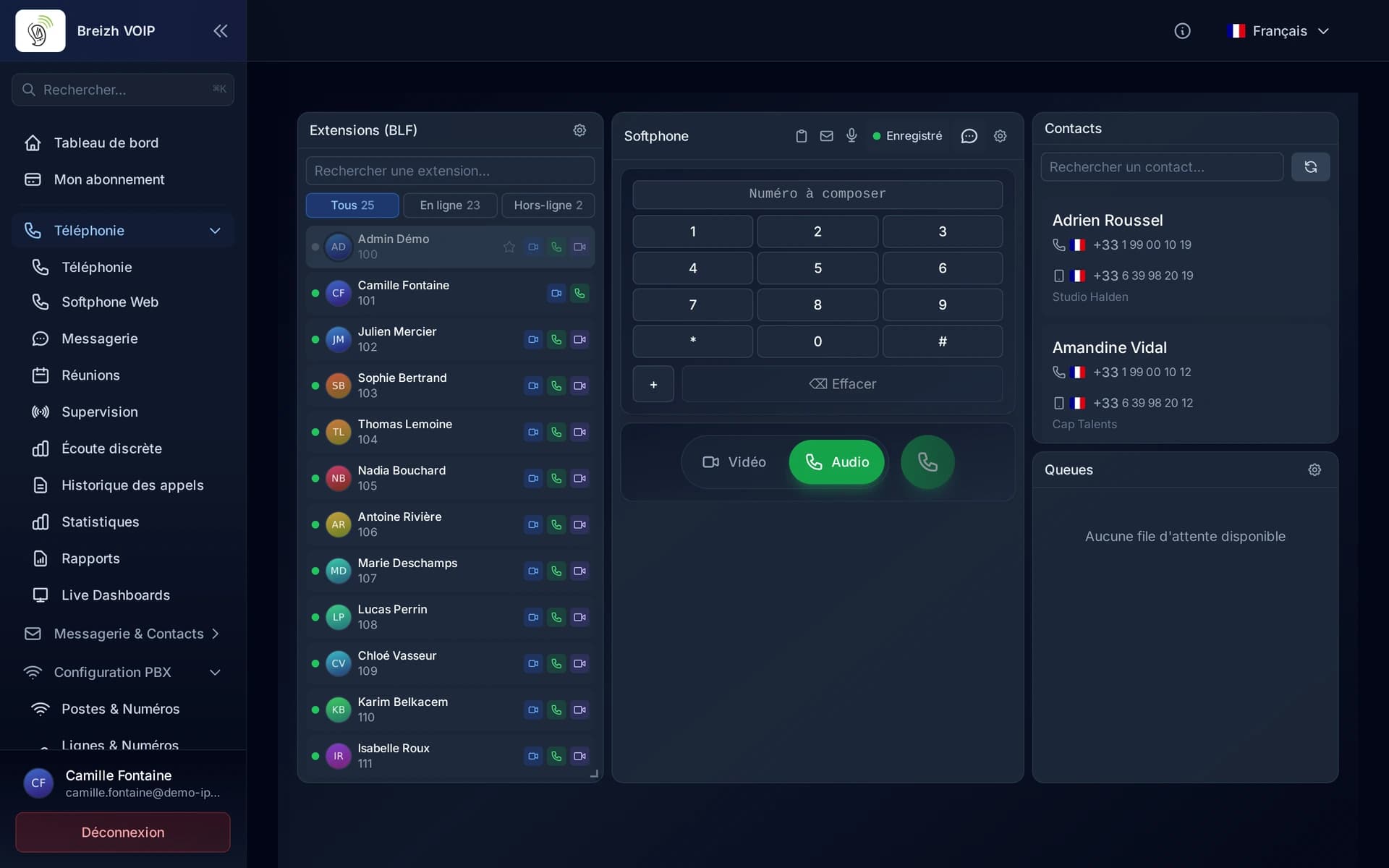
Calling from the browser
A tab, a headset, and your work line is running. No software for IT to install, no VPN to open, no version to maintain on every machine: the page updates itself. That is what makes remote work simple and a new joiner productive on day one, even on a computer you do not control, such as a customer's or a shared desk.
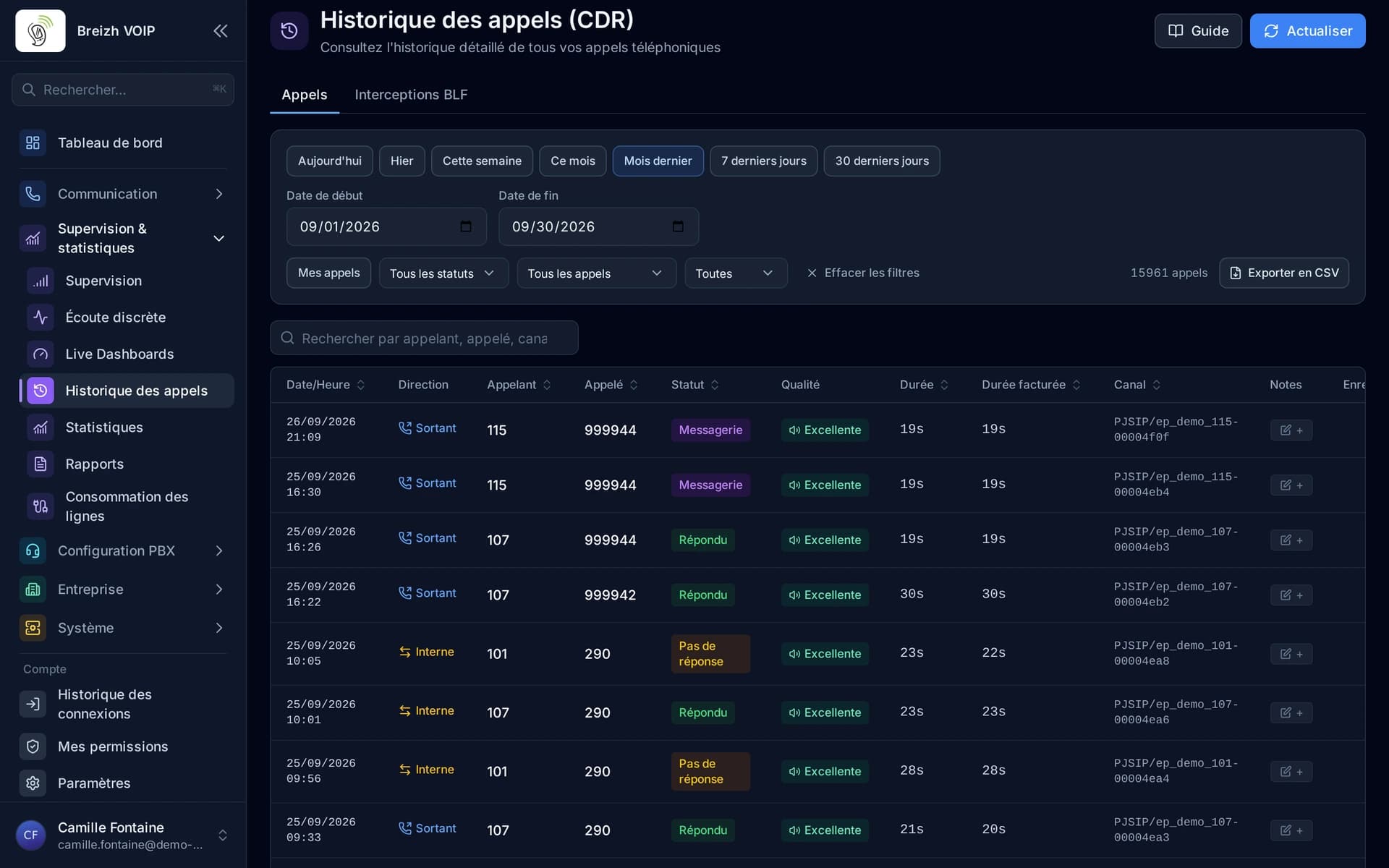
CDR and call history
Comprehensive Call Detail Records with advanced multi-criteria filtering, integrated call recording playback, real-time RTP quality metrics (jitter, packet loss, MOS), CSV and PDF export, operator-specific CDR views and a full statistics dashboard for call analytics.
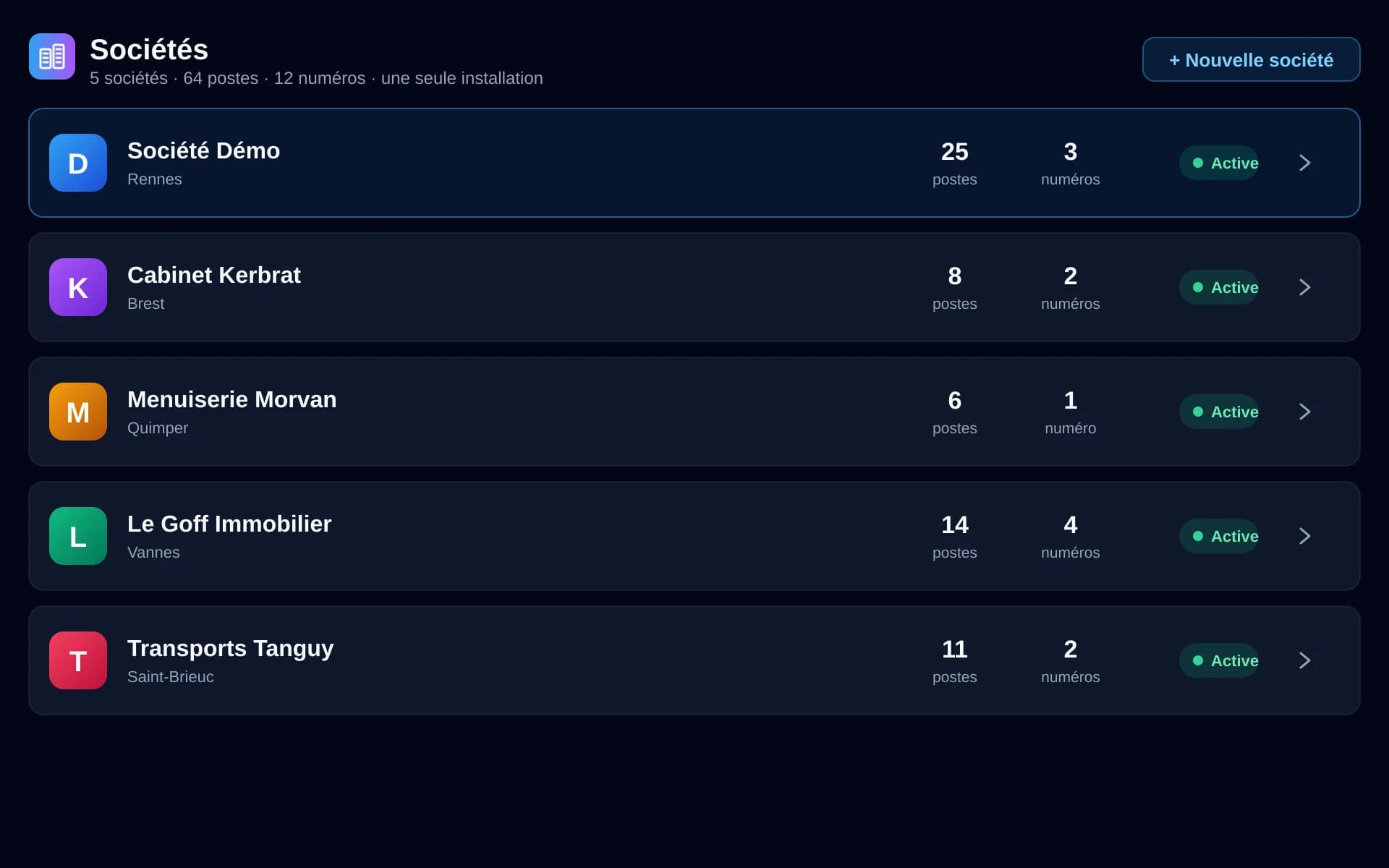
Multi-company
Several companies on one installation, with none of them seeing the others. Each has its own extensions, numbers, directory, history and settings; administration stays separate. It is what lets a group run its subsidiaries from one place, and a service provider look after several customers without juggling tools.
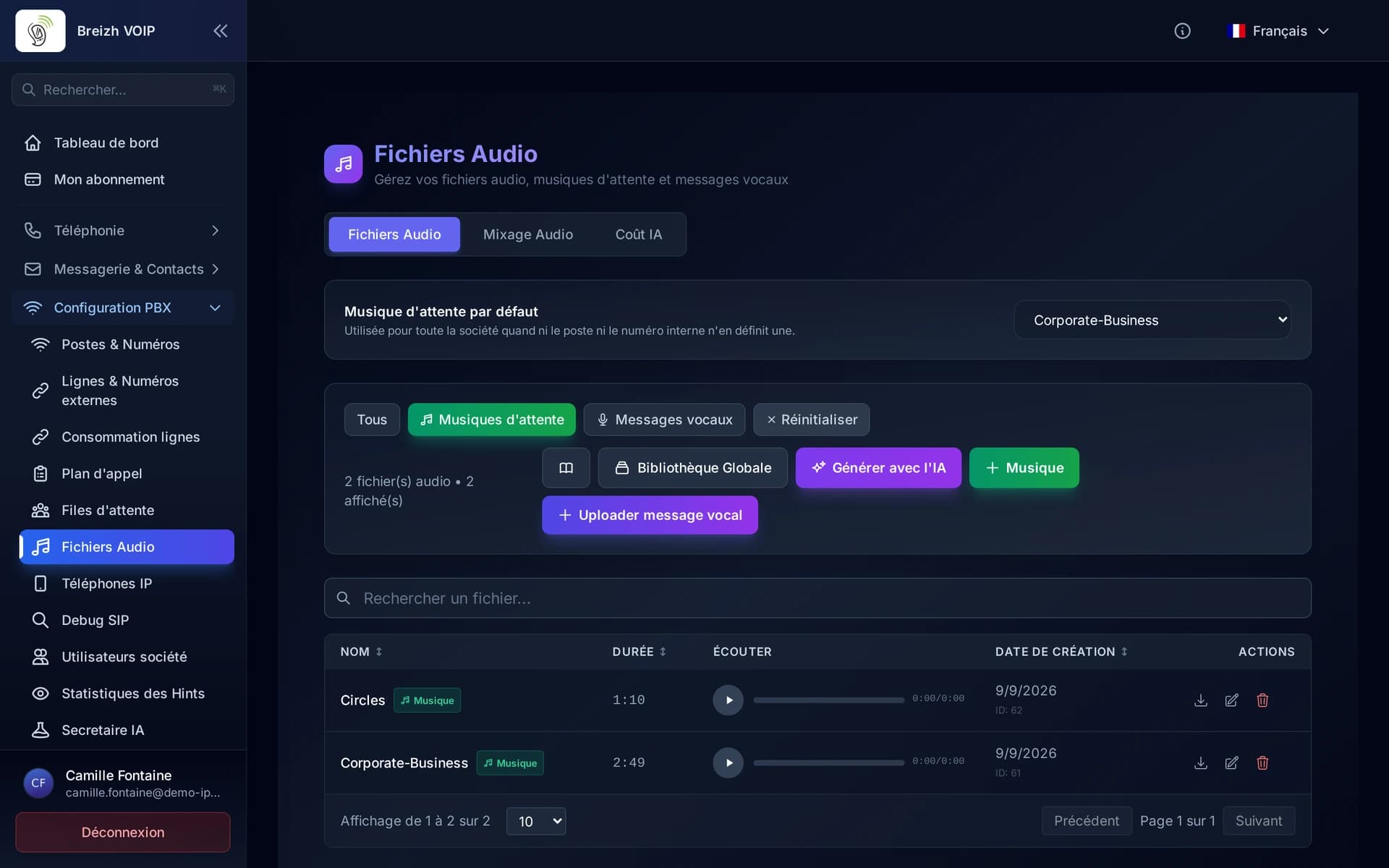
Audio studio
Every message your phone system plays is made here: the greeting, the menus, the hold announcements and the music. Write the text, a synthetic voice speaks it, and you set the background music in a visual mixer. You can also record yourself from the microphone or drop in an existing file: it is converted on its own to the format telephony expects. Nothing to install, no file limit, and a shared library where the whole team finds the company's messages.
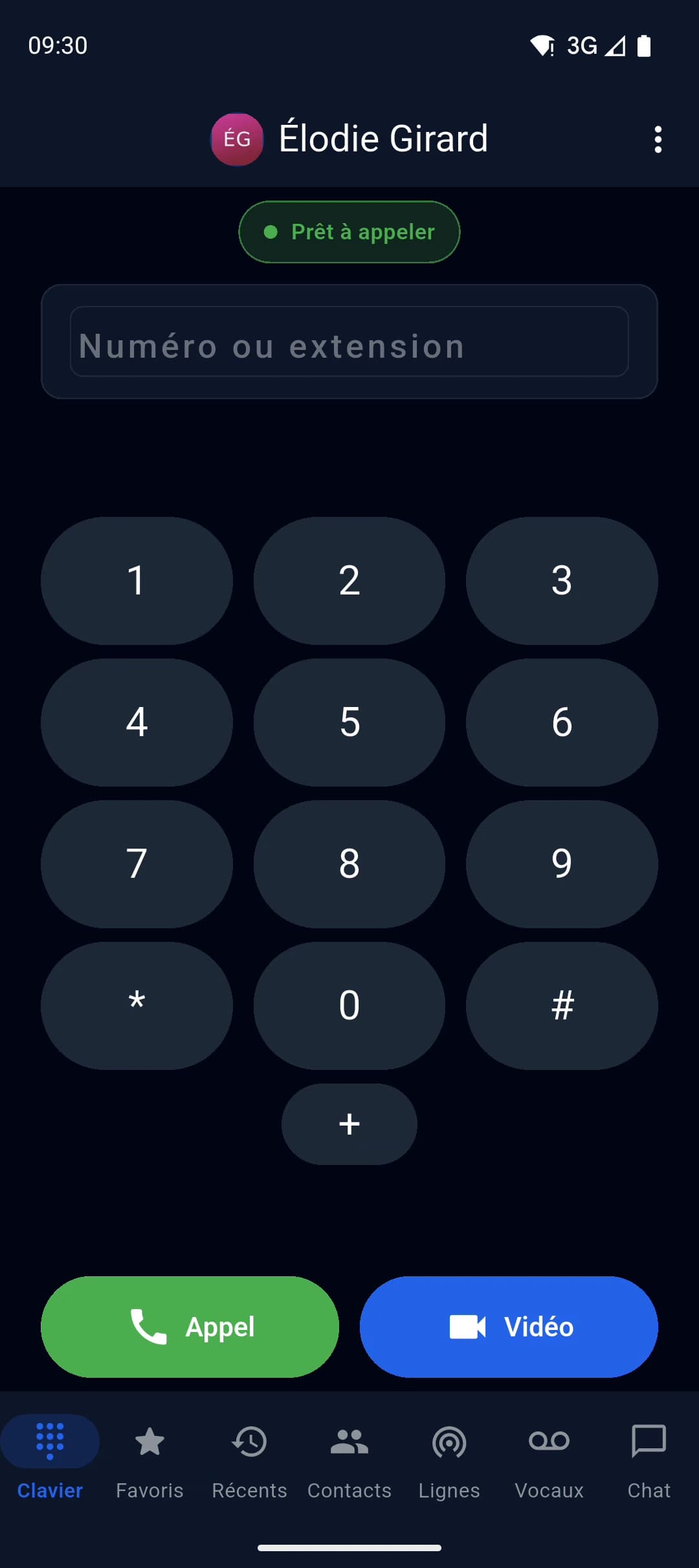
Mobile app
Professional mobile application for Android and iOS. Make and receive voice and video calls, check your voicemail, manage contacts and monitor colleague availability (presence) - all with real-time push notifications.
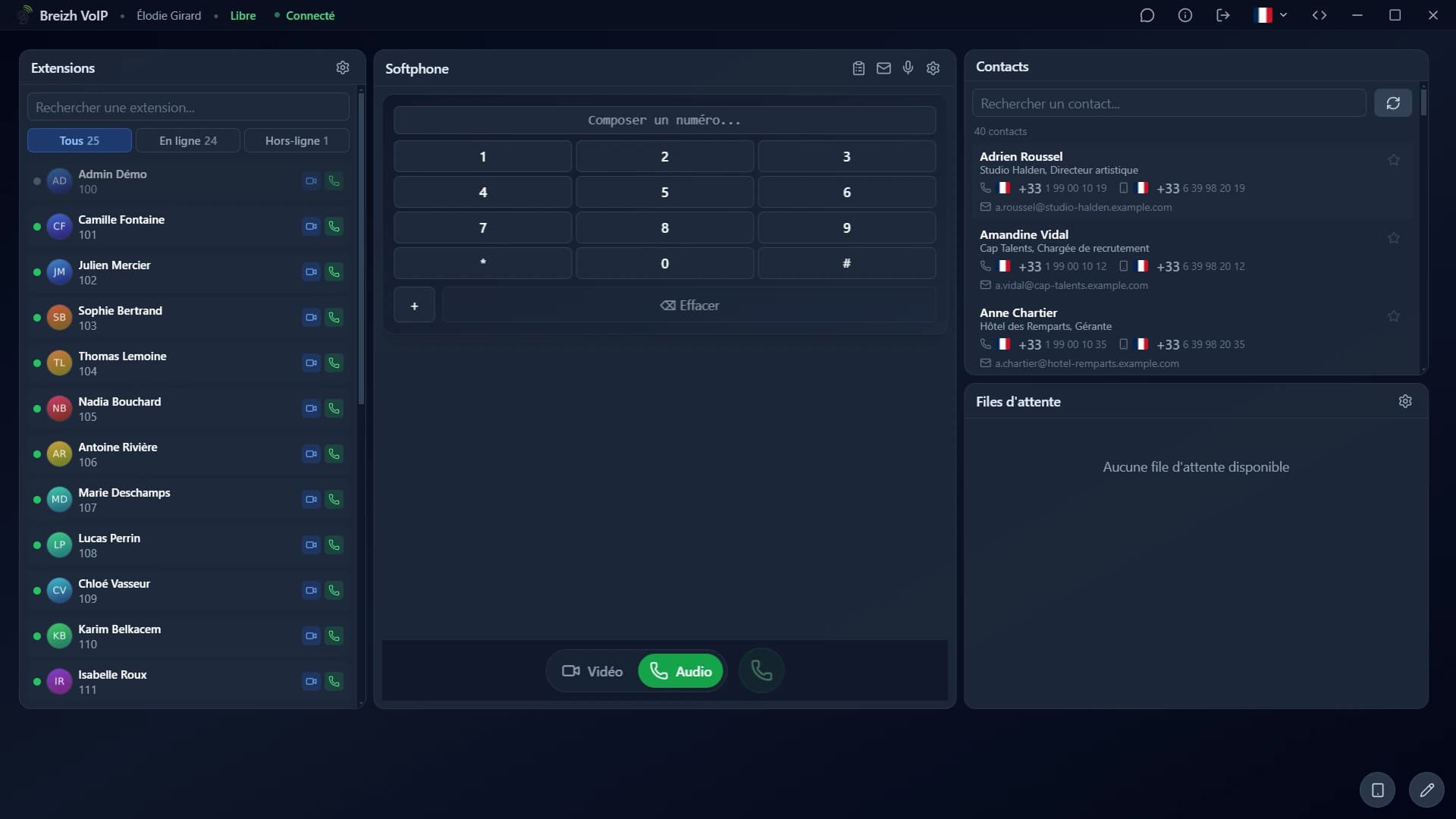
Desktop app
The same telephony as in the browser, in an application installed on the computer. It starts with the machine, sits in the task bar, rings even when no window is open, and shows the incoming call over whatever you are doing. For someone on the phone all day, that is the difference between hunting for a tab and answering.
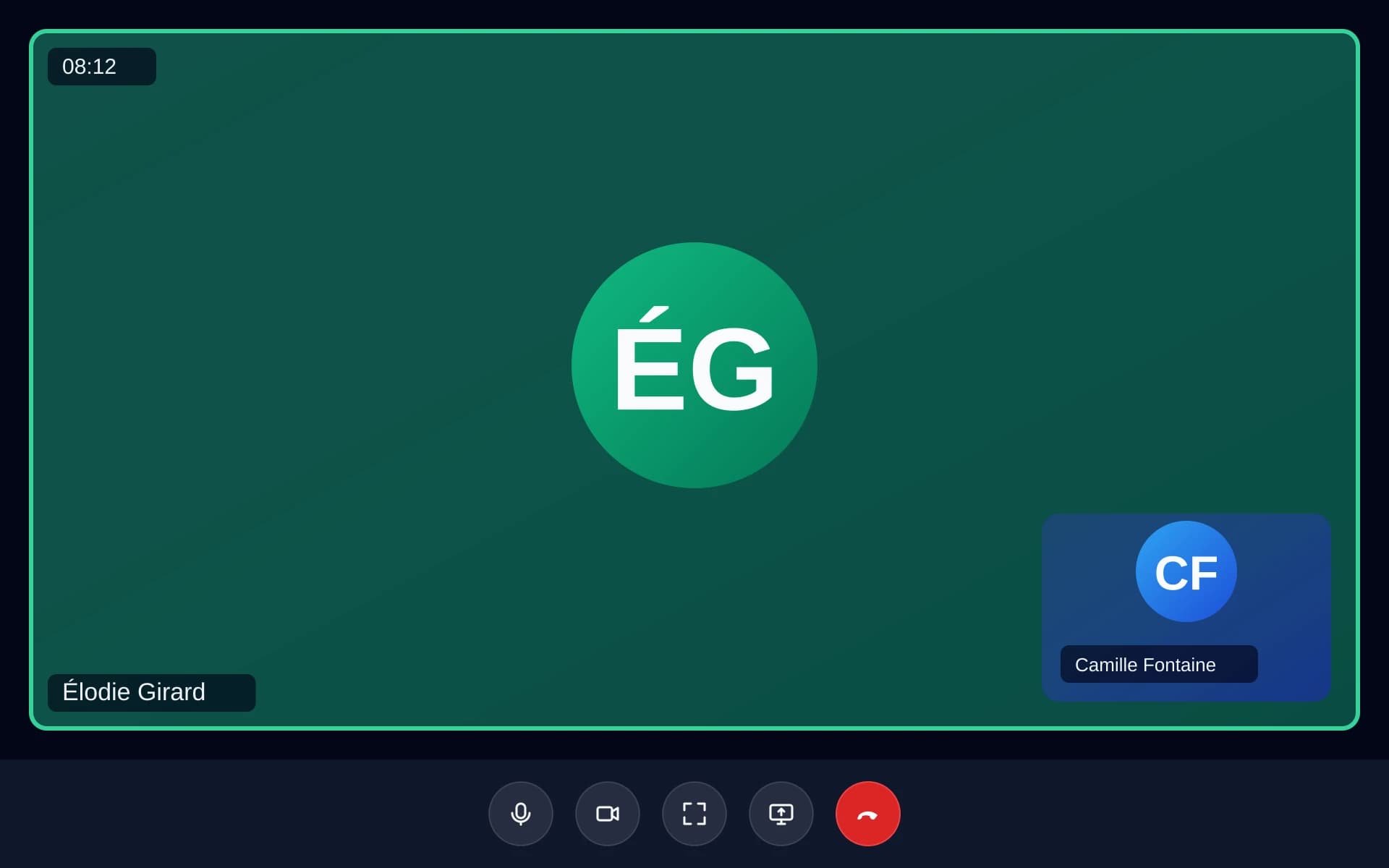
HD video calls
Switching to video mid-call, with no change of tool and no link to send. The other person accepts, the picture appears, and the conversation carries on. It helps when showing beats describing: an error screen, a part to identify, a document to go through. To bring more than two people together, video meetings take over.
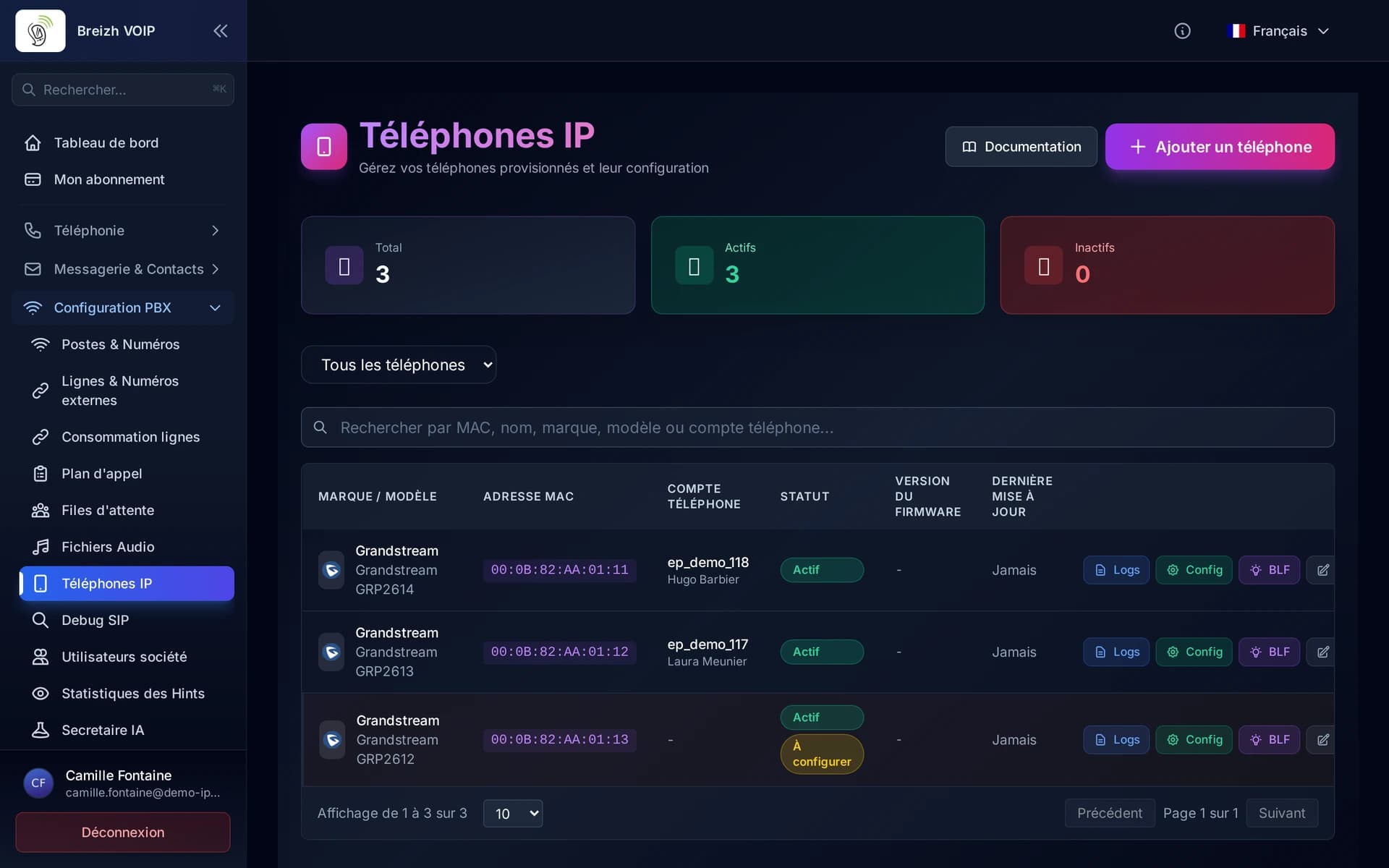
Automatic provisioning
Plug in a phone and watch it configure itself. You pick the make and model, attach it to a line, and the handset fetches its configuration at power-on. Twenty extensions are deployed in an afternoon without anyone typing a password on a phone keypad. The day one fails, its replacement takes over the same line by being plugged in.
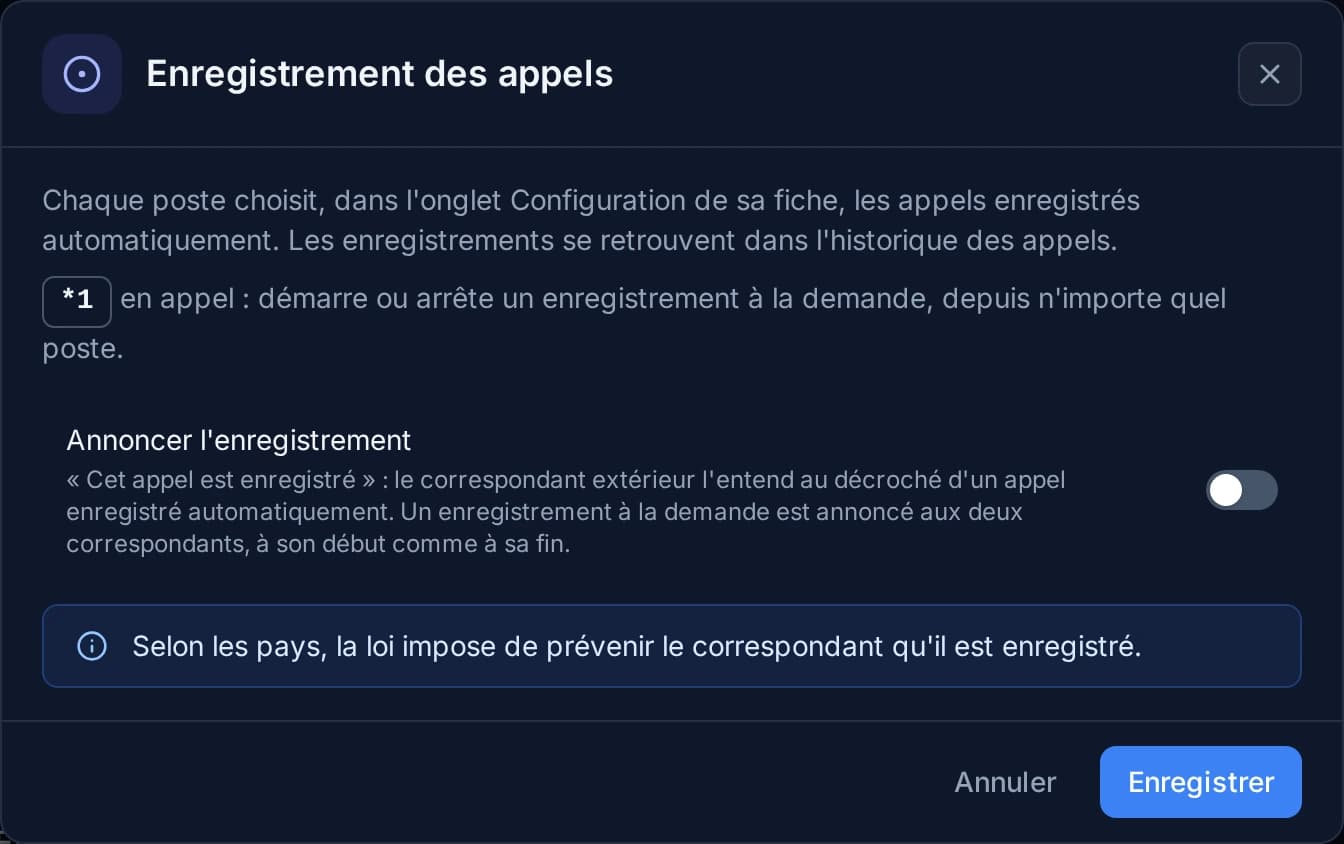
Call recording
Keep what was said, when it matters. Recording starts by your rules or at the press of a button during the conversation, and turns up afterwards in the call history, next to the number and the time. It plays back in the browser, with no software. Telling the caller is a legal obligation, and the announcement plays itself at the start of the call.
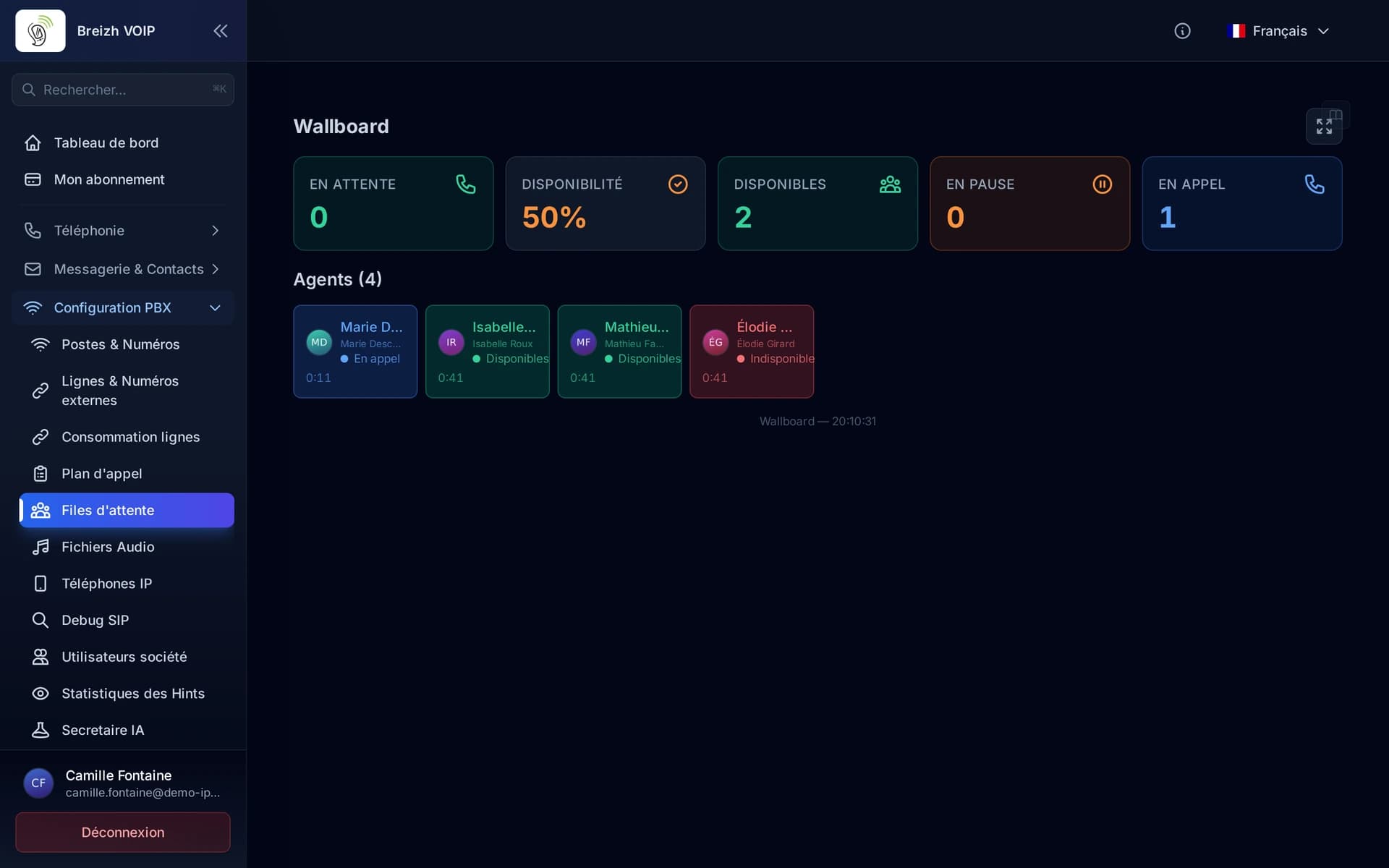
Queue supervision
Seeing your queue while it fills, without waiting for the next day's report. How many callers are waiting, for how long, who is free and who is not: the screen updates itself. It is what lets you call in help before customers hang up, rather than noting the abandon once it has happened.
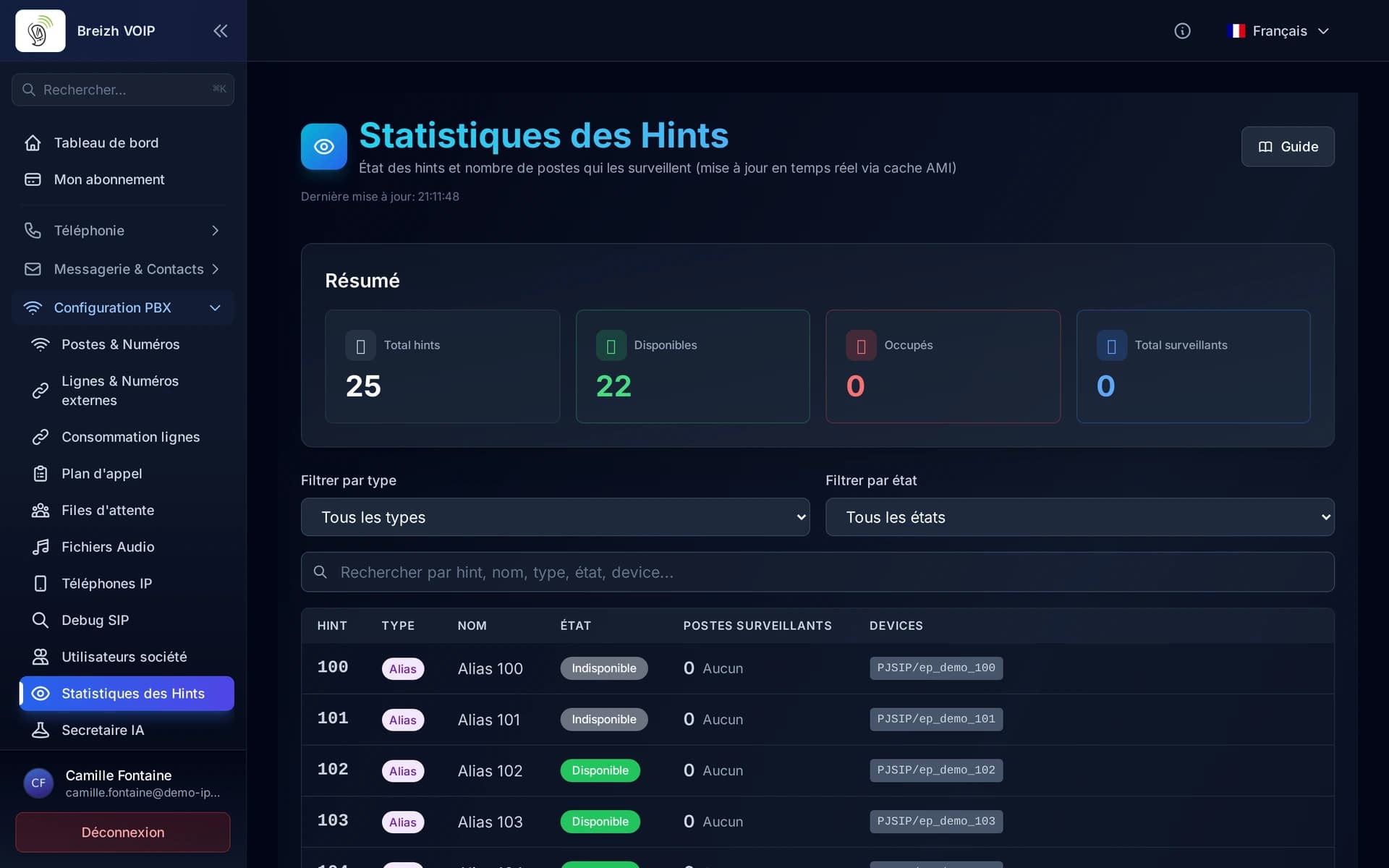
Extension presence
Seeing who can take a call before transferring it. Every extension carries a light: free, on a call, ringing, away. The light changes in real time, on desk phones as much as in the browser and on mobile. It is what stops you transferring a customer to a busy extension and watching them come back thirty seconds later, more annoyed than before.
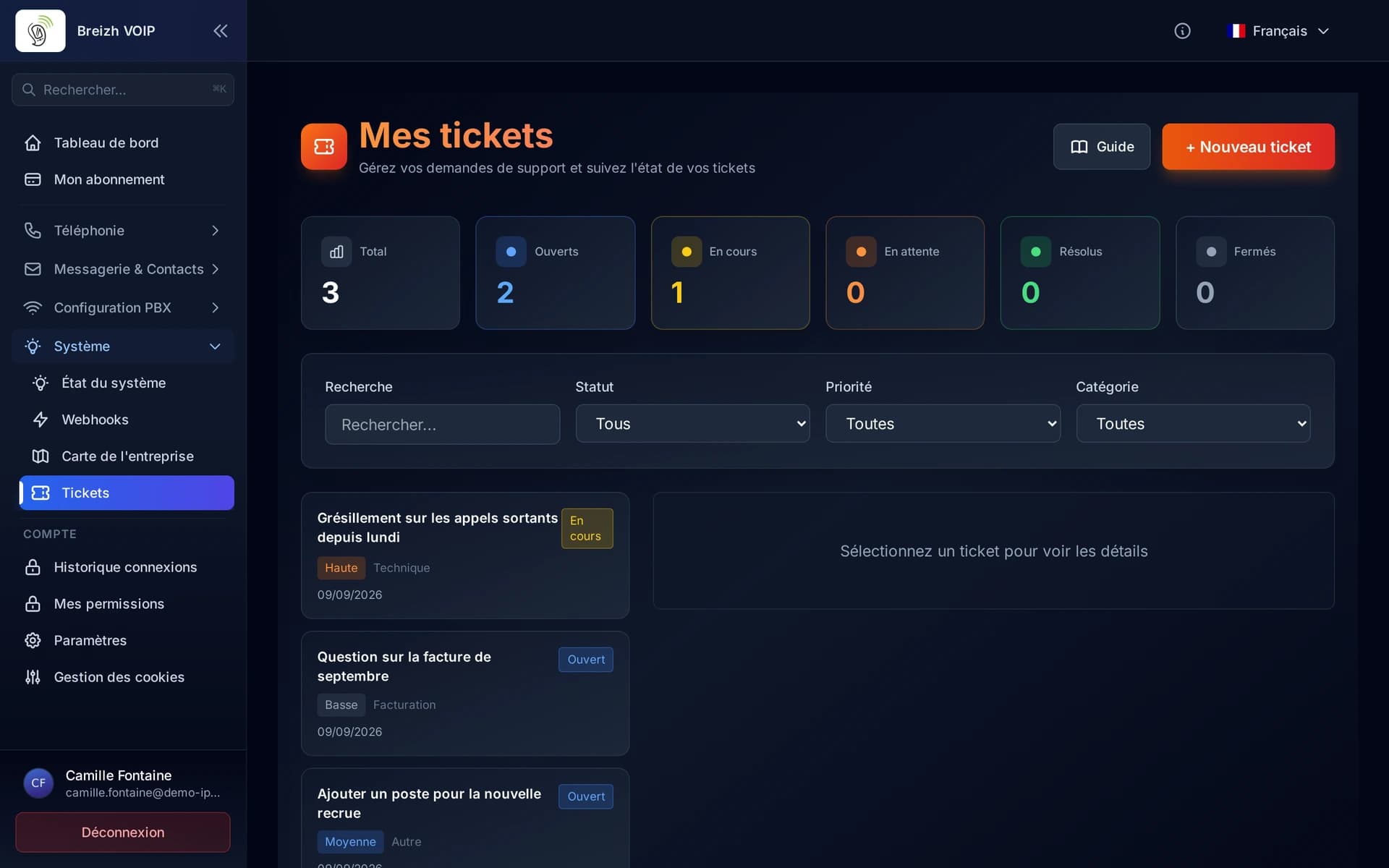
Support tickets
Following requests without losing them in a mailbox. A request becomes a ticket with an owner, a state and a history: you know who has it, what has already been tried and how long it has been waiting. The exchanges stay attached to the request rather than scattered across three mailboxes, and nothing disappears when the person handling it is away.
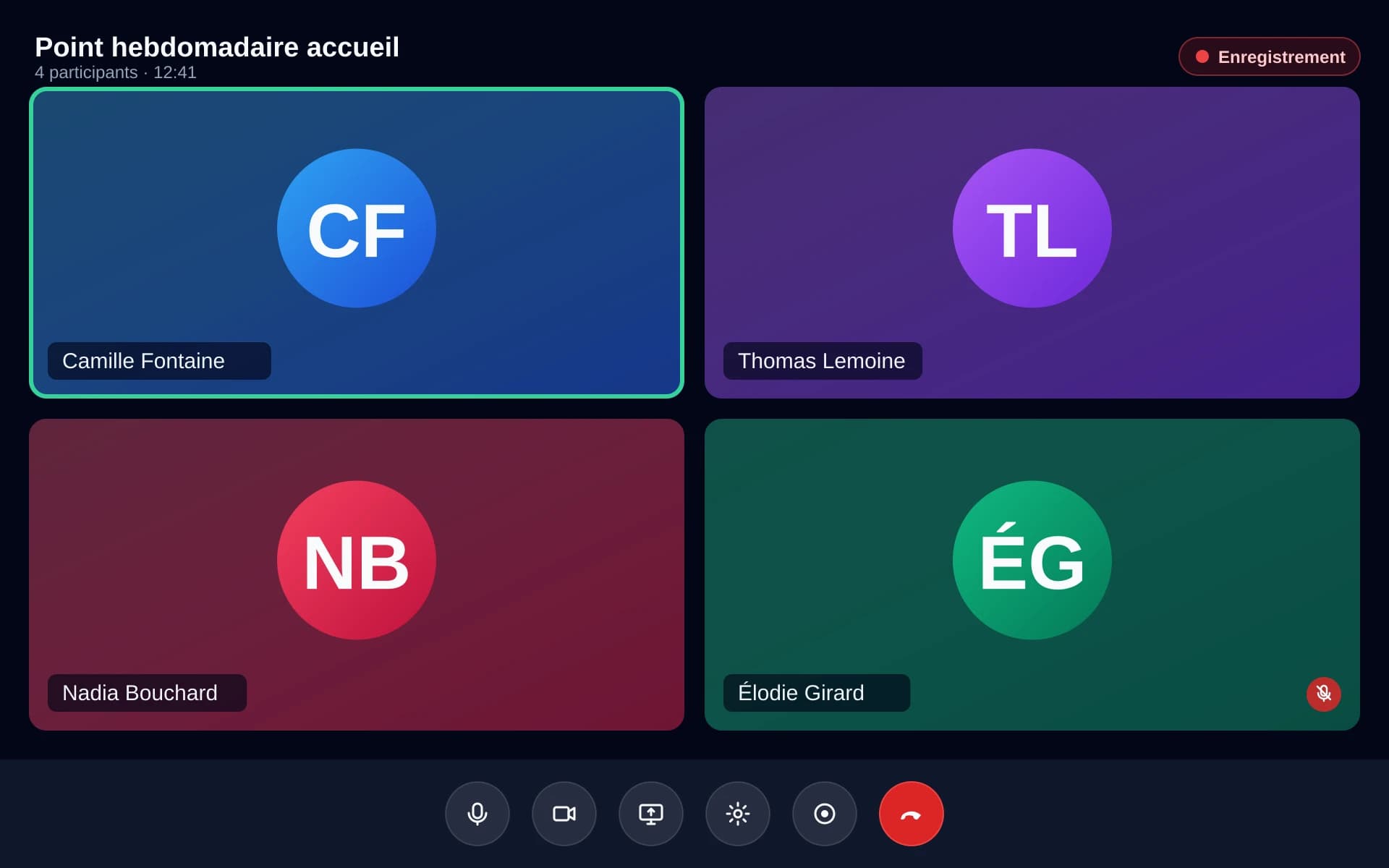
HD video conferencing
Bring several people together on video, from the browser, a phone or the desktop app, with no extra tool to install and no link to download. Share a screen, record the meeting when it needs keeping, and add someone halfway through. Video travels over a server of its own, separate from the one carrying your calls: a six-way meeting never degrades the switchboard. For a simple one-to-one, a plain video call is enough.
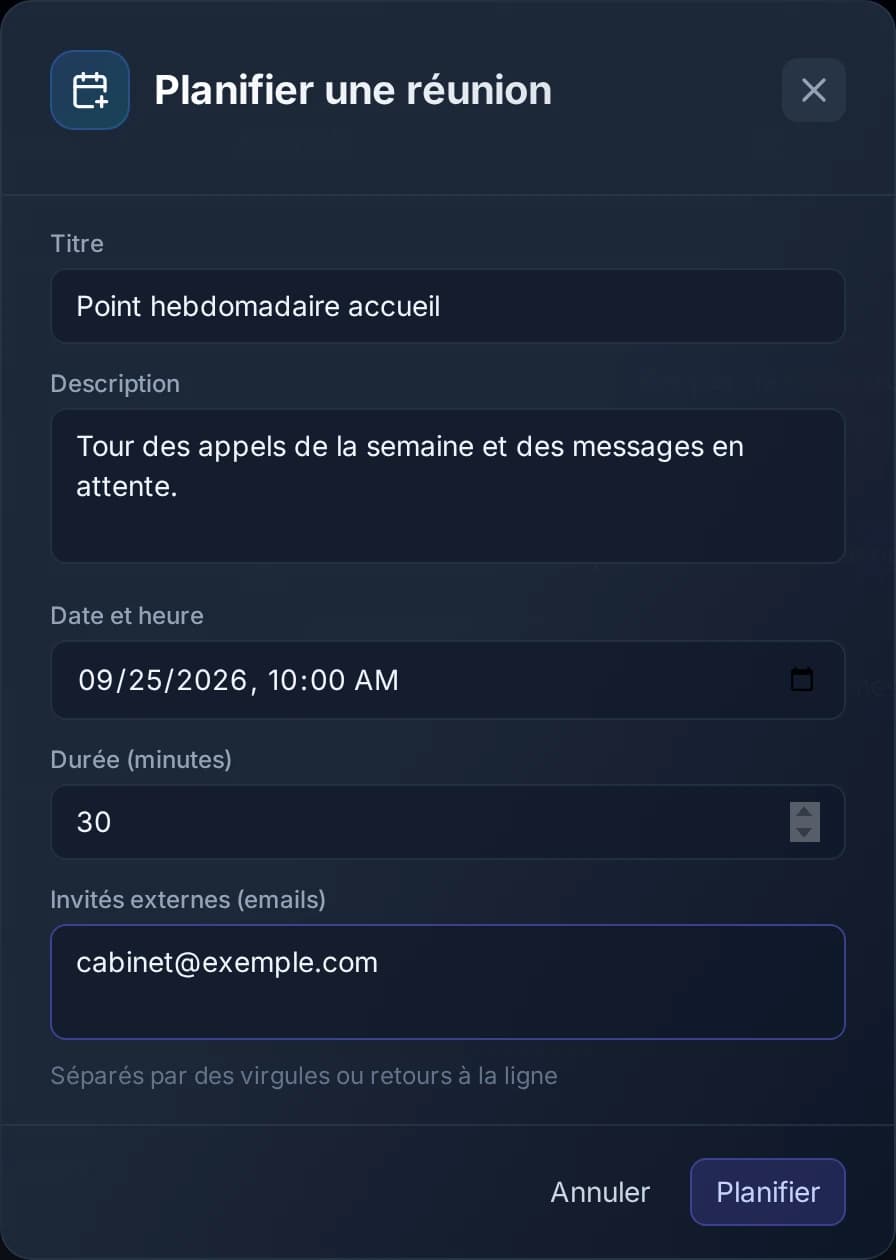
Scheduled meetings
Putting a meeting in people's calendars rather than sending a link at the last minute. You pick the date and the participants, each receives an invitation that drops into their calendar in one click, and you see who has confirmed. People outside the company join through a link with a limited life, with no account to create and nothing to install.
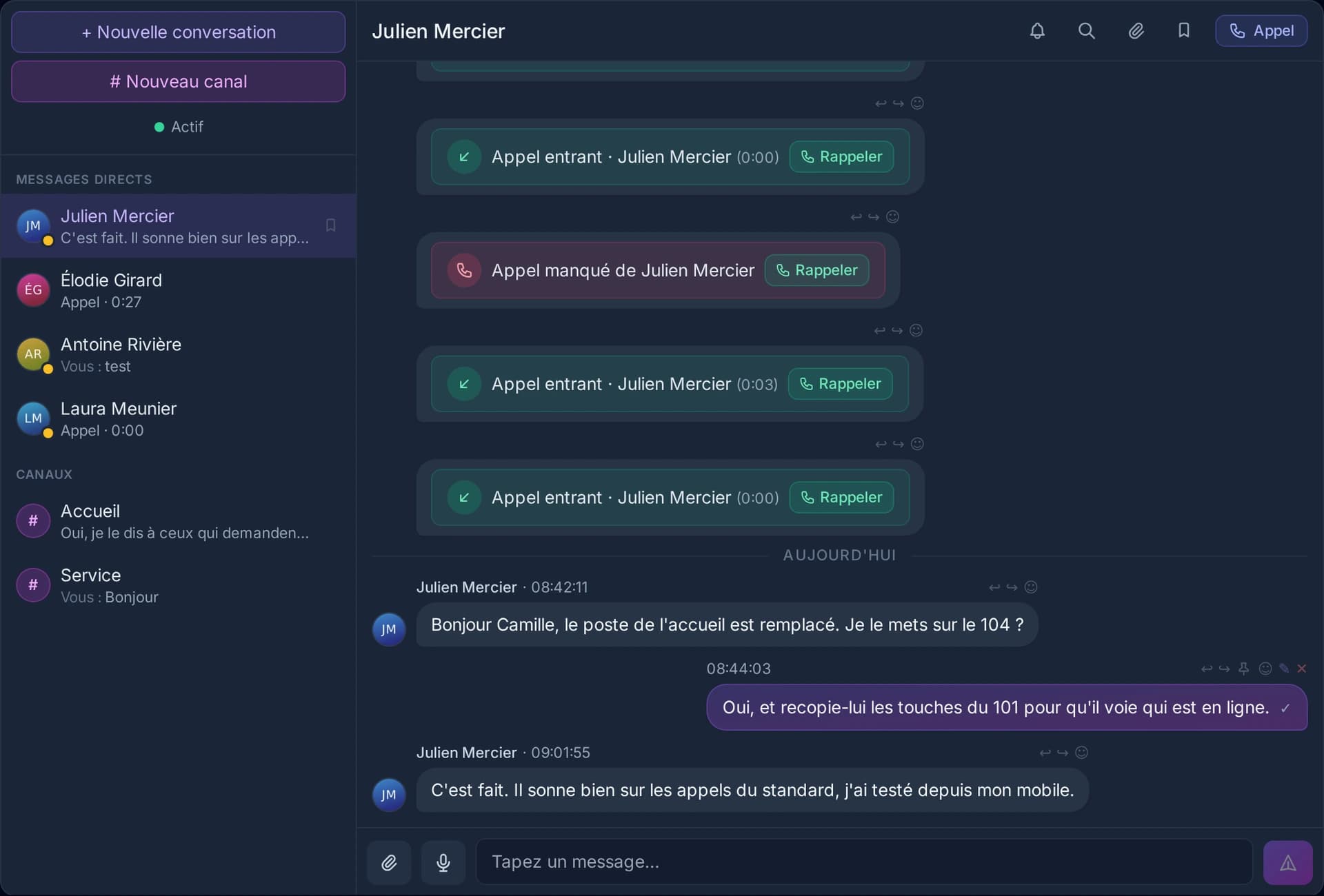
Team messaging
Talking without phoning. A quick question to a colleague on a call, a number to pass on mid-conversation, a file to send: chat avoids the interruption and leaves something written. And because it lives in the same tool as the phone system, a conversation becomes a call or a video meeting in one click, with no number to look up.
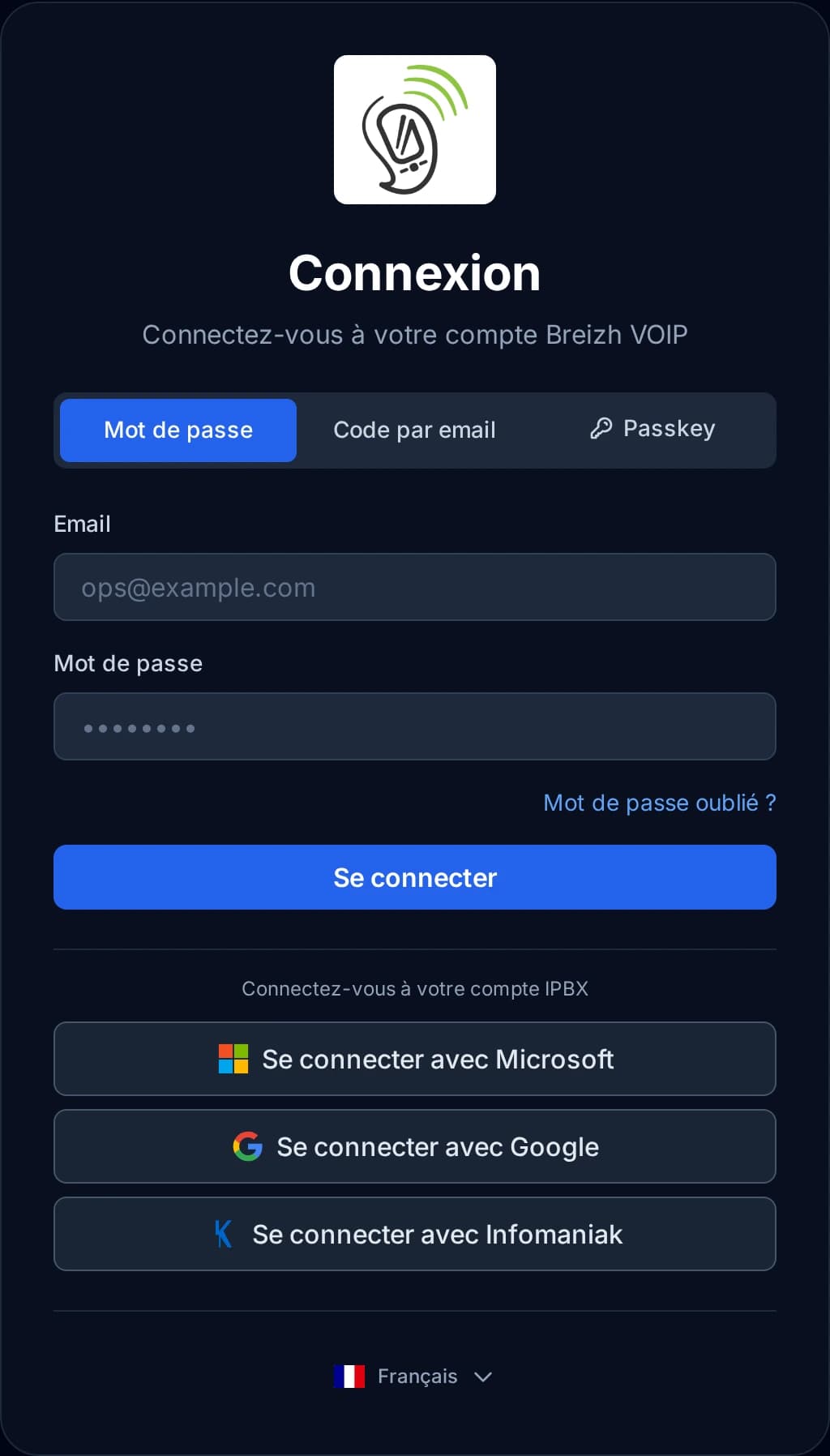
SSO and strong authentication
Signing in with the account you already have. If your company runs Microsoft 365 or Google, your people sign in with that account: no extra password to remember, and a departure is handled in the same place as everything else. For the accounts that administer the installation, a second factor can be required: a temporary code, a physical key or a fingerprint.
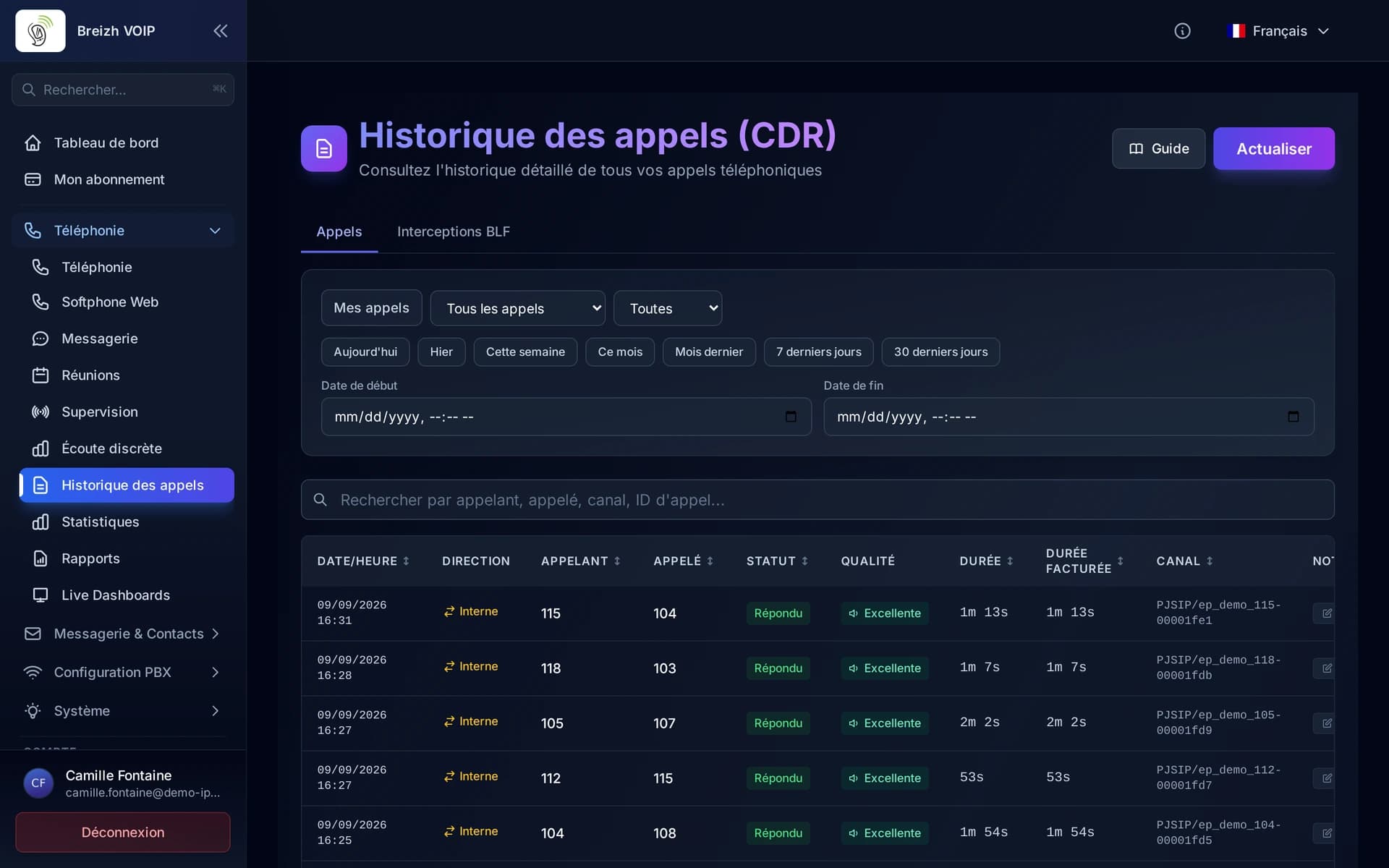
Real-time call quality
Knowing whether a call really is bad, and why. During the conversation the platform measures what the devices report about the quality of the voice they receive: an overall score, the jitter, the missing pieces, the delay. When a customer complains of crackling, you look at figures instead of guessing, and you know whether to blame the office network, the customer's, or nobody.
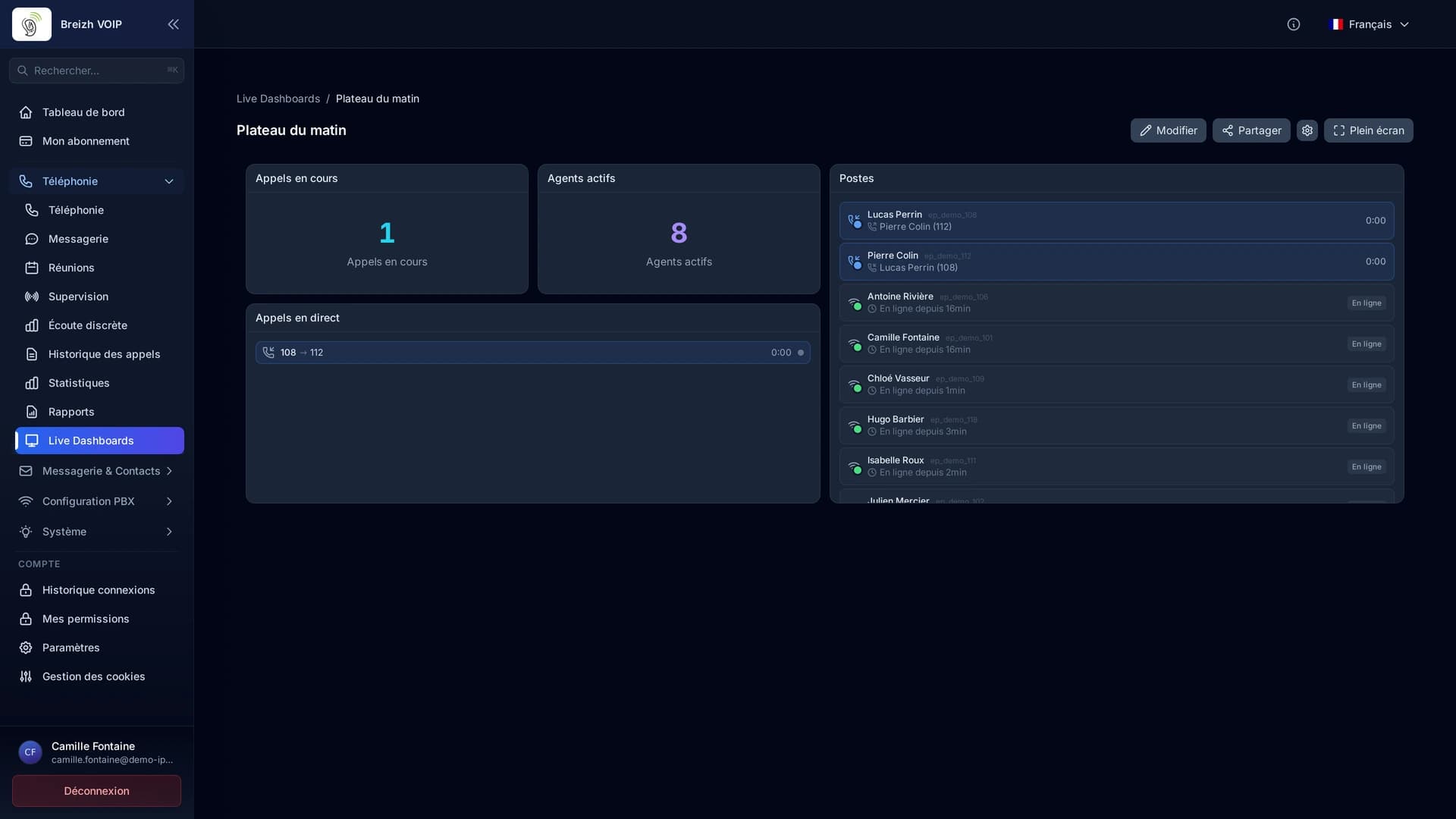
Real-time supervision
The company's phone activity as it happens. Who is on a call and for how long, which extensions are free, how many calls since this morning. The screen updates itself, with nothing to refresh. It is the difference between steering and finding out afterwards.
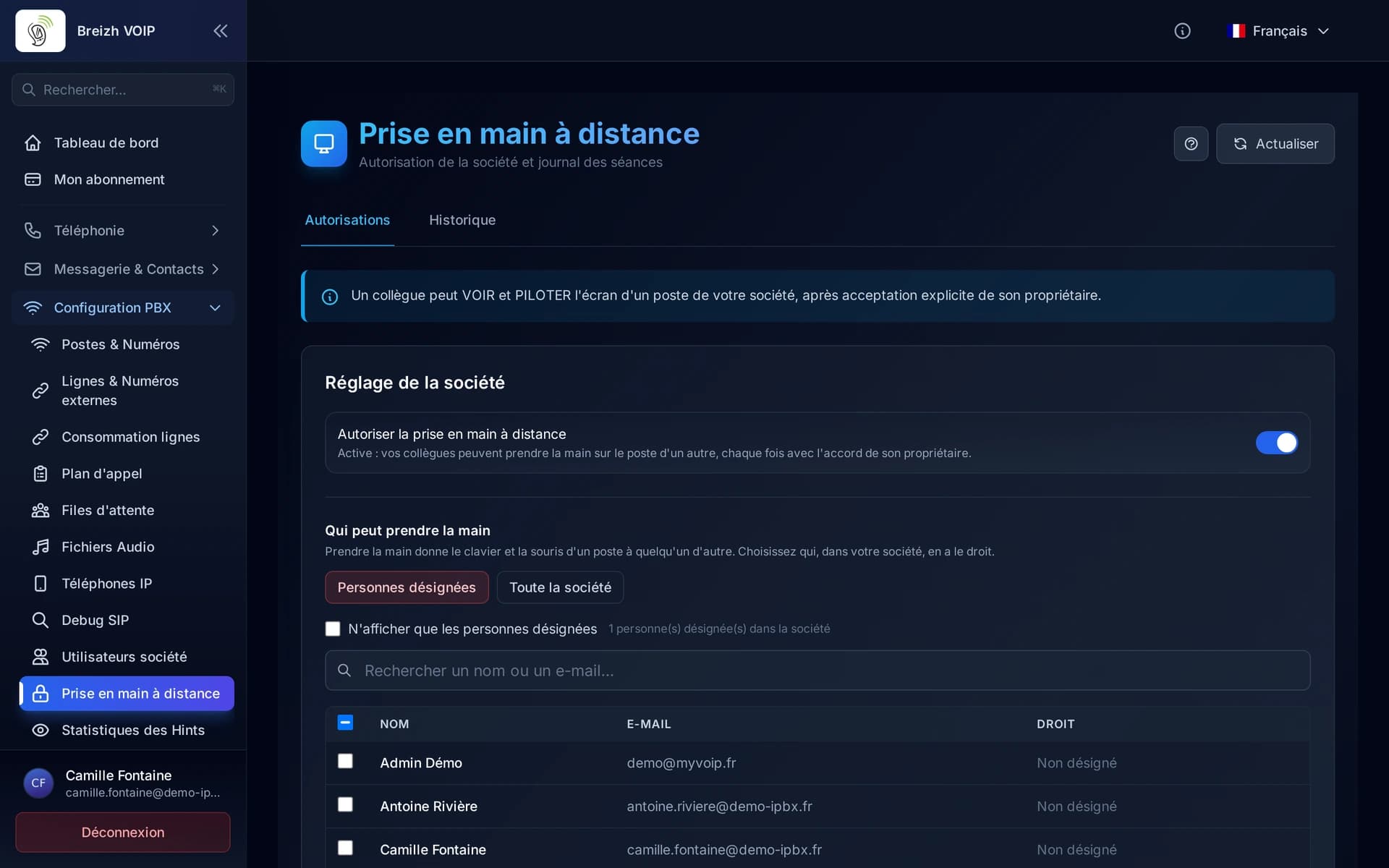
Remote control
Fix a colleague's problem without travelling or installing TeamViewer. From the chat conversation you ask for control of their PC (or they hand it over), and after their explicit consent you see their screen and act with keyboard and mouse. A red banner stays on their screen for the whole session, they can pause or stop it with one click, and the administrator finds in a log who went on which computer.
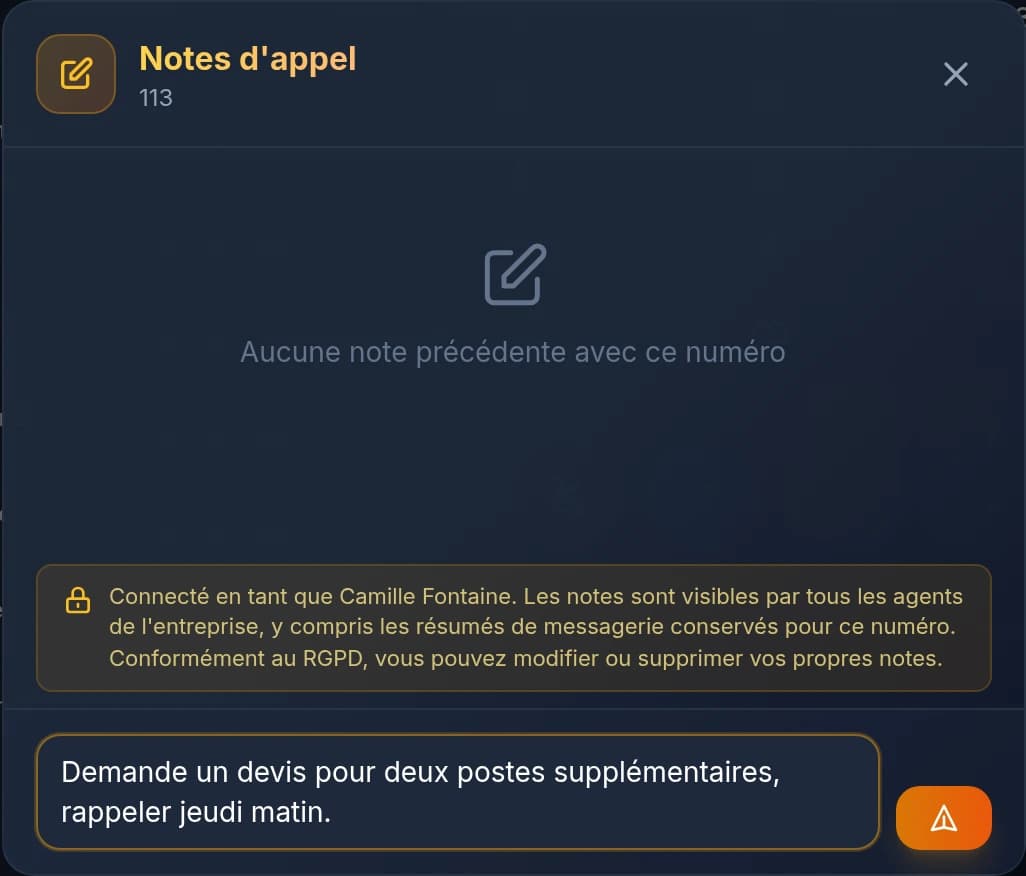
Call notes
Write during the call what you would have forgotten ten minutes later. The note stays attached to the call and to the contact: next time, you know what was said, what was promised and by whom. It saves the customer from telling the story twice, and the colleague who calls back from starting at zero.