 BreizhVoIP
Automatic provisioning
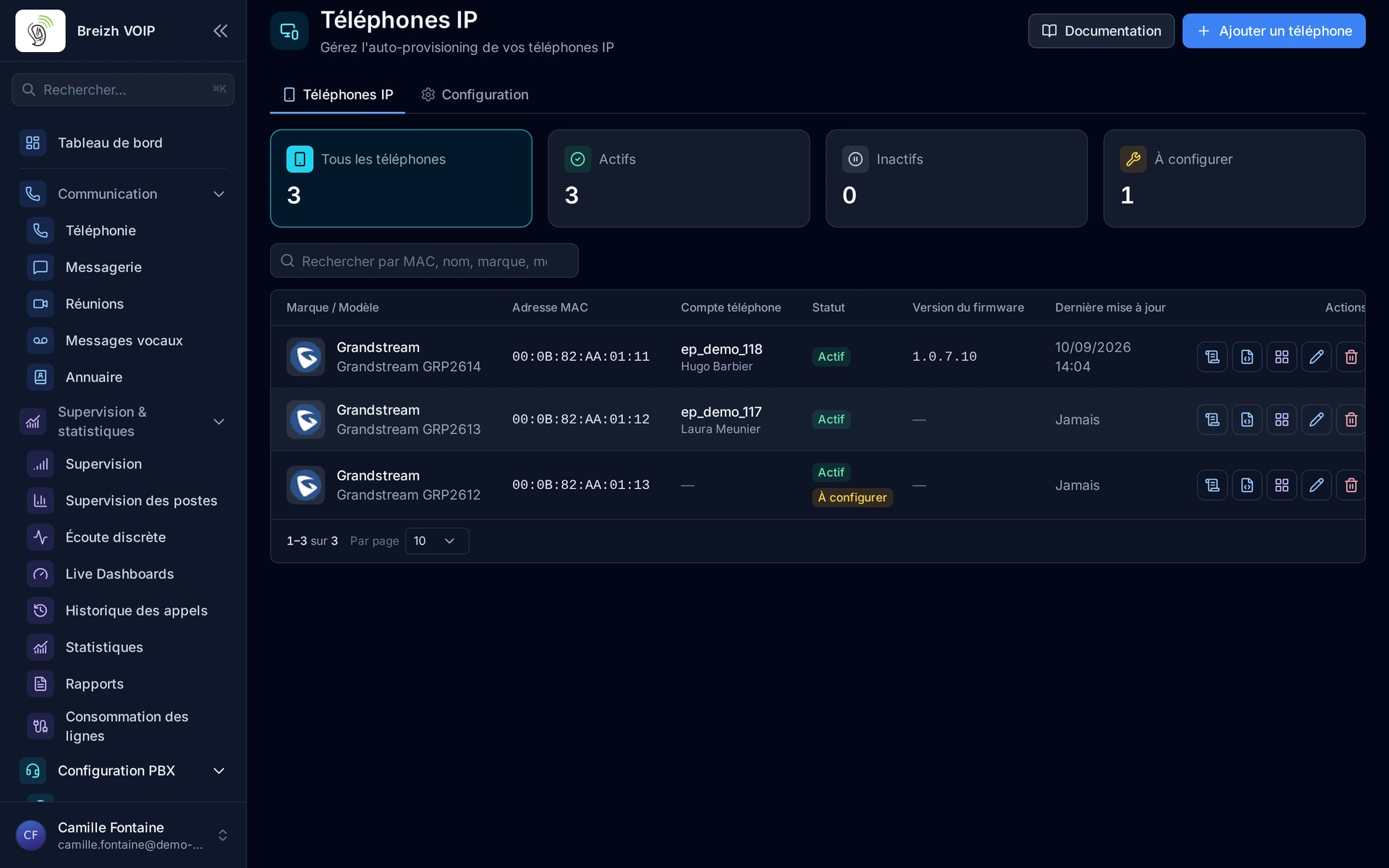
Plug in a phone and watch it configure itself. You pick the make and model, attach it to a line, and the handset fetches its configuration at power-on. Twenty extensions are deployed in an afternoon without anyone typing a password on a phone keypad. The day one fails, its replacement takes over the same line by being plugged in.
How it works
Select the phone brand and model from the integrated database
Associate the phone with an line and extension
The system automatically generates the configuration file adapted to the model
The phone downloads its configuration on boot (DHCP/TFTP/HTTP)
Firmware updates can be managed centrally
Configuration changes are pushed automatically
Use cases
- Moving into new premises: the phones arrive, they are plugged in, they work.
- Replacing a faulty handset: the new one takes the previous line with no reconfiguration.
- Deploying across sites: configuration goes out from one place, with no travel.
- A new joiner: their phone is ready before they are.
- A password or setting change: applied to the whole estate without touching the handsets.
Benefits
- Nothing to type on the phone: no twelve-key keypad for entering a server address.
- The common makes are recognised, with their models.
- The same configuration is reused from one extension to the next, which prevents drift.
- A replaced handset takes over the previous line, with no intervention.
- Handset updates are driven from the same place.
- Twenty extensions deploy in an afternoon, not over three days.
Examples
- Twenty extensions for new offices: handsets matched in the morning, plugged in during the afternoon, working by the evening.
- A failed handset: the replacement is plugged in and picks up the line and the history of that extension.
- Three sites equipped from the same screen, with no engineer travelling.
In the panel
Read the guide: Raccorder un téléphone de bureau
Related features
Extension management
Everyone gets their own line, short number and voicemail. A line can ring on several devices at once, the desk phone as much as the mobile,…
Extension presence
Seeing who can take a call before transferring it. Every extension carries a light: free, on a call, ringing, away.
Hot desking
A desk phone that several people use in turn. Each one signs in by dialing *7, their internal number and their personal code: the phone…
Use this feature
Tell us what you need and we will put together your quote with you.