 BreizhVoIP
Extension presence
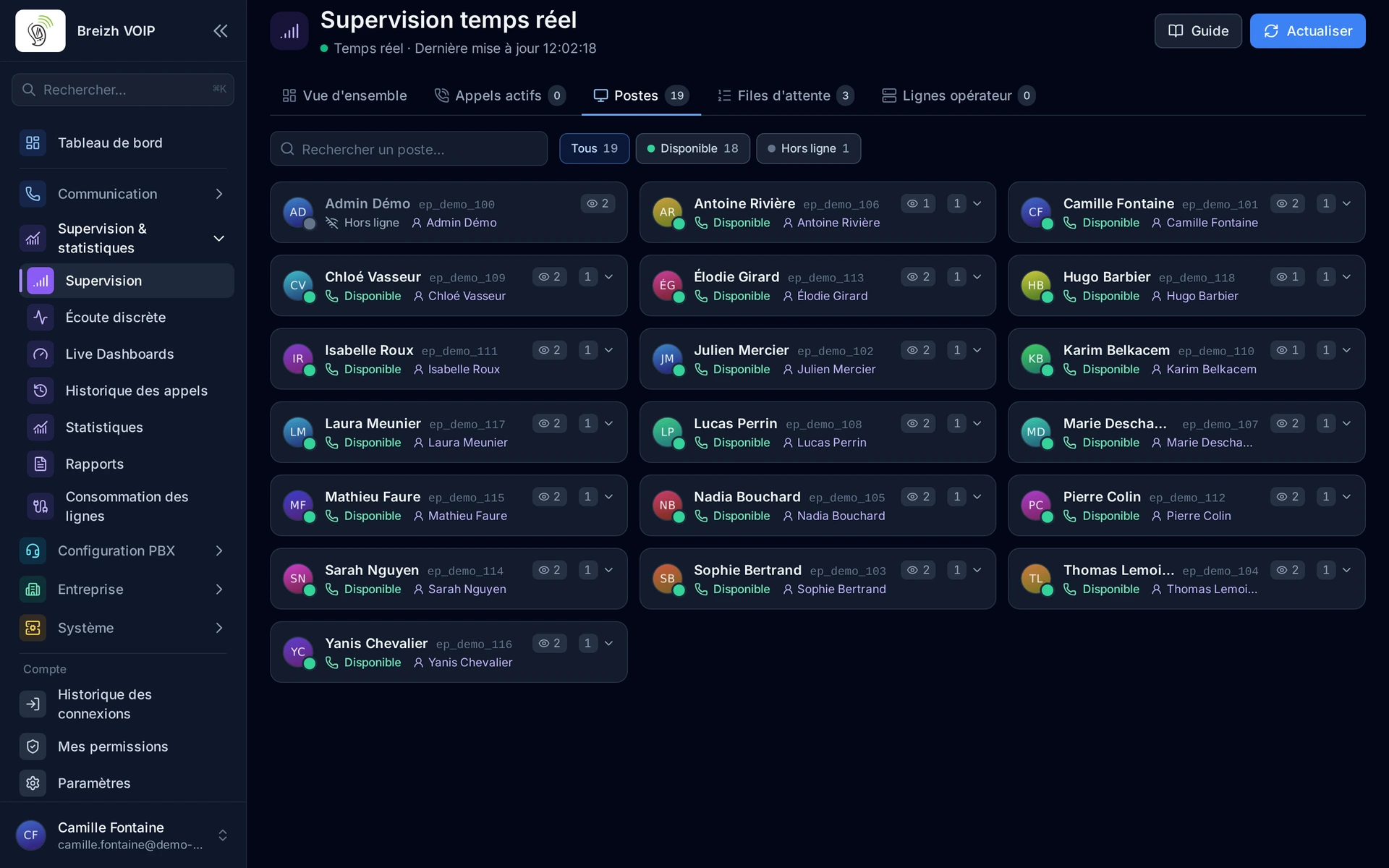
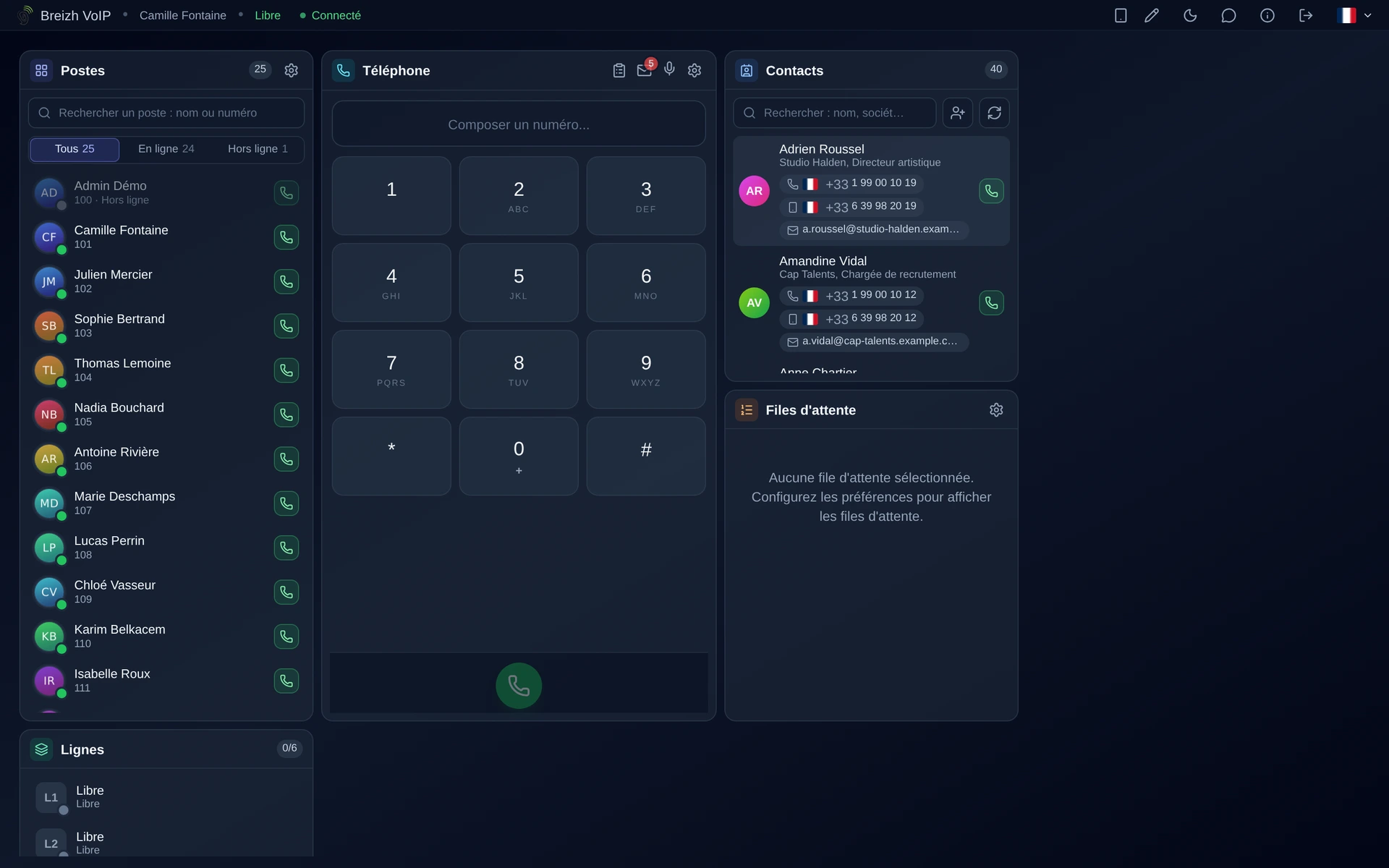
Seeing who can take a call before transferring it. Every extension carries a light: free, on a call, ringing, away. The light changes in real time, on desk phones as much as in the browser and on mobile. It is what stops you transferring a customer to a busy extension and watching them come back thirty seconds later, more annoyed than before.
How it works
Each watched extension shows a light that follows its real state.
Green for free, red for on a call, orange for ringing, grey for away.
The change is immediate: the light changes as soon as the call is answered, with no periodic refresh.
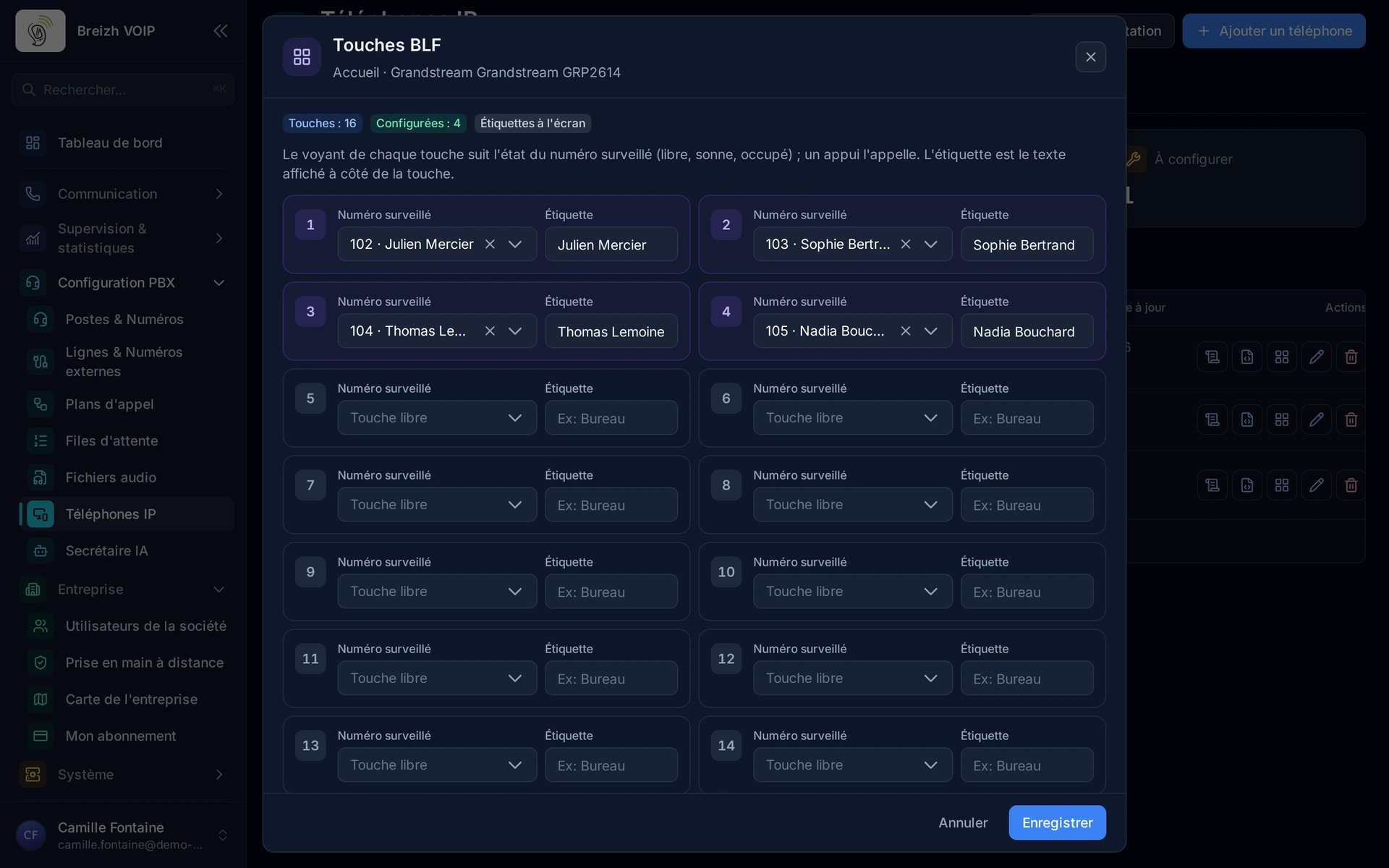
Desk phones show these lights on their keys, as the apps show them on screen.
Pressing the key dials that extension, or transfers the current call to it.
Everyone chooses which extensions they watch: reception sees everyone, a department sees its own team.
Use cases
- Reception: transferring to someone available, rather than leaving a caller hanging.
- An executive assistant: seeing whether the director is on a call before putting one through.
- Support team: spotting who is free to take the next call.
- Open plan office: knowing without standing up whether the colleague across the room is reachable.
- Remote working: a scattered team's presence reads as if they shared one office.
Benefits
- The real state of each extension, right now.
- The same lights on desk phones, in the browser, on mobile and on the computer.
- Transfer at one press, with no number to dial.
- A watched-extension list of your own.
- Fewer calls transferred to busy extensions, so fewer customers sent back to reception.
Examples
- Reception sees that sales is on a call and offers a call back rather than a transfer that was never going to work.
- An assistant sees the light turn green and puts through the call she was holding.
In the panel
Read the guide: Comprendre pourquoi un voyant de présence reste éteint
Read the guide: Programmer les touches d'un téléphone de bureau
Read the guide: Voir qui est disponible avant de transférer un appel
Related features
Extension management
Everyone gets their own line, short number and voicemail. A line can ring on several devices at once, the desk phone as much as the mobile,…
Call parking
Put a call aside so a colleague can pick it up on another phone.
Automatic provisioning
Plug in a phone and watch it configure itself. You pick the make and model, attach it to a line, and the handset fetches its configuration…
Use this feature
Tell us what you need and we will put together your quote with you.