 BreizhVoIP
Extension management
Everyone gets their own line, short number and voicemail. A line can ring on several devices at once, the desk phone as much as the mobile, and follow its user from one desk to another. The company directory identifies callers as the phone rings, the presence board shows who is free, and diversions are set line by line: to a colleague, to a mobile or to voicemail. Desk phones configure themselves at power-on, with no need to touch each one.
How it works
Create a line and give it one or more short numbers: those are what colleagues will dial to reach it.
Attach the line to a directory entry: callers are then recognised by name and company, incoming and outgoing.
Choose what the line accepts, voice only or video, and how the link is secured. The rest is negotiated on every call.
The presence board shows each line live: free in green, on a call in red, ringing in orange, away in grey.
Every line can have its own voicemail, with a greeting, a transcript of the message and a summary sent by email.
Diversions are set per line: every call, only when busy, or only after a delay you choose.
One line rings on several devices at once: the desk phone, the browser, the mobile and the computer.
Desk phones set themselves up: pick the make and model, and the handset fetches its configuration at power-on.
Each person sets their own state from their device, from a break to do-not-disturb, which changes how calls reach them.
Lines are grouped and supervised from the presence board or the admin screen.
Use cases
- A company across several sites: everyone keeps the same short number from one site to the next, with the same diversions.
- Remote work: the line rings at the desk, in the browser and on the mobile, and you answer from wherever you are.
- Reception: the presence board shows the free extensions, and the call goes to whoever can take it.
- A practice or a firm: each practitioner has their own voicemail, a diversion to their mobile out of hours and a transcript of their messages.
- Fast rollout: twenty phones configured from the admin screen, with nothing to do on the handsets.
- Customer service: lines are linked to the directory, callers are recognised and their history follows the conversation.
- Management: calls always to the assistant during meetings, back to voicemail the rest of the time.
- Field engineers: the line follows them to their mobile, showing the company number to the people they call.
Benefits
- Known callers are identified as the phone rings, by name and company.
- Several short numbers per line: reception can answer on 100 as well as on 0.
- Extension presence reads live everywhere: browser, mobile, computer and desk phones.
- The link between device and servers is encrypted, voice included.
- One voicemail per person, transcribed and summarised, with the audio sent by email.
- Three diversions, each to its own destination: always, on busy, on no answer.
- Several devices ring together: answer on whichever is to hand.
- Desk phones deploy without touching them one by one, twenty at a time if need be.
- Everything is managed from a single screen: create a line, change it, remove it, watch it.
- Personal states, from a break to do-not-disturb, genuinely change how calls are routed.
Configuration
- Short numbers
- The numbers colleagues dial to reach this line: 100, 201, or several at once.
- Directory entry
- The entry attached to the line. It provides the name shown to the person called, and the one shown to the people you call.
- Phone line
- What the line accepts: voice only or video, and how the link is encrypted. The exchange format is chosen on every call, based on what the network supports.
- Voicemail
- Custom greeting, transcript of the message, automatic summary and an email notification carrying the recording.
- Always divert
- Every call goes to the chosen destination: a colleague, an external number or voicemail.
- Divert on busy
- Calls go elsewhere only when the line is already on a call.
- Divert on no answer
- Calls go elsewhere if nobody picks up within the delay you set, twenty seconds for instance.
- Attached devices
- The devices that ring for this line: desk phone, browser, mobile, computer. They ring together.
- Automatic setup
- Pick the make and model of the phone: it fetches its configuration at power-on, with nothing to type in.
Examples
- Line 101, sales: short number 101, attached to their directory entry, transcribed voicemail and a diversion to their mobile after twenty seconds.
- Line 200, reception: reachable on 200 as well as 0, on the desk phone and in the browser, visible to everyone on the presence board, with no voicemail since calls fall through to a colleague.
- Line 301, management: calls always to the assistant during meetings, and the rest of the time to voicemail after fifteen seconds.
- Line 150, field engineer: mostly used on the mobile, with the phone's own call notifications, voicemail sent by email and the company number on outgoing calls.
- Rolling out twenty extensions: twenty identical phones configured from the admin screen, each with its short number, diversions and voicemail.
In the panel
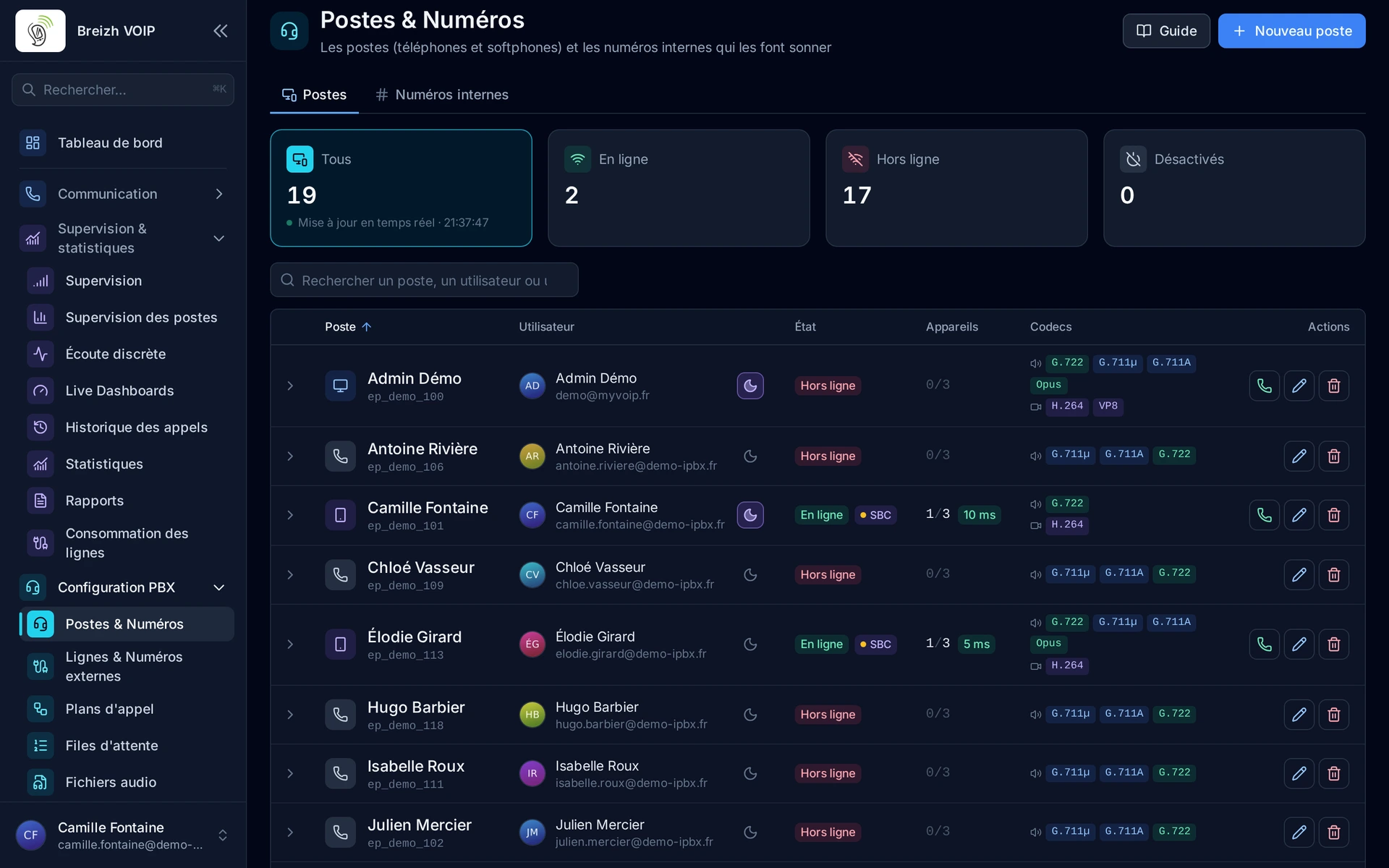
Read the guide: Créer un poste et l'attribuer à un collaborateur
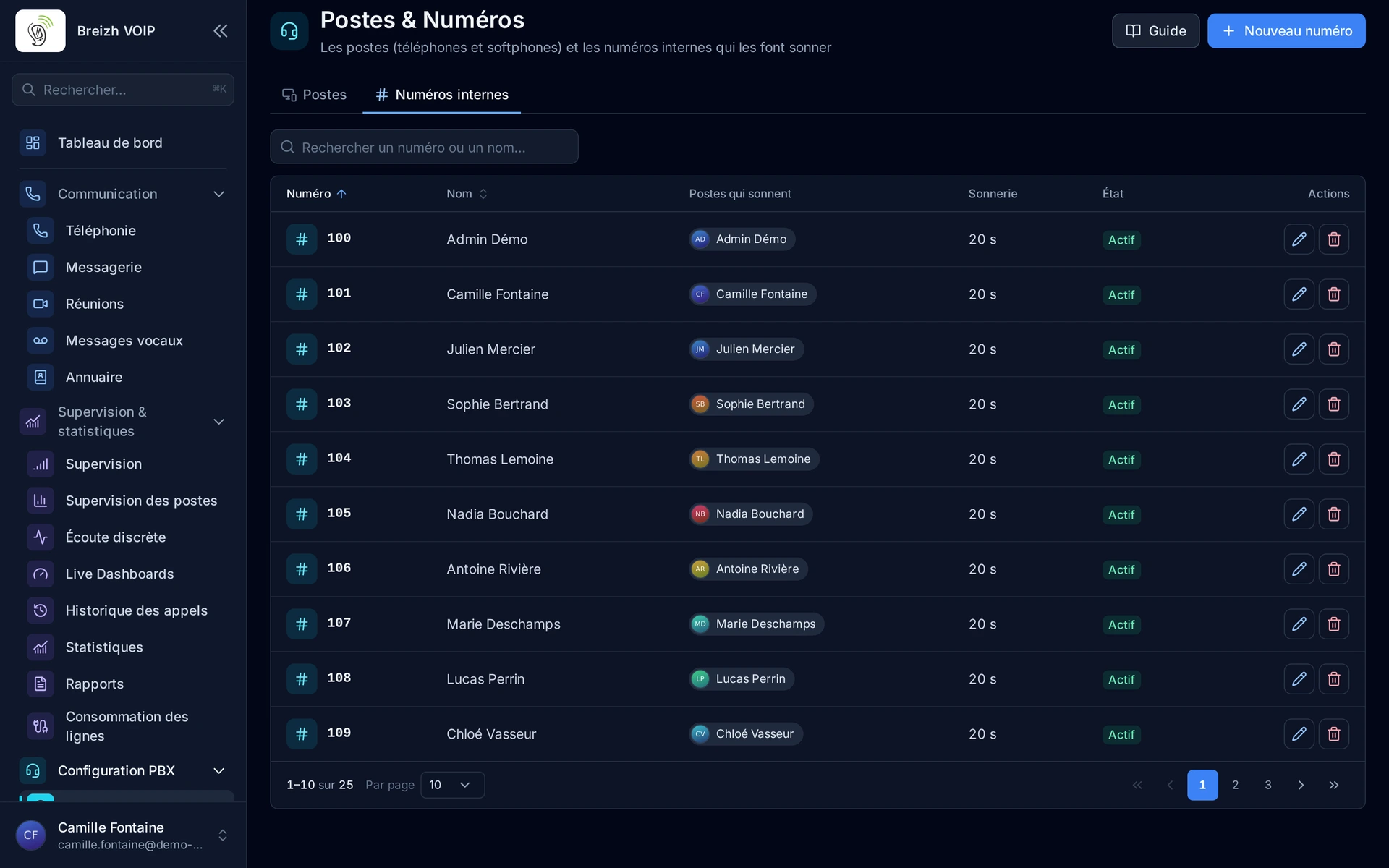
Read the guide: Donner un numéro court à un poste ou à un service
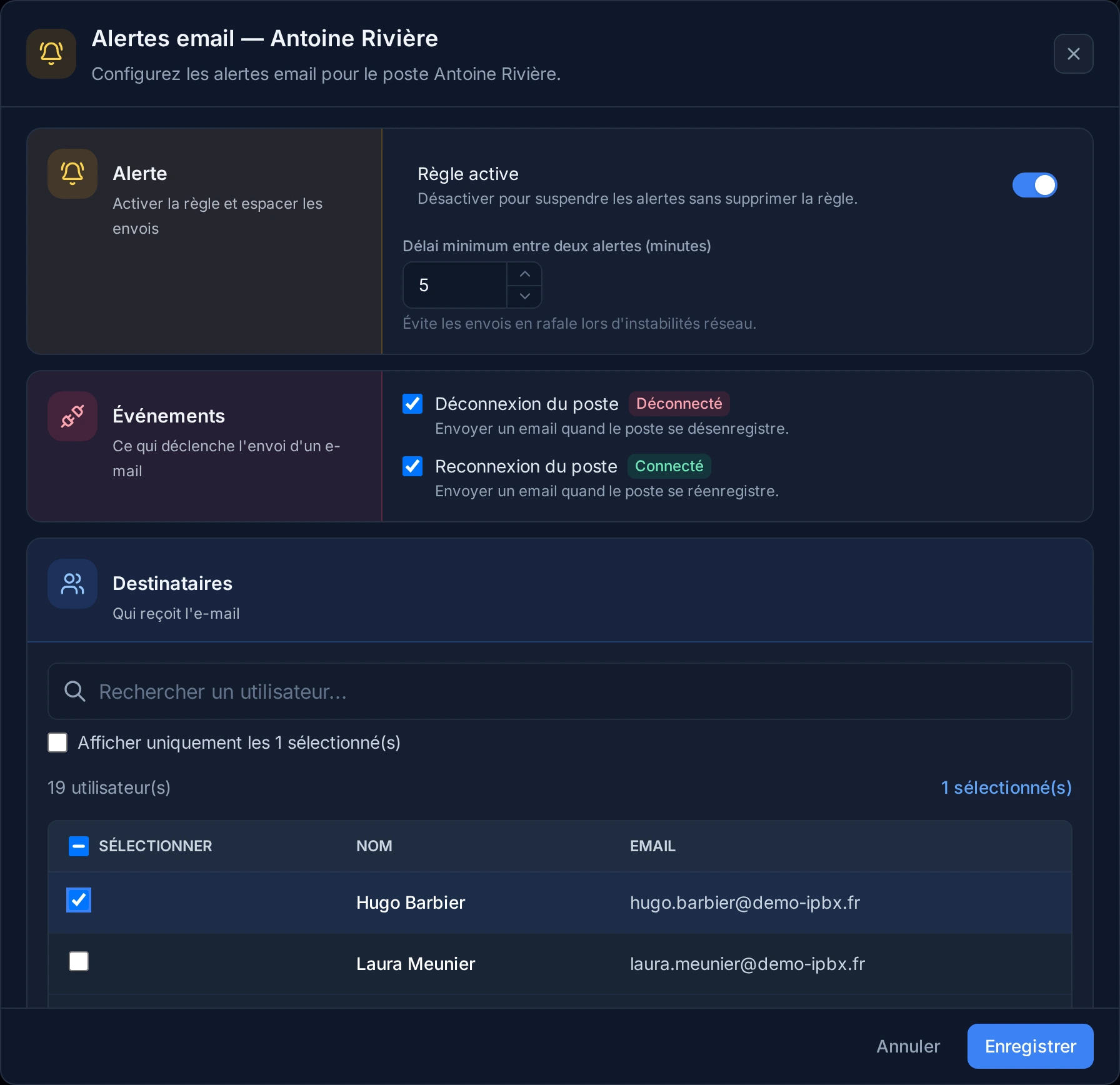
Read the guide: Être prévenu quand un poste se déconnecte
Related features
Automatic provisioning
Plug in a phone and watch it configure itself. You pick the make and model, attach it to a line, and the handset fetches its configuration…
Hot desking
A desk phone that several people use in turn. Each one signs in by dialing *7, their internal number and their personal code: the phone…
Extension presence
Seeing who can take a call before transferring it. Every extension carries a light: free, on a call, ringing, away.
Use this feature
Tell us what you need and we will put together your quote with you.