 BreizhVoIP
Real-time call quality
Knowing whether a call really is bad, and why. During the conversation the platform measures what the devices report about the quality of the voice they receive: an overall score, the jitter, the missing pieces, the delay. When a customer complains of crackling, you look at figures instead of guessing, and you know whether to blame the office network, the customer's, or nobody.
How it works
During the call, the devices on both sides exchange reports on the quality of what they receive.
The platform collects them continuously, without listening to the conversation itself.
From them it derives a voice quality score, the jitter, the share of sound lost and the transmission delay.
The indicators show during the call and stay in the history afterwards.
Abnormal values stand out at a glance, extension by extension and site by site.
Use cases
- A quality complaint: checking during the call rather than ringing back to test.
- One extension whose calls are poor: usually its cable, its switch or its wifi.
- A whole site degrading at the same times: the connection is saturating, and it can be shown.
- Before blaming the carrier: knowing whether the problem is theirs or yours.
- Following a customer service: the quality callers actually get, measured rather than assumed.
Benefits
- Indicators shown while the call is in progress.
- A voice quality score per call, comparable over time.
- The detail: jitter, loss, delay, so you know what to fix.
- A diagnosis that separates the local network from the carrier's.
- Measurements kept in the history, to prove a recurring problem.
Examples
- A salesperson complains about the sound: measurements show loss only on their extension, over wifi. A cable settles it.
- Every call at one site degrades between 2pm and 4pm: the connection saturates because of a backup, moved to the evening.
In the panel
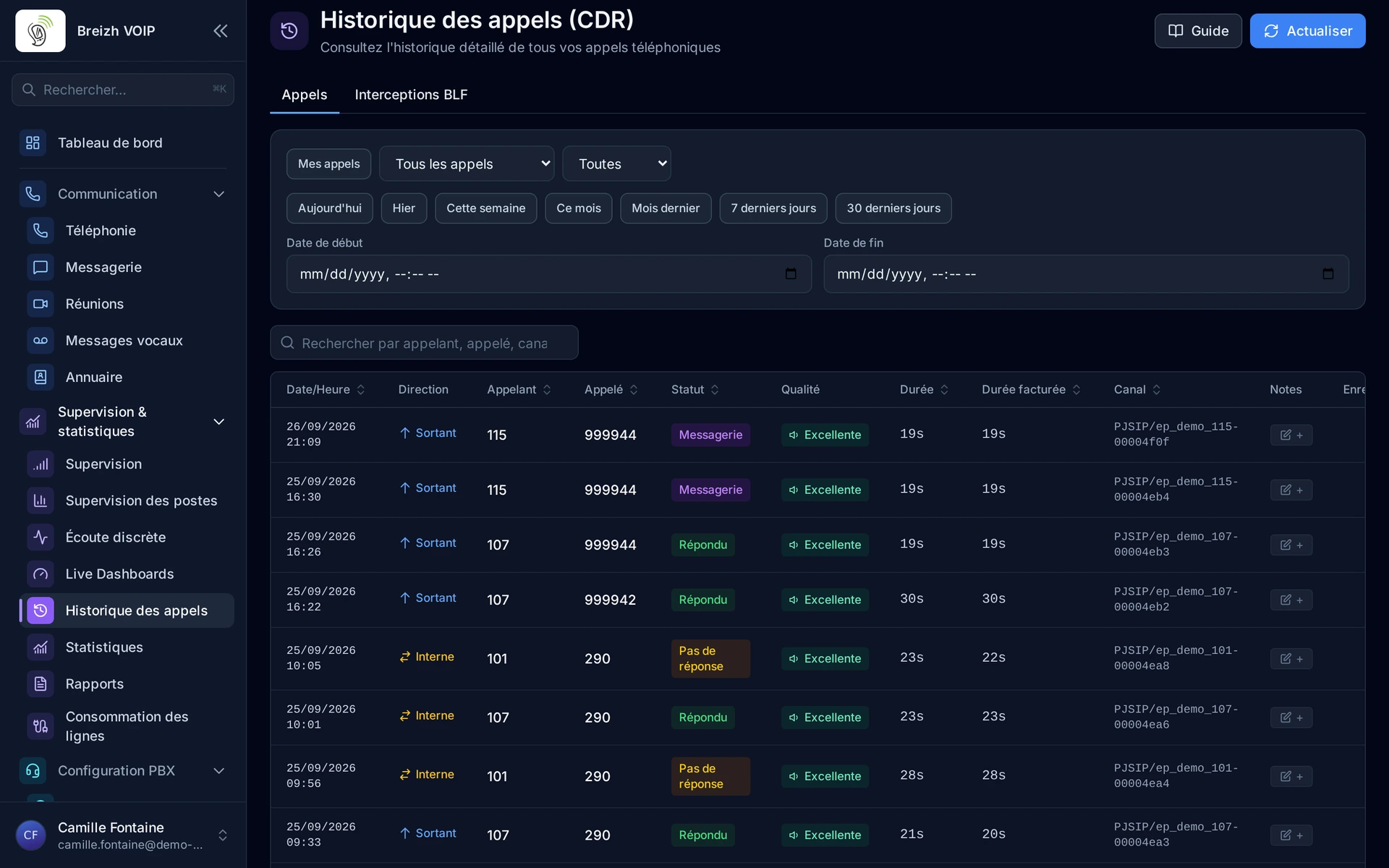
Read the guide: Savoir si un appel a souffert du réseau
Related features
CDR and call history
Comprehensive Call Detail Records with advanced multi-criteria filtering, integrated call recording playback, real-time RTP quality metrics…
Calling from the browser
A tab, a headset, and your work line is running. No software for IT to install, no VPN to open, no version to maintain on every machine:…
Hosting and infrastructure
There is no phone system in your building. No cabinet to ventilate, no card to replace, no licence to renew every three years.
Use this feature
Tell us what you need and we will put together your quote with you.