 BreizhVoIP
Intercom and paging
Speak to a whole team without anyone picking up, or call a colleague who answers right away, hands-free. *6 followed by an internal number makes an announcement on that number's extensions: they answer by themselves on speaker and listen. *9 followed by a person's number calls them on intercom: their extension answers by itself and you talk both ways. A busy extension or one in Do not disturb is never interrupted. Voice prompts are currently in French.
How it works
Tick "Intercom" on the internal number that receives announcements: a team, a workshop, reception
From any extension in the company, dial *6 followed by that number: its extensions answer by themselves on speaker
You speak, they listen: the announcement goes one way and ends when you hang up
To talk with one person, dial *9 followed by their internal number: their extension answers by itself and they reply without touching the phone
An extension already on a call, in Do not disturb or disconnected is not reached; on intercom, a message tells you why
Desk phones that accept automatic answer and the desktop or browser app answer by themselves; the mobile app is never reached
Use cases
- Workshop or warehouse: "Delivery at the dock, two people please" is heard on every extension of the team.
- Reception: let a whole team know a visitor is waiting, in one sentence.
- Front office: call a colleague between two appointments; they answer without stopping what they are doing.
- Shop: announce closing time to the whole sales team.
Benefits
- No extra hardware: the phones and app you already have become your intercom.
- Announcements are allowed number by number, and the box is unticked by default: nobody receives an announcement you did not want.
- Intercom needs no setup: it targets a person's number, never a group.
- A person already on a call, on any of their extensions, is never interrupted, and Do not disturb is respected.
- The mobile app is never reached: no announcement comes out of a phone during a meeting at a customer's.
- The call history keeps every announcement: a call from the announcing extension to each extension reached.
Examples
- The workshop manager dials *6 followed by the Technical team's number: the team's three extensions answer by themselves and play the announcement.
- Reception dials *9 followed by an accountant's number: their extension answers by itself, they reply "On my way" and hang up.
- The colleague is already on the phone: reception hears that they are on a call, and nothing interrupts them.
In the panel
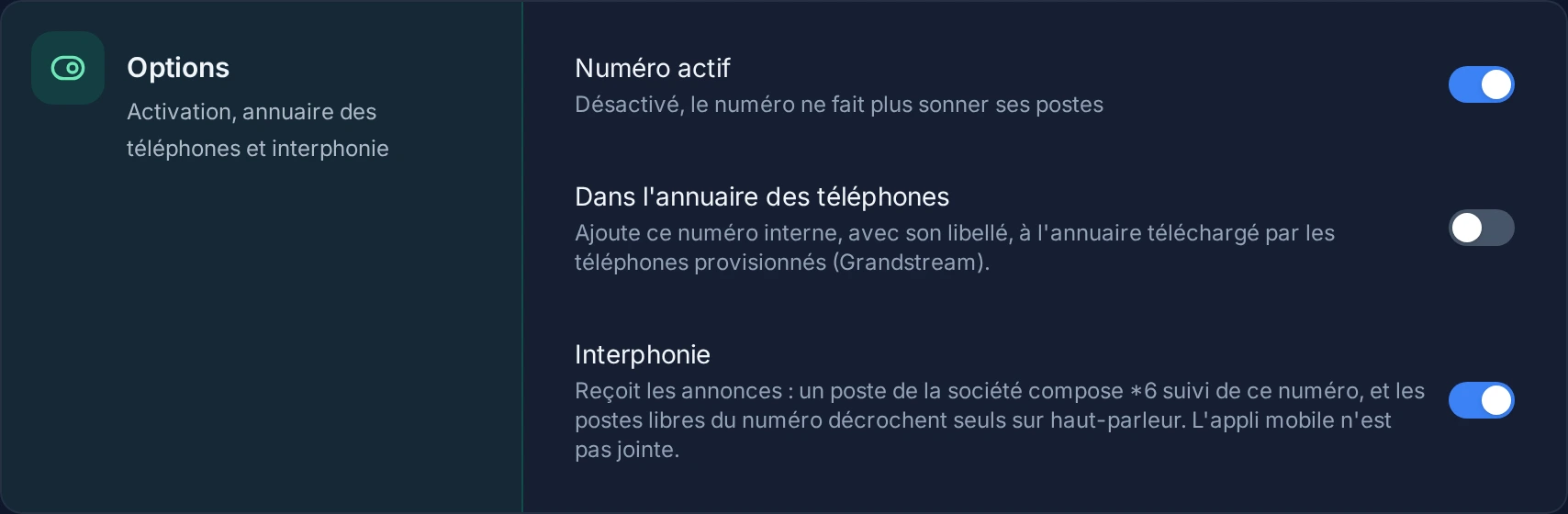
Read the guide: Faire une annonce ou appeler un collègue en interphone
Related features
Call parking
Put a call aside so a colleague can pick it up on another phone.
Extension presence
Seeing who can take a call before transferring it. Every extension carries a light: free, on a call, ringing, away.
Automatic provisioning
Plug in a phone and watch it configure itself. You pick the make and model, attach it to a line, and the handset fetches its configuration…
Use this feature
Tell us what you need and we will put together your quote with you.