 BreizhVoIP
Queue supervision
Seeing your queue while it fills, without waiting for the next day's report. How many callers are waiting, for how long, who is free and who is not: the screen updates itself. It is what lets you call in help before customers hang up, rather than noting the abandon once it has happened.
How it works
The screen shows the company's queues, each with its waiting callers and the people signed in.
For each caller you see how long they have waited and where they stand in line.
For each adviser you see whether they are free, on a call, on a break or signed out.
The figures of the moment sit alongside: calls taken, calls abandoned, average wait.
A supervisor can put someone back on duty or on a break from the screen.
Everything refreshes on its own: no key to press to see the real situation.
Use cases
- Reception overflowing at lunchtime: you watch the queue grow and move someone across before people hang up.
- Customer support: spotting the caller who has waited six minutes and having them taken first.
- A team across two sites: knowing who is actually free, whichever building they are in.
- End of day: seeing who is still signed in before closing the queue.
- Training a new adviser: following their load and stepping in when they are swamped.
- Wall display: the queue permanently visible to the whole team.
Benefits
- The real state of the queue, live, with nothing to refresh.
- Each caller's waiting time, as well as the average.
- Each adviser's state: free, on a call, on a break, signed out.
- The ability to act from the screen rather than walking across the office.
- The figures of the moment next to the situation, to decide with both.
- A display readable from a distance, usable on a wall screen.
Examples
- Half past eleven: the queue goes from two to seven callers, the supervisor puts two people back on duty and the wait drops within four minutes.
- A caller has been waiting eight minutes: they are spotted on screen and taken first, before they give up.
- Support wall display: the queue, the wait and the day's abandons, visible to the whole team.
In the panel
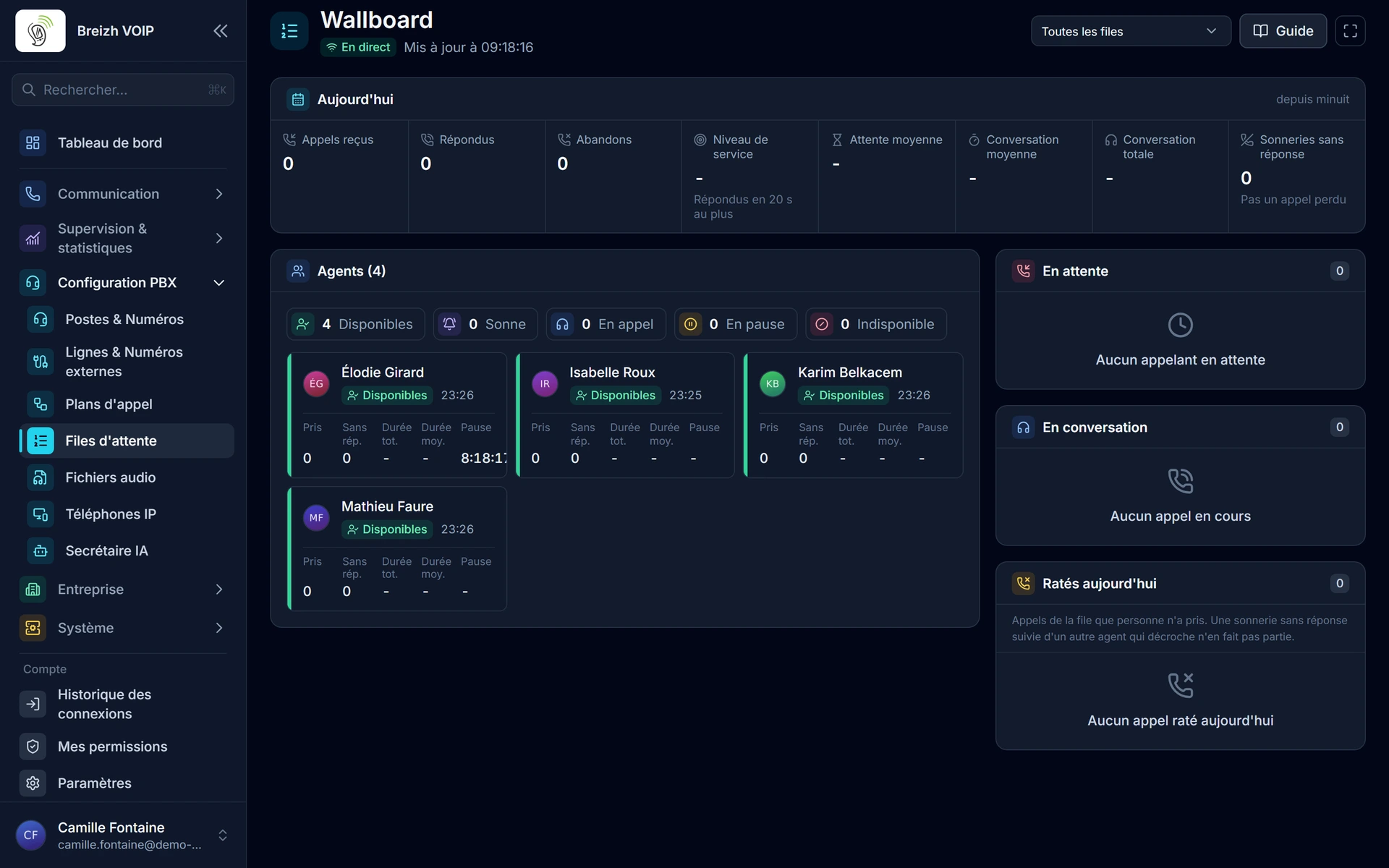
Read the guide: Afficher l'état des files sur un écran
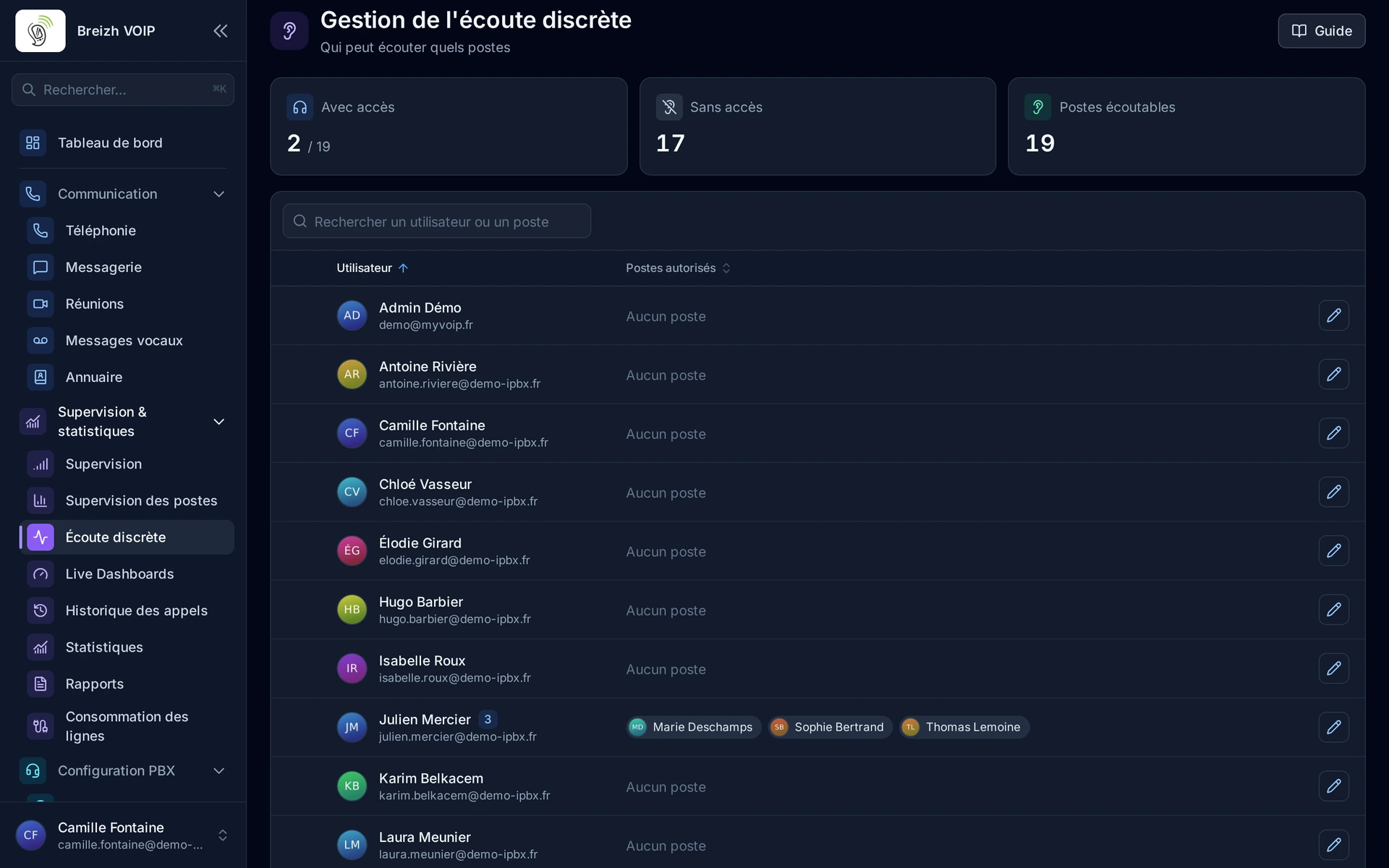
Read the guide: Écouter un appel en cours sans être entendu
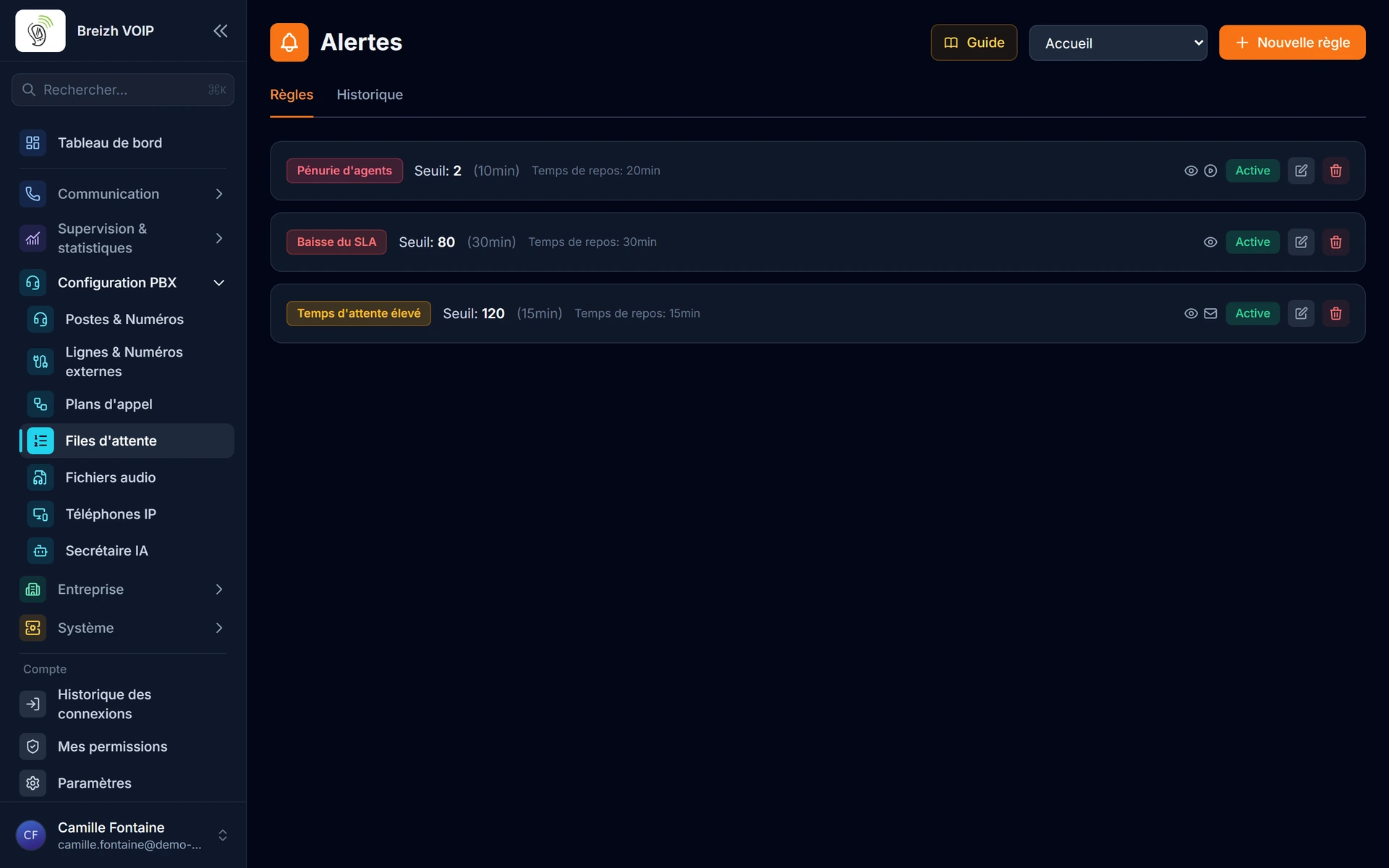
Read the guide: Être prévenu quand une file décroche
Related features
Call queues
Enterprise-grade call queuing with 7 distribution strategies, real-time agent management (login/logout, pause, skills), live supervision…
Real-time supervision
The company's phone activity as it happens. Who is on a call and for how long, which extensions are free, how many calls since this morning.
Statistics and dashboards
Knowing what happens on the phone, without keeping a notebook.
Use this feature
Tell us what you need and we will put together your quote with you.