 BreizhVoIP
Team messaging
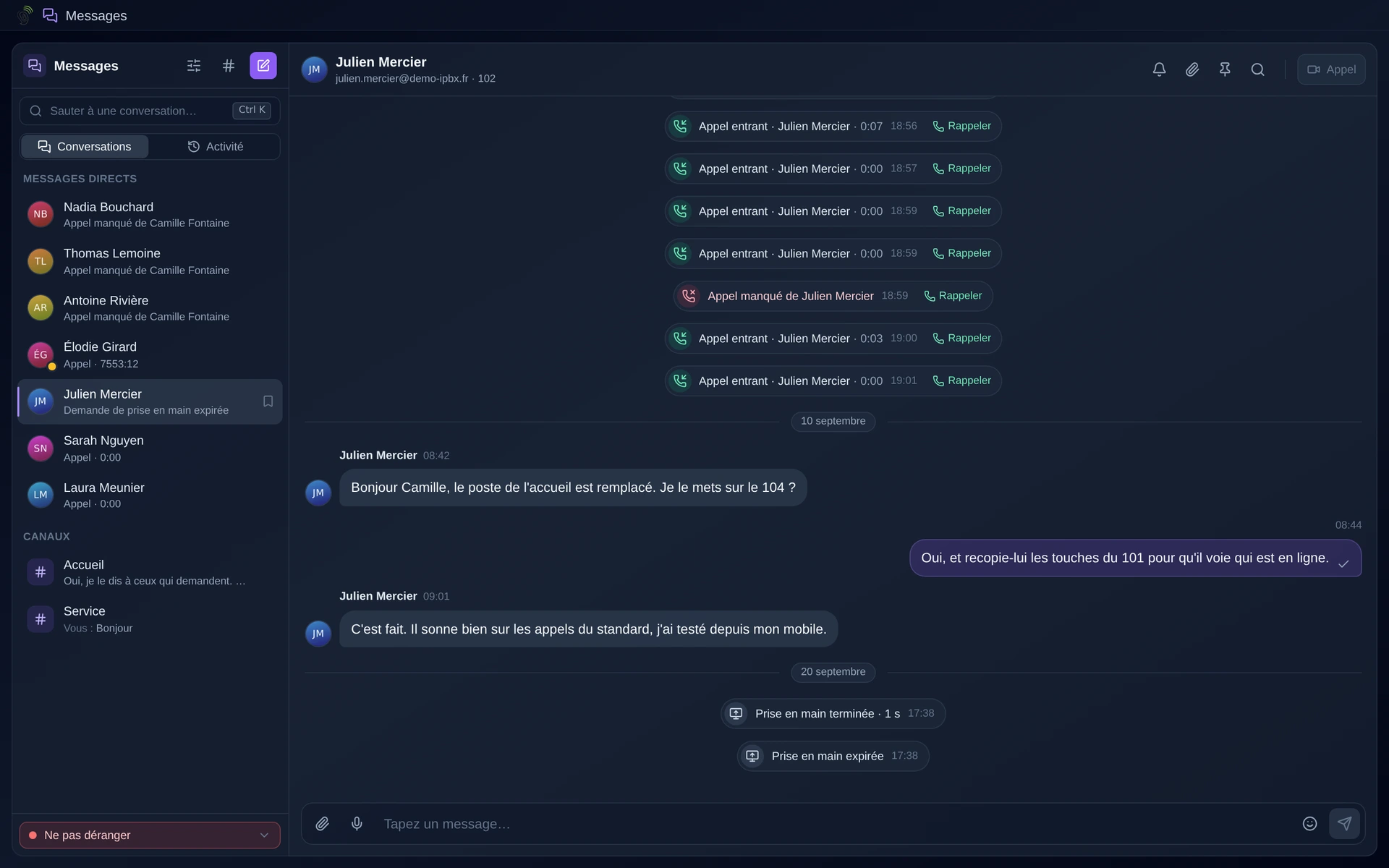
Talking without phoning. A quick question to a colleague on a call, a number to pass on mid-conversation, a file to send: chat avoids the interruption and leaves something written. And because it lives in the same tool as the phone system, a conversation becomes a call or a video meeting in one click, with no number to look up.
How it works
You open a conversation with a colleague or a group, as in any messenger.
You exchange text, files, and voice messages when typing takes too long.
From the conversation, one button starts a call or a video meeting with that person.
The history is kept: you can reread what was said three weeks ago.
Everything syncs between the browser, the mobile and the computer.
One company's conversations stay with it: nothing crosses over to another company on the platform.
Use cases
- Asking a colleague who is on a call, without interrupting them.
- Passing on a number or a reference during a call, without dictating it.
- Coordinating a reception team: who takes what, without getting up.
- Flagging a delay or an absence without a formal email.
- Keeping a record of an instruction, rather than relying on a corridor conversation.
- Moving from writing to voice when the subject gets too long to type.
Benefits
- Chat and telephony in the same tool: one application open.
- Straight from the conversation to a call or a video meeting, with no number to find.
- Voice messages, handy on the move.
- History kept and searchable.
- Synced across browser, mobile and computer.
- Strict separation: one company cannot see another's conversations.
Examples
- A receptionist asks in writing whether sales can take a call: the answer is 'yes' without leaving the current conversation.
- A case reference passed during a customer call, copied rather than dictated.
- A 'reception' group where the team shares out the morning's call-backs.
In the panel
Read the guide: Écrire à un collègue et créer un canal d'équipe
Related features
HD video conferencing
Bring several people together on video, from the browser, a phone or the desktop app, with no extra tool to install and no link to download.
Mobile app
Professional mobile application for Android and iOS. Make and receive voice and video calls, check your voicemail, manage contacts and…
Desktop app
The same telephony as in the browser, in an application installed on the computer.
Use this feature
Tell us what you need and we will put together your quote with you.