 BreizhVoIP
IPBX Features - Telephony Solutions
Remote Control
Fix a colleague's problem without travelling or installing TeamViewer. From the chat conversation you ask for control of their PC (or they hand it over), and after their explicit consent you see their screen and act with keyboard and mouse. A red banner stays on their screen for the whole session, they can pause or stop it with one click, and the administrator finds in a log who went on which computer.
How it works
- 1In the chat conversation, ask for control of your colleague's PC, or hand over yours
- 2They accept on their own screen, never on their behalf, and pick which display to share
- 3You see their screen and act with mouse and keyboard, talking to each other at the same time
- 4A red banner stays on their screen for the whole session: they pause or stop whenever they want
- 5The session can be recorded, and the card in the conversation keeps track of it
Use cases
- Help a remote colleague without having them describe their screen over the phone.
- Show a setting instead of explaining it: you do it, they watch.
- Unblock a file while its user is still on the line with the customer.
- Train someone on a business tool by driving their computer while they follow.
- Keep a record, for the administrator, of who worked on which computer and when.
Benefits
- No extra software to install or pay for: it is in the application already in place.
- Consent is the gesture itself: nobody takes control without a click from the person helped.
- The banner and the stop button stay in front of them for the whole session.
- The administrator chooses who, in the company, may take control.
- A log keeps the sessions, with their duration and how they ended.
In the panel
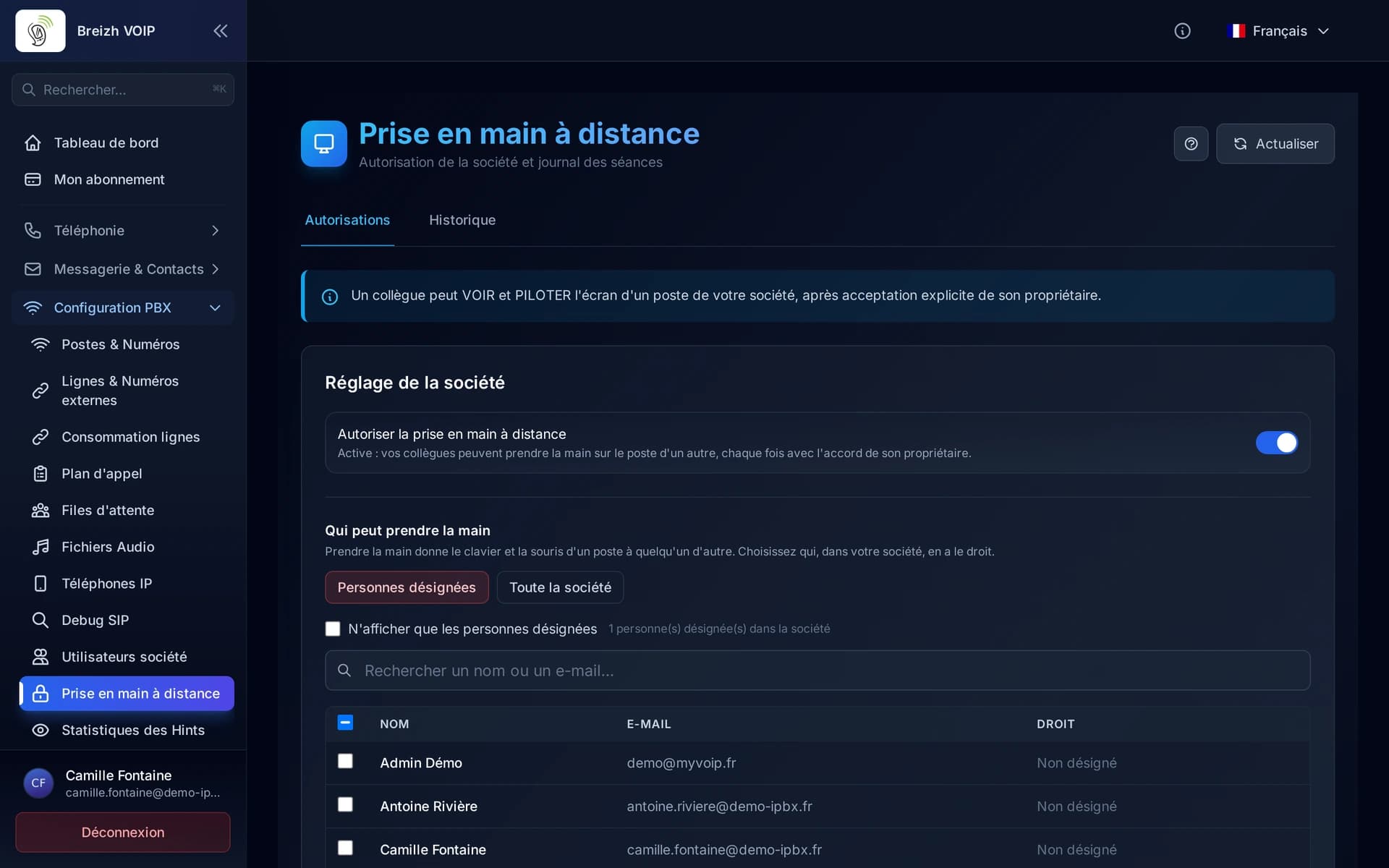
Read the guide: Choisir qui peut prendre la main à distance
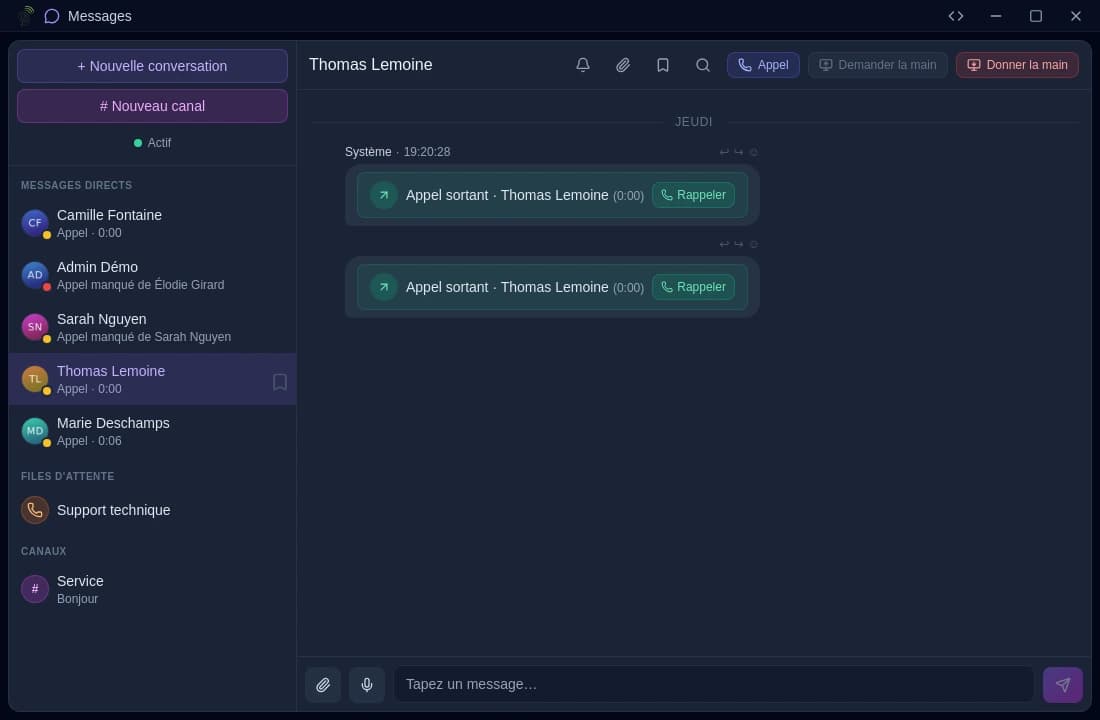
Read the guide: Prendre la main sur le PC d'un collègue