 BreizhVoIP
IVR (Interactive Voice Menu)
Interactive voice menu allowing the caller to choose an option by pressing keys. Ideal for creating navigation menus.
How it works
An audio message plays, telling the caller what the options are
The caller presses a key (0 to 9, * or #) to pick one
Each key maps to its own output in the dialplan: key 1 to 'sales', key 2 to 'support'
The call leaves through the output matching the key that was pressed
If no key is pressed within the allotted time, the call leaves through the 'timeout' output
If an invalid key is pressed, the call can leave through an 'error' output
Menus can be nested: any output can lead to another IVR
Use cases
- A main welcome menu: "Press 1 for sales, 2 for technical support, 3 for billing"
- Nested navigation: main menu, then a sales sub-menu, then detailed options
- Department selection: send the caller to the right team based on their choice
- An information line: "Press 1 for opening hours, 2 for prices, 3 to speak to an adviser"
- Sorting callers: "Press 1 if you are already a customer, 2 if you are new"
What you configure
- Audio message
- The audio file played to introduce the menu. It should spell out the options ("Press 1 for sales, 2 for technical support").
- Menu options
- Which dialplan output each key (0 to 9, * and #) leads to. Every key the caller presses sends the call to its matching output, which is how multi-level menus are built.
Examples
- Example 1, A simple welcome menu: "Welcome. Press 1 for sales, 2 for technical support, 3 for billing, 0 for an operator." Each key leads to a different dialplan.
- Example 2, A two-level menu: level 1 says "Press 1 for sales, 2 for customer service". Press 1 and a second menu says "Press 1 if you are a new customer, 2 if you are an existing one".
- Example 3, A menu with special keys: 1 to 9 for the services, * to go back to the previous menu, # to repeat the message, 0 for an operator.
- Example 4, A multilingual menu: "Press 1 for English, 2 pour le français, 3 para español." Each language leads to a dialplan whose messages are in that language.
In the panel
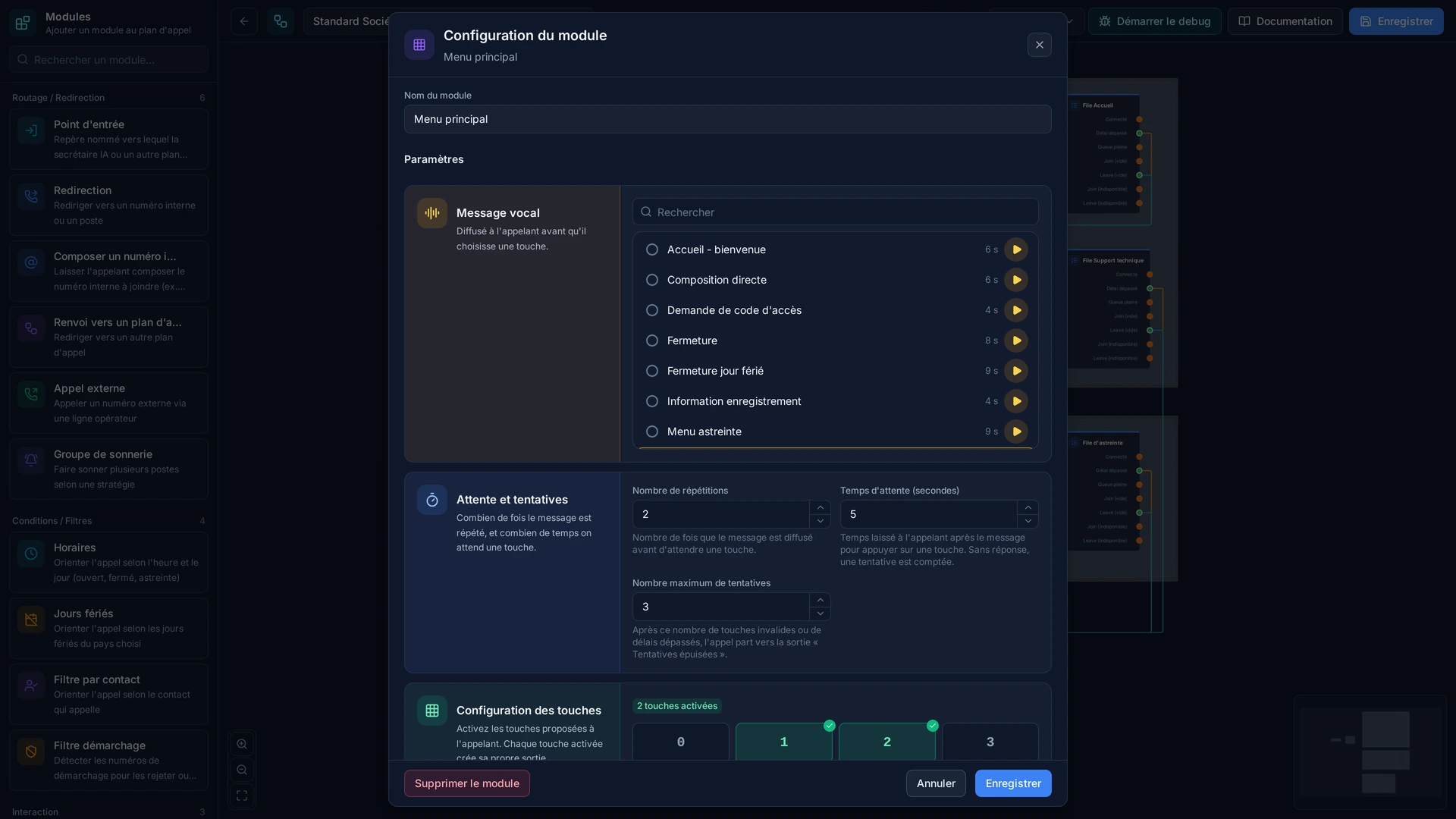
Read the guide: Faire répondre un menu vocal à vos appelants
Modules in the same category
Code Selection
The caller dials a numeric code to access a specific output. Perfect for secure access systems or PIN authentication.
Callback
Offer a call back rather than more waiting. When nobody can take the call, the caller is offered a call back: they accept with one key, hang up, and you receive the request by email with their number and the time. It turns a lost call into a customer rung back, and it stops the queue growing while nothing can be done about it.