 BreizhVoIP
Contact Filter
Route the call according to the calling contact. Allows routing differently depending on whether the caller is recognized as a contact in the database.
How it works
The system reads the calling number
It looks that number up in the contact database
If the contact is found, the call leaves through the 'contact found' output
Otherwise it leaves through the 'contact not found' output
This is how you build routes tailored to specific contacts
Use cases
- Send VIP customers to a priority service
- Recognise known contacts and treat them differently
- Build routes tailored to specific contacts
What you configure
- Contact lookup
- Turns on the automatic lookup of the calling number in the contact database. Found, the call leaves through the "contact found" output; not found, through "contact not found".
Examples
- VIP customers sent straight to the sales team
- Internal contacts sent to a specific extension
- Known contacts recognised automatically and handled accordingly
In the panel
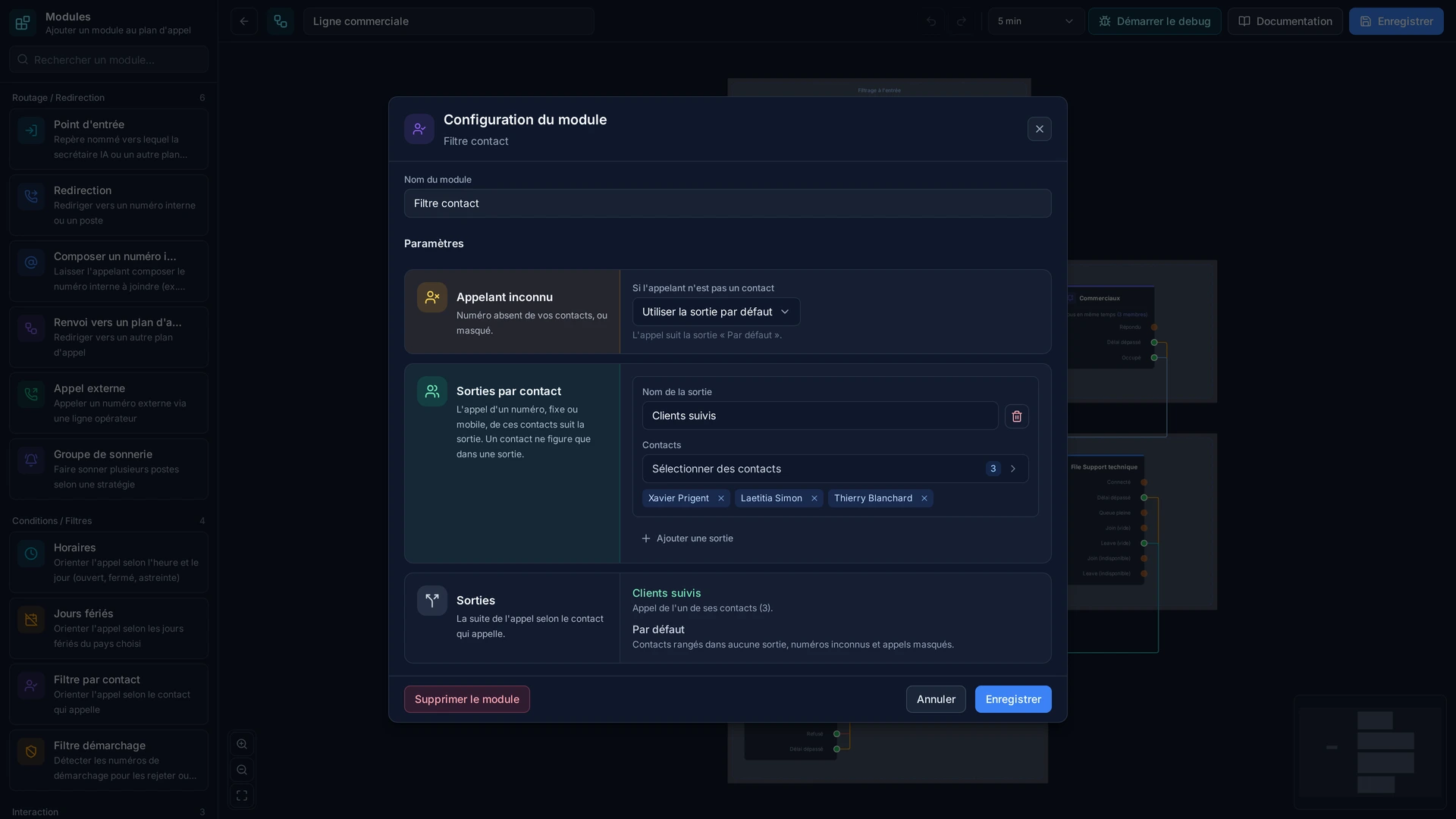
Read the guide: Router un appelant connu vers son interlocuteur habituel
Modules in the same category
Schedules
Route the call according to schedules (open/closed/on-call). Allows managing business hours and routing differently according to times.
Holiday
Route according to holidays in the selected country. Holidays are automatically detected according to the country's official calendar.
Telemarketing Filter
Detect and filter telemarketing phone numbers. Allows routing differently or automatically rejecting telemarketing calls.