 BreizhVoIP
Audio Message
Play a message to the caller: the greeting, a piece of information, an instruction, a one-off announcement. The files come from the audio studio, where they are recorded from a microphone or spoken by a synthetic voice, and they change in minutes. It is the most used module in a phone system, and the one that sets the tone of the company before anyone picks up.
How it works
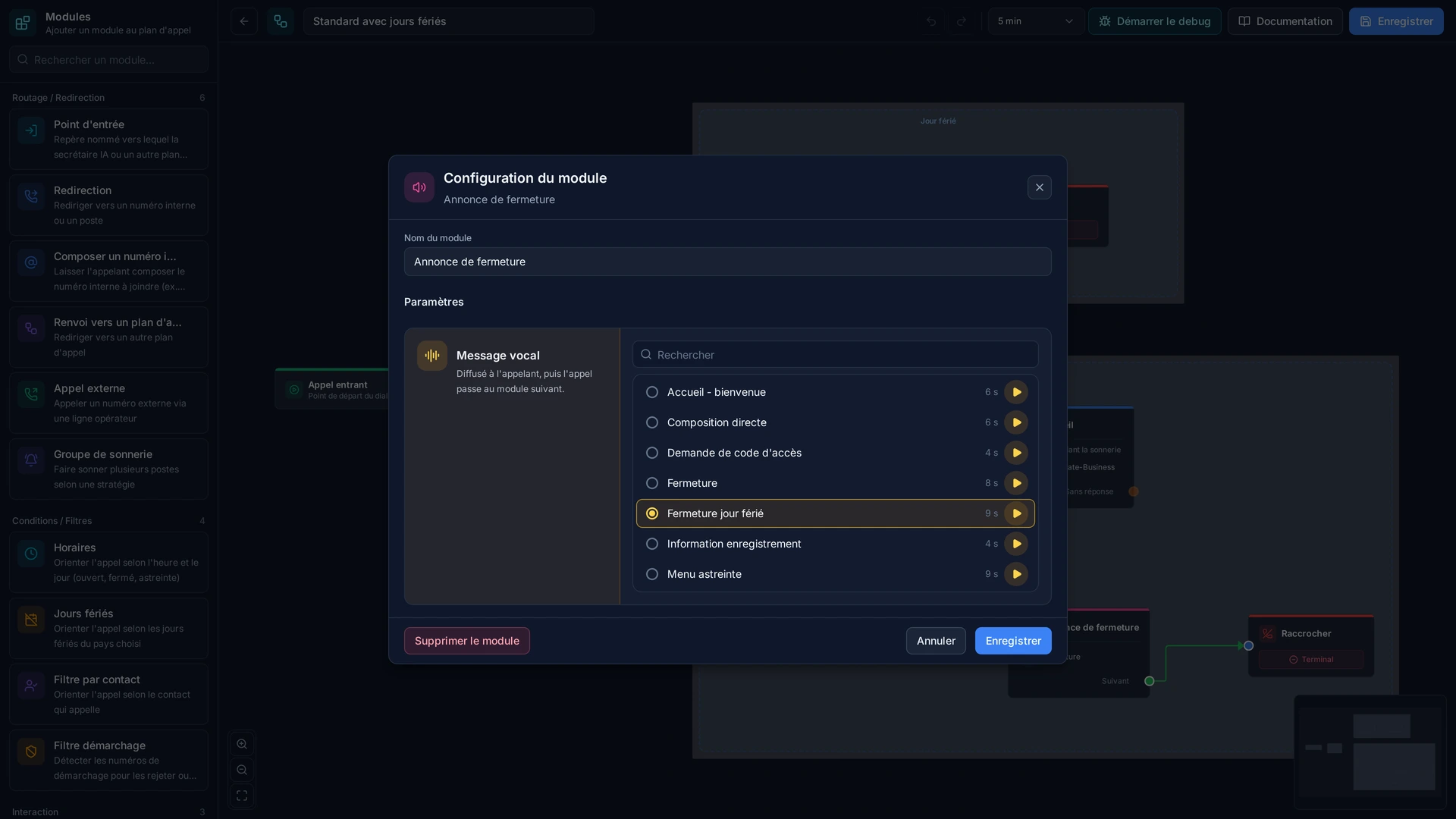
You pick the message from your shared library.
It plays to the caller as soon as they reach this point in the flow.
The caller hears it in full, unless the flow allows skipping.
The flow then moves on: a menu, a queue, an extension.
The message can be swapped without touching the rest: no need to rebuild the flow for a change of opening hours.
Use cases
- The greeting: first impressions, in the company's voice and tone.
- Opening hours or a closure, changed the evening before a long weekend with no technical work.
- An instruction before a menu: 'please have your customer number to hand'.
- One-off information: a move, a new number, an ongoing promotion.
- The recording warning, where the law requires it.
- An apology at busy times, rather than a wait with no explanation.
What you configure
- Audio file
- The path to the audio file played to the caller: a welcome message, an announcement, instructions, or a hold message. MP3, WAV and other common formats are supported.
- Audio format
- The file's format, MP3 or WAV for instance. Several common formats are supported, so you rarely need to convert anything.
Examples
- Greeting: 'Welcome, your call will be taken shortly', followed by the department menu.
- Bank holiday: a dedicated announcement switched on the evening before and removed the next day, without touching the flow.
- Before recording: the legal announcement played automatically on every incoming sales call.
In the panel
Read the guide: Diffuser une annonce à vos appelants
Modules in the same category
Voicemail
Take the message when nobody can answer, and get it to the right person. The caller hears your greeting, leaves a message, and it arrives by email with the recording attached and a written transcript. You read before you listen, call back without playing it all again, and nothing gets lost between the answering machine and whoever was meant to ring back.
Hang Up
End the call deliberately, at a chosen point in the flow. A phone system that never hangs up leaves the caller in silence wondering whether anyone is coming. After a closing message, after an error announcement, or when every line is taken, it is better to hang up clearly and, if needed, tell the caller's operator why.
Wait / Pause
Insert a silence or a pause in the flow. Two messages running into each other are hard to follow, and an announcement that starts before the caller has the phone to their ear is not heard. A second or two is often what separates a pleasant phone system from an abrupt one.