 BreizhVoIP
Conference
Bring several people into one call, with no link to send and no software to install: everyone dials a number and enters the room. An access code can protect the meeting, and the host keeps control of who speaks. This is the answer when not everyone is in front of a screen, on a site or in a car.
How it works
Each participant calls the room's number, from a landline, a mobile or their extension.
An access code can be required at the door, different for the host and for participants.
A tone marks arrivals and departures, so you know who is there.
The host can mute someone, lock the room once everyone has arrived, or start recording.
The number of participants can be capped if you wish.
The room is permanent: the same number serves the Monday catch-up, week after week.
Use cases
- Weekly team catch-up: the same number and code, with no invitation to resend each week.
- Meeting with people on the move: they join from the car, with no screen and no app.
- On site: people join from their mobile, where video would be unusable.
- A meeting with a customer and their accountant: everyone dials in, nobody installs anything.
- Shared on-call duty: a room left open for incidents, where the team gathers in thirty seconds.
What you configure
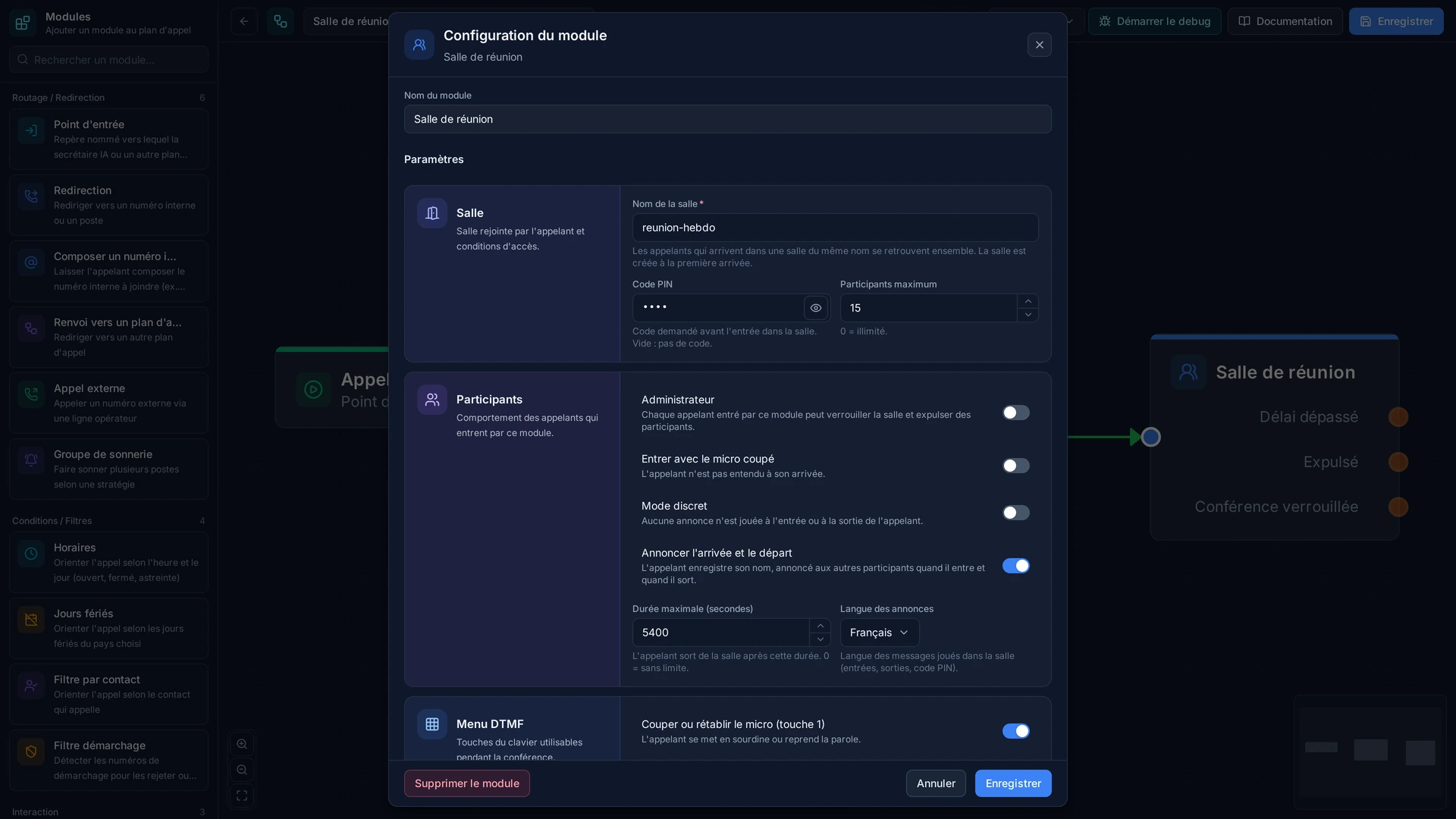
- Room
- Name or number of the conference room
- PIN
- Access PIN code (optional)
- Options
- Moderation, recording, maximum number of participants
Examples
- Monday catch-up: room 'weekly', code 1234, ten participants at most, locked once everyone has arrived.
- Incident room: no code, known to the team, permanently open.
- Customer meeting: the host enters with their code, participants with theirs, and the recording serves as minutes.
In the panel
Read the guide: Ouvrir une salle de conférence téléphonique
Modules in the same category
Queue
Hold callers and send them the first adviser who frees up, rather than letting the phone ring into the void. The queue keeps the order of arrival, plays your music and announcements, and hands out calls by the rule you choose. It replaces 'call back later' with an orderly wait, and it tells you how many people hung up before anyone took them.
Call Recording
Keep a record of what was said. Recording starts automatically by your rules, or by hand during the conversation when it turns into something worth keeping. The files are found from the call history, with the number, the date and the person who answered. Always tell the caller: it is a legal requirement, and the module can play the announcement for you.
Webhook / API Integration
Ask your own software during the call and decide with its answer. Before the phone even rings, your business tool can say who is calling, whether they have an open case, whether they are behind on payment, or whether they should go straight to their usual contact. The phone system stops treating everyone the same, with nothing to retype.
Set Caller ID
Choose what the person you call sees. By default an internal extension shows its short number, which means nothing outside the company and cannot be called back. This module presents the company number instead, or a department's, or a readable name. It is the difference between a call that is answered and one that is ignored.
Set Variable
Remember something during the call and use it further along. The option the caller chose in a menu, the department concerned, the campaign they came from: these are set here and turn up later in the call history or in the data sent to your business software. It is what lets you know not only that a call happened, but what it was about.