 BreizhVoIP
Set Caller ID
Choose what the person you call sees. By default an internal extension shows its short number, which means nothing outside the company and cannot be called back. This module presents the company number instead, or a department's, or a readable name. It is the difference between a call that is answered and one that is ignored.
How it works
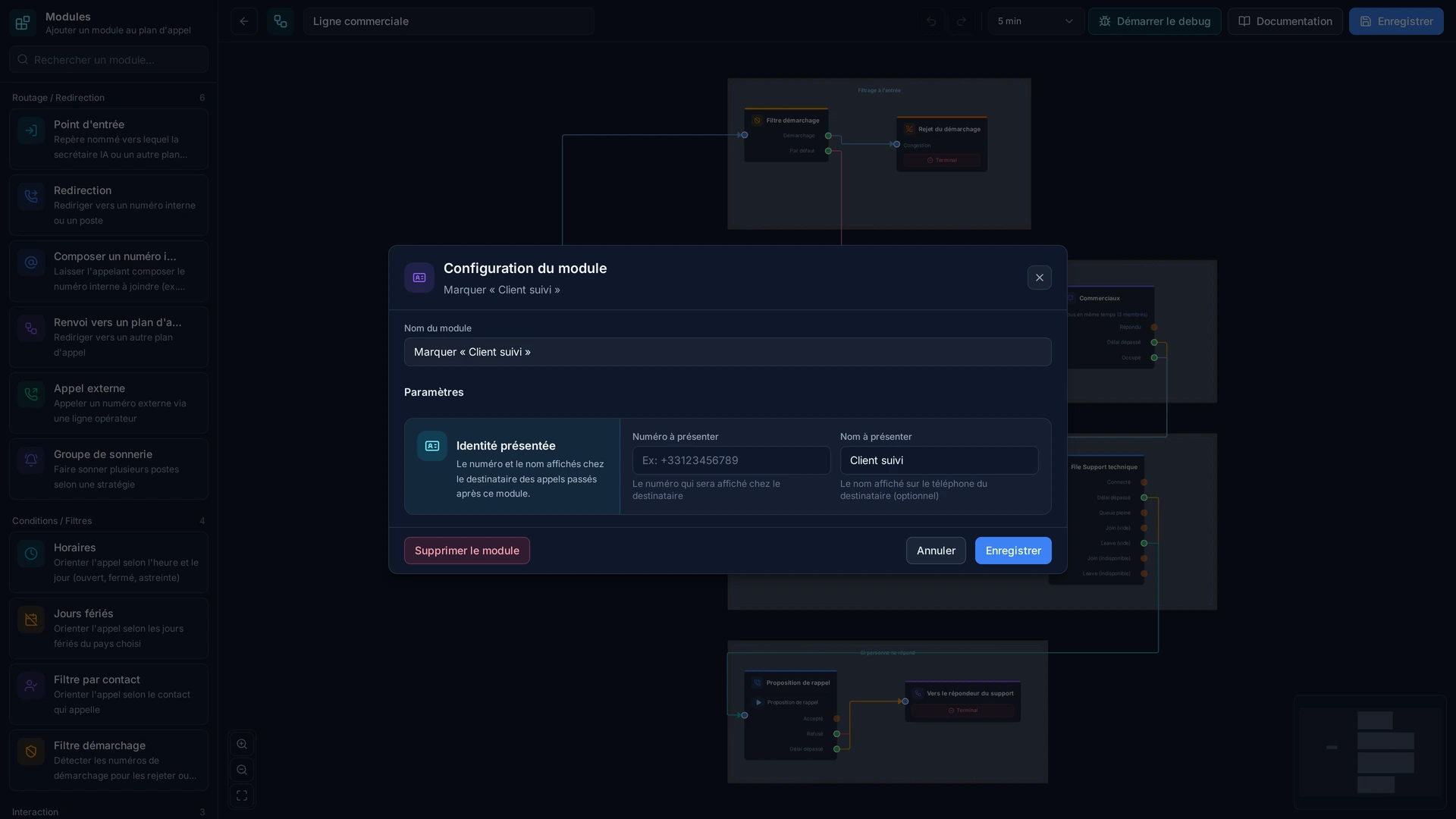
You set the number and the name to present to the person called.
The presentation applies from there on, for outgoing calls as well as transfers.
The number presented must be one of yours: that is the rule, and it protects everyone.
The name shows on internal phones; outside, it is the number that counts.
The presentation can change depending on which department the call comes from.
Use cases
- Outgoing calls: present the main number, the one on your paperwork, rather than an internal extension.
- Transfer to a mobile: keep the company number so the call back returns to the switchboard.
- Sales department: present the department's line, so call backs land in the right place.
- Field engineers: call a customer from a mobile while showing the company number.
- A calling campaign: present the dedicated number, the one that is tracked and measured.
What you configure
- Number
- Number to display (CallerID num)
- Name
- Name to display (CallerID name)
Examples
- An internal extension calls a customer: the company's main number is displayed, and the call back reaches the switchboard.
- The sales department presents its own line, which keeps call backs from going through reception.
- A transfer to the director's mobile keeps the company presentation, without revealing a personal number.
In the panel
Read the guide: Choisir le numéro qui s'affiche chez la personne appelée
Modules in the same category
Queue
Hold callers and send them the first adviser who frees up, rather than letting the phone ring into the void. The queue keeps the order of arrival, plays your music and announcements, and hands out calls by the rule you choose. It replaces 'call back later' with an orderly wait, and it tells you how many people hung up before anyone took them.
Call Recording
Keep a record of what was said. Recording starts automatically by your rules, or by hand during the conversation when it turns into something worth keeping. The files are found from the call history, with the number, the date and the person who answered. Always tell the caller: it is a legal requirement, and the module can play the announcement for you.
Webhook / API Integration
Ask your own software during the call and decide with its answer. Before the phone even rings, your business tool can say who is calling, whether they have an open case, whether they are behind on payment, or whether they should go straight to their usual contact. The phone system stops treating everyone the same, with nothing to retype.
Conference
Bring several people into one call, with no link to send and no software to install: everyone dials a number and enters the room. An access code can protect the meeting, and the host keeps control of who speaks. This is the answer when not everyone is in front of a screen, on a site or in a car.
Set Variable
Remember something during the call and use it further along. The option the caller chose in a menu, the department concerned, the campaign they came from: these are set here and turn up later in the call history or in the data sent to your business software. It is what lets you know not only that a call happened, but what it was about.